6 Ideas for Integrating Braille Into Tactile Maps That Enhance Navigation
Why it matters: Creating inclusive navigation tools isn’t just about accessibility—it’s about designing better experiences for everyone who relies on touch-based information.
The challenge: Traditional tactile maps often fall short when it comes to providing detailed location information that blind and visually impaired users can quickly understand and navigate.
[lasso id=”6067″]
What’s ahead: These six proven integration strategies will help you transform basic raised-surface maps into comprehensive braille-enhanced navigation tools that deliver precise spatial information through multiple tactile channels.
P.S. check out Udemy’s GIS, Mapping & Remote Sensing courses on sale here…
Disclosure: As an Amazon Associate, this site earns from qualifying purchases. Thank you!
Raised Dot Labeling for Key Landmarks and Points of Interest
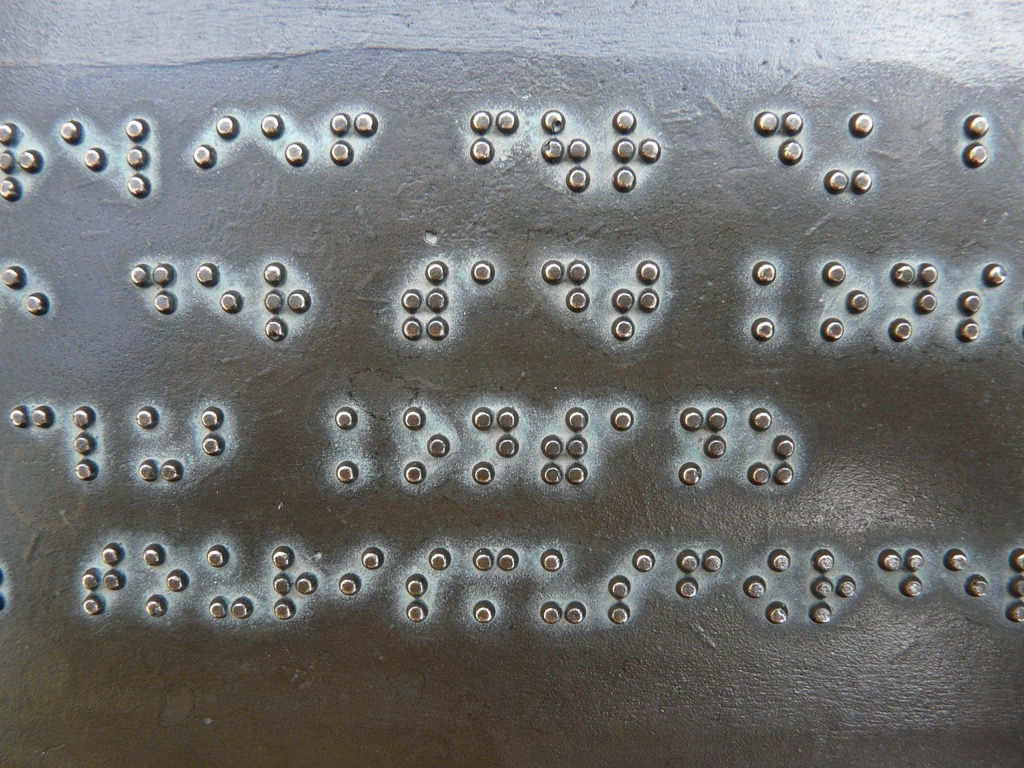
Raised dot labeling transforms standard tactile maps into comprehensive navigation tools by incorporating braille text directly onto map surfaces. You’ll create more informative spatial references when you strategically place these tactile labels at critical locations.
Major Buildings and Structures
You’ll need to prioritize government buildings, hospitals, schools, and shopping centers when adding braille labels to your tactile maps. Position each label adjacent to the raised outline of the structure, maintaining consistent spacing of 3-5mm between the building edge and braille text. Use grade 1 braille for maximum clarity, especially for abbreviated building names like “HOSP” for hospital or “SCH” for school, ensuring users can quickly identify essential destinations.
[lasso id=”16182″]
Transportation Hubs and Stations
Transportation nodes require detailed braille labeling to help users navigate complex transit systems effectively. Mark bus stops, subway entrances, and train platforms with both route numbers and destination information in contracted braille format. Include directional indicators like “N” for northbound or “E” for eastbound platforms, positioning these labels at the exact entry points where users would naturally place their hands when exploring the map surface.
Emergency Services and Safety Features
Emergency service locations demand immediate tactile recognition through strategic braille placement and standardized abbreviations. Label fire stations as “FD,” police stations as “PD,” and emergency exits with “EXIT” in uncontracted braille for universal comprehension. Position these critical safety labels using raised borders or textural backgrounds to distinguish them from standard landmark information, ensuring users can locate emergency resources quickly during urgent situations.
Braille Legend Integration for Map Symbols and Navigation Keys
[lasso id=”16995″]
Creating a comprehensive braille legend transforms your tactile map into a self-contained navigation system. You’ll need to establish consistent symbol patterns that users can reference throughout their exploration.
Symbol Reference Guide Placement
Position your braille legend at the bottom-left corner of every tactile map for consistent accessibility. Include raised symbols alongside their corresponding braille descriptions using standard Grade 2 contractions. Create a dedicated 4×6 inch reference area that lists common map elements like buildings, pathways, water features, and elevation changes. You’ll want to maintain consistent spacing between each symbol-description pair to prevent confusion during rapid reference checks.
Directional Compass Integration
Integrate a raised compass rose with braille directional indicators in your map’s upper-right corner for reliable orientation. Mark cardinal directions (N, S, E, W) using both raised letters and corresponding braille cells positioned at precise compass points. Include intermediate directions (NE, NW, SE, SW) with smaller braille labels to provide comprehensive navigation reference. You’ll establish spatial awareness by maintaining consistent compass placement across all maps in your series.
Scale and Distance Indicators
Embed braille-labeled scale bars directly below your main map content to provide accurate distance measurements. Create tactile measurement guides using raised line segments with braille distance markers at standard intervals like 100 feet, 500 feet, and 1000 feet. Include both metric and imperial measurements to accommodate different user preferences and regional standards. You’ll ensure precise navigation by positioning scale indicators where they won’t interfere with primary map content while remaining easily accessible.
Tactile Path Marking with Braille Route Descriptions
Path marking systems with braille descriptions create comprehensive navigation networks that guide users along specific routes. You’ll establish clear directional pathways by combining raised tactile lines with detailed braille instructions at key decision points.
Walking Route Instructions
Create sequential braille markers along designated walking paths to provide step-by-step navigation guidance. Position braille instruction panels every 50-100 feet at path intersections and direction changes. Include distance measurements in feet and meters, cardinal directions, and landmark references in each instruction set. Use standardized braille contractions for common navigation terms like “turn left at,” “continue straight,” and “destination ahead.” Place instruction panels at consistent heights between 48-52 inches from ground level for universal accessibility. Incorporate tactile arrow symbols alongside braille text to reinforce directional guidance through multiple sensory channels.
Public Transit Connection Points
Install comprehensive braille signage at bus stops, subway entrances, and transit platforms to connect tactile map users with public transportation networks. Mark each transit point with route numbers, destination information, and estimated walking times from major landmarks. Include braille schedules showing peak hours, weekend service changes, and accessibility features for each transit option. Position connection point markers at standard approach angles, typically 45 degrees from the main pedestrian pathway. Add tactile symbols representing different transportation modes—buses, trains, and light rail—with corresponding braille identifiers for quick recognition.
Alternative Route Options
Develop multiple pathway choices with distinct braille coding systems to accommodate different mobility needs and preferences. Mark primary routes with single-dot borders and secondary routes with double-dot patterns along path edges. Include braille descriptions of route characteristics such as “level pathway,” “gradual incline,” or “stairs required” at each alternative route entrance. Provide estimated travel times and difficulty ratings using standardized braille abbreviations. Connect alternative routes back to main pathways with clear junction markers featuring braille cross-references. Design bypass routes around construction zones or temporary obstacles with temporary braille signage systems.
Braille Street Name and Address Labeling Systems
Street-level navigation requires detailed braille labeling systems that provide essential location information directly on tactile maps. You’ll transform basic raised-surface maps into comprehensive address reference tools by implementing systematic braille identification methods.
Intersection Identification Methods
You’ll create clear intersection references by placing braille labels at each street crossing point on your tactile map. Position major street names using Grade 2 braille contractions along the raised lines representing each roadway. Include abbreviated directional indicators like “N MAIN ST” and “E OAK AVE” at intersection corners. Mark complex intersections with sequential numbering systems that correspond to detailed braille reference guides positioned at map edges.
Block Number Organization
You’ll establish logical address sequences by implementing braille block numbering along major corridors. Place odd and even number ranges at quarter-block intervals using raised dot patterns that distinguish address sides. Create systematic numbering like “100-150” and “151-200” blocks with clear braille markers. Position address range indicators at consistent spacing intervals to help users estimate specific building locations between marked reference points.
Neighborhood Boundary Markers
You’ll define area transitions using distinct braille neighborhood identifiers placed at community borders. Install raised letter abbreviations like “DT” for downtown and “RES” for residential zones at strategic boundary crossings. Create neighborhood reference codes that connect to comprehensive area description panels positioned at map corners. Mark significant district changes with tactile boundary lines accompanied by braille area names and basic characteristic descriptions.
Interactive Braille Overlay Panels for Detailed Information
Interactive braille overlay panels enhance tactile maps by providing removable information layers that adapt to different user needs and location contexts.
Removable Information Cards
Attach specialized braille cards to designated anchor points on your tactile map using magnetic strips or velcro fasteners. Position these cards at strategic locations like building entrances, parking areas, and service facilities where users need detailed operational information. Create standardized card sizes measuring 3×5 inches to ensure consistent placement and easy handling. Include essential details such as operating hours, contact information, and accessibility features using Grade 2 braille contractions for space efficiency.
[lasso id=”16163″]
Layered Detail Systems
Implement multiple overlay levels that provide progressively detailed information about specific map areas. Design primary overlay panels with basic location identifiers and secondary panels featuring comprehensive facility descriptions, room numbers, and specialized services. Stack these panels using raised mounting systems that allow users to access different information depths without removing lower layers. Position control tabs along panel edges to enable quick identification and removal of specific information layers.
Context-Specific Descriptions
Develop specialized braille panels tailored to different user scenarios and time-sensitive information needs. Create emergency procedure cards for crisis situations, visitor information panels for newcomers, and maintenance update cards for temporary accessibility changes. Design weather-resistant panels for outdoor installations using durable materials that maintain braille clarity under various environmental conditions. Update these contextual panels regularly to ensure information accuracy and relevance for changing facility conditions.
Digital-Physical Hybrid Maps with Braille Audio Integration
You can transform traditional tactile maps into comprehensive navigation systems by combining physical braille elements with digital audio technologies. These hybrid solutions bridge the gap between static raised-surface information and dynamic real-time updates.
QR Code Braille Labels
You’ll enhance tactile maps by embedding QR codes next to braille labels, creating instant access to detailed audio descriptions. Position these codes at consistent heights adjacent to major landmarks and intersection points. Users scan codes with smartphone cameras to receive turn-by-turn navigation instructions and real-time location updates. You can program multiple language options and difficulty levels for different navigation skills. Update digital content remotely without replacing physical braille elements, ensuring current information availability.
Voice-Activated Descriptions
You can integrate voice recognition technology directly into tactile map installations through embedded speakers and microphones. Users speak location names or landmark identifiers to receive detailed audio descriptions of routes and destinations. Configure voice systems to recognize natural speech patterns and respond with personalized navigation guidance. You’ll provide hands-free operation while users maintain tactile contact with raised map surfaces. Include backup battery systems and weatherproof housing for outdoor installations requiring consistent performance.
Smartphone App Connectivity
[lasso id=”5695″]
You’ll connect tactile maps to dedicated mobile applications through Bluetooth beacons and NFC tags embedded within map frames. Apps provide supplementary audio content synchronized with physical braille elements users touch on map surfaces. Configure automatic location detection when users approach mapped areas, triggering relevant navigation prompts and safety alerts. You can store offline map data for areas with limited cellular coverage while maintaining essential navigation functions. Include customizable audio speeds and detailed route recording features for repeated journey planning.
Conclusion
These six braille integration strategies provide you with practical solutions to create truly inclusive tactile mapping systems. By implementing raised dot labeling legends interactive overlays and digital-physical hybrid technologies you’ll transform basic tactile maps into comprehensive navigation tools.
Each approach addresses specific user needs while maintaining accessibility standards that benefit everyone. From street-level address systems to transit hub connectivity these methods ensure you’re creating navigation resources that serve diverse mobility requirements.
The key to successful implementation lies in consistent placement standardized formatting and regular maintenance of your braille elements. When you combine these strategies thoughtfully you’ll develop tactile maps that provide users with the confidence and independence they need to navigate their environments effectively.
Frequently Asked Questions
What are inclusive navigation tools and why are they important?
Inclusive navigation tools are accessibility features designed to enhance the navigation experience for all users, particularly those who are blind or visually impaired. They’re important because traditional tactile maps often lack detailed location information, making it difficult for users to navigate effectively. These tools incorporate braille, raised surfaces, and other tactile features to provide comprehensive spatial information and ensure equal access to navigation resources.
How do braille labels improve tactile maps?
Braille labels transform basic raised-surface maps into comprehensive navigation tools by providing detailed written information about landmarks, streets, and points of interest. They should be strategically placed at major buildings like hospitals, schools, and government offices, as well as transportation hubs. This enhancement allows users to identify specific locations accurately and navigate complex environments independently.
What should be included in a braille legend on tactile maps?
A braille legend should be positioned at the bottom-left corner of tactile maps and include consistent symbol patterns with braille descriptions, a raised compass rose with directional indicators, and braille-labeled scale bars for distance measurements. This creates a self-contained navigation system that provides users with comprehensive reference information for precise navigation without requiring external assistance.
How do tactile path marking systems work?
Tactile path marking systems use raised tactile lines to create clear directional pathways with detailed braille instructions at decision points. Sequential braille markers are placed along designated walking paths for step-by-step guidance, with instruction panels positioned at consistent heights. These systems create comprehensive navigation networks that connect different areas and provide multiple pathway choices for various mobility needs.
What are interactive braille overlay panels?
Interactive braille overlay panels are removable information layers that can be attached to tactile maps at designated anchor points. They provide specialized information like operating hours, accessibility features, and context-specific descriptions for different scenarios. These panels allow users to access progressively detailed information about specific areas, making the navigation experience more personalized and informative.
How do digital-physical hybrid maps enhance navigation?
Digital-physical hybrid maps integrate traditional braille tactile maps with modern audio technologies. They feature QR codes next to braille labels for instant audio descriptions, smartphone app connectivity through Bluetooth beacons and NFC tags, and voice-activated features. This combination provides users with both tactile and auditory navigation assistance, creating a more dynamic and responsive navigation experience.
Where should braille street labeling be implemented?
Braille street labeling should be implemented at intersection points using Grade 2 braille contractions for major street names. Complex intersections should have sequential numbering systems, and major corridors should include braille block numbering for logical address sequences. Neighborhood boundaries should also be marked with distinct braille identifiers to help users understand their location within larger geographic areas.
What makes braille signage effective at public transit locations?
[lasso id=”17030″]
Effective braille signage at public transit locations includes comprehensive labeling at bus stops and subway entrances with detailed route information and accessibility features. Multiple pathway choices should be marked with distinct braille coding systems, and connection points should clearly link tactile map users with transportation networks. This ensures seamless integration between walking navigation and public transit systems.