5 Best Map Experiences for Navigation
Why it matters: Your smartphone‘s map app is about to get a massive upgrade that’ll transform how you navigate the world around you.
[lasso id=”5695″]
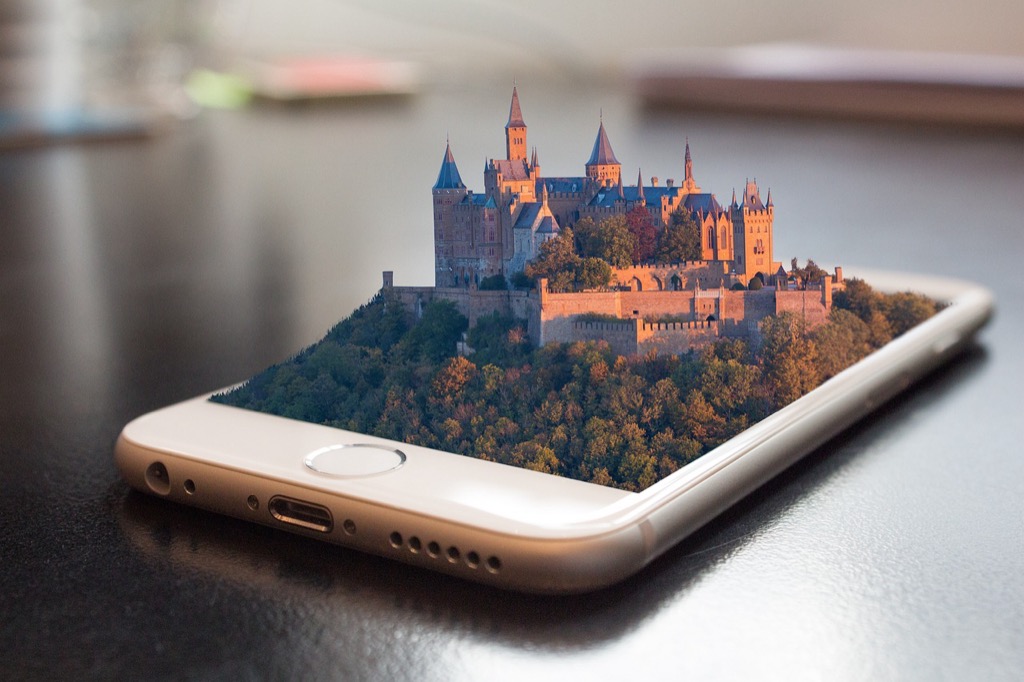
Augmented reality technology is revolutionizing traditional mapping by overlaying digital information directly onto your real-world view – turning basic directions into immersive visual experiences that guide you step-by-step through unfamiliar places.
From real-time translation of street signs to interactive 3D landmarks that pop up on your screen, AR mapping will make getting lost a thing of the past while opening up entirely new ways to explore and understand your surroundings.
P.S. check out Udemy’s GIS, Mapping & Remote Sensing courses on sale here…
Disclosure: As an Amazon Associate, this site earns from qualifying purchases. Thank you!
Interactive Navigation Will Replace Static Map Reading
Traditional static maps are giving way to dynamic, responsive navigation systems. AR technology transforms your smartphone into an intelligent guide that adapts to your movement and environment.
[lasso id=”16697″]
Real-Time Visual Overlays on Street Views
Your phone’s camera now displays directional arrows floating directly over crosswalks and intersections. These overlays highlight your exact path with bright visual markers that appear on building facades and street corners. Google Maps Live View already demonstrates this technology by placing virtual signs at decision points along your route. You’ll see distance markers projected onto the pavement ahead and turning indicators that follow the natural curves of roads and sidewalks.
Voice-Guided Directions with AR Markers
Spoken instructions now sync perfectly with visual AR elements that appear in your field of view. Your navigation app announces “turn left at the red building” while simultaneously highlighting that specific structure with a glowing outline. Apple’s ARKit enables these coordinated audio-visual cues that make following directions nearly foolproof. You’ll hear location-specific details like “continue past the fountain on your right” as AR markers identify these landmarks in real-time.
Gesture-Based Map Controls and Zoom Features
Simple hand movements now control your map interface without touching your screen. You can pinch the air to zoom in on distant landmarks or swirl your finger to rotate the view around your current position. Microsoft’s HoloLens demonstrates these spatial controls that work through your phone’s front-facing camera and motion sensors. You’ll point at buildings to get information overlays or wave your hand to switch between different map layers and viewing modes.
[lasso id=”16830″]
Contextual Information Will Enhance Location Discovery
AR technology transforms your smartphone into a comprehensive information hub that reveals hidden details about every location you encounter. This contextual layer creates richer exploration experiences beyond basic navigation.
Points of Interest Details Through AR Pop-Ups
Point your camera at any building or landmark to instantly access detailed information through floating AR windows. These pop-ups display business hours, contact details, menu previews for restaurants, and current availability for hotels. You’ll see pricing information, special offers, and booking options without switching between multiple apps. AR pop-ups also show accessibility features, parking availability, and entrance locations to help you plan your visit more effectively.
Historical Information Layered on Current Views
Historical overlays transform ordinary streets into immersive time machines that reveal past events and architectural changes. You’ll see ghostly outlines of demolished buildings, historical photographs superimposed on current locations, and timeline markers showing significant events. Interactive historical markers provide detailed stories about battles, famous residents, and cultural landmarks that shaped each area. This layered approach helps you understand how neighborhoods evolved and connects present-day locations to their rich historical context.
User Reviews and Ratings Displayed in Real-Time
Real-time review displays appear directly above businesses and attractions as you walk past them, showing current ratings and recent customer feedback. You’ll see aggregate scores from multiple review platforms, trending topics in recent comments, and photos uploaded by other visitors. Live sentiment analysis highlights positive and negative aspects of each location, helping you make informed decisions quickly. Social proof indicators show how many people visited recently and their overall satisfaction levels.
Social Mapping Will Create Collaborative Experiences
AR mapping will transform navigation from a solitary activity into a shared social experience. You’ll connect with friends and communities to create richer location-based interactions.
Shared Location Pins and Notes Between Users
You’ll drop AR pins for friends to discover at specific locations, creating virtual messages that appear through their smartphone cameras. These collaborative markers let you share restaurant recommendations, parking spots, or hidden viewpoints that only trusted contacts can access. Your group can build a personalized layer of location intelligence that traditional maps simply can’t provide.
Community-Generated Content Integration
You’ll contribute to crowdsourced AR content that enhances everyone’s mapping experience in real-time. Local communities will create shared databases of construction alerts, seasonal attractions, and safety warnings that appear as contextual overlays. Your neighborhood knowledge becomes valuable data that helps strangers navigate like locals, creating comprehensive information networks beyond official map providers.
Group Navigation and Meeting Point Coordination
You’ll coordinate complex group movements through shared AR waypoints that update dynamically as people move. Your friends can see each other’s live positions through AR avatars, making it easier to navigate crowded festivals or unfamiliar cities together. The system will suggest optimal meeting points based on everyone’s current location, eliminating confusion about where to gather in busy areas.
Indoor Navigation Will Become Seamless and Precise
AR mapping technology will revolutionize indoor navigation by providing precise location tracking and real-time visual guidance within complex building structures. You’ll experience seamless wayfinding that eliminates the confusion of navigating unfamiliar interior spaces.
Shopping Mall Directory Systems
Shopping centers will deploy AR-powered wayfinding that displays floating directional arrows leading you directly to specific stores and amenities. You’ll see personalized shopping routes overlaid on your phone screen based on your shopping list or preferences. Store promotions and sales information will appear as you walk past retailers, creating an interactive shopping experience. Real-time crowd density indicators will help you avoid congested areas and find optimal parking spots throughout the mall complex.
Hospital and Airport Wayfinding Solutions
Medical facilities will implement AR navigation systems that guide patients and visitors through complex corridor networks to specific departments and room numbers. You’ll receive step-by-step visual directions that account for elevator access, wheelchair accessibility, and construction detours in real-time. Airports will offer AR boarding gate directions with live flight updates and security checkpoint wait times displayed along your walking route. Emergency evacuation routes will be clearly marked through AR overlays during critical situations.
Office Building and Campus Navigation Tools
Corporate environments will integrate AR wayfinding that helps employees and visitors locate meeting rooms, departments, and facilities within multi-story buildings. You’ll access interactive floor plans showing available conference rooms with booking capabilities directly through the AR interface. University campuses will provide AR-guided tours for new students, displaying building information, class schedules, and campus amenities as you explore. Indoor positioning systems will track your location within buildings using WiFi beacons and smartphone sensors for centimeter-level accuracy.
[lasso id=”16117″]
Personalized Map Experiences Will Adapt to Individual Needs
AR mapping technology will analyze your behavior patterns and preferences to deliver customized navigation experiences that evolve with your needs.
Custom Route Preferences and Accessibility Options
Adaptive routing algorithms will learn your travel patterns to suggest personalized paths based on your mobility requirements and preferences. You’ll configure accessibility settings for wheelchair-friendly routes, avoid stairs, or prioritize well-lit streets for evening navigation. AR overlays will highlight curb cuts, accessible entrances, and elevator locations in real-time. Voice commands will customize route difficulty levels for walking, cycling, or driving preferences, ensuring every journey matches your specific mobility needs and comfort zones.
AI-Powered Destination Suggestions
Machine learning will analyze your location history to recommend destinations aligned with your interests and daily routines. You’ll receive contextual suggestions for restaurants during lunch hours, fitness centers after work, or entertainment venues on weekends. AR interfaces will display personalized recommendations floating above nearby businesses based on your past visits and rating patterns. Smart algorithms will consider factors like weather conditions, traffic patterns, and your available time to suggest optimal destinations that match your current situation and preferences.
Personal Safety Features and Alerts
Real-time safety monitoring will provide location-based alerts tailored to your risk tolerance and travel patterns. You’ll receive AR notifications about crime statistics, construction hazards, or weather warnings specific to your planned route. Emergency features will automatically share your location with designated contacts during late-night navigation or when entering unfamiliar areas. Crowd-sourced safety data will appear as visual overlays, highlighting well-lit paths, emergency services locations, and safe zones to help you make informed decisions about your route choices.
Conclusion
The future of mapping is arriving faster than you might expect. AR technology isn’t just adding fancy visual effects to your navigation experience—it’s fundamentally reshaping how you’ll interact with the world around you.
Your smartphone will soon become an intelligent companion that understands your preferences learns from your habits and connects you with others in ways traditional maps never could. Whether you’re exploring a new city or finding your way through a complex building these advances promise to make navigation more intuitive and engaging.
The transition from flat digital maps to immersive AR experiences represents more than technological progress—it’s about creating deeper connections between you and your environment. Get ready for a mapping revolution that puts personalized intelligent guidance directly in your field of view.
Frequently Asked Questions
What is AR mapping technology and how does it enhance smartphone navigation?
AR mapping technology overlays digital information onto the real world through your smartphone camera, creating immersive visual experiences. It enhances traditional navigation by providing step-by-step guidance with real-time visual overlays, directional arrows, and interactive 3D landmarks displayed directly on street views, making navigation more intuitive and reducing the chances of getting lost.
How will AR maps provide real-time information about locations?
AR maps serve as comprehensive information hubs, displaying floating pop-ups with business hours, contact details, menu previews, and availability status as you walk past locations. Historical overlays show past events and architectural changes, while real-time review displays provide current ratings and customer feedback, eliminating the need to switch between multiple apps.
Can AR mapping be used for social navigation and sharing experiences?
Yes, AR mapping transforms navigation into a shared social experience. Users can drop virtual AR pins at specific locations to leave messages for friends, access community-generated content with local insights and alerts, and use group navigation features with shared waypoints to see each other’s live positions and coordinate movements in crowded areas.
How does AR mapping work for indoor navigation in buildings?
AR mapping provides precise indoor location tracking with real-time visual guidance through complex building structures. Shopping malls, airports, medical facilities, and corporate environments can implement AR wayfinding systems that display floating directional arrows, personalized routes, crowd density indicators, and live updates to help users navigate efficiently through indoor spaces.
Will AR maps offer personalized navigation experiences?
AR maps feature adaptive routing algorithms that learn your travel patterns and suggest customized paths based on mobility requirements and preferences. AI-powered destination suggestions analyze your location history to recommend places aligned with your interests, while real-time safety monitoring provides location-based alerts tailored to your individual risk tolerance and travel patterns.
What are gesture-based controls in AR navigation?
Gesture-based controls allow users to manipulate AR map interfaces without touching the screen. Through simple hand movements, users can intuitively zoom, rotate views, and interact with the map display. These controls work seamlessly with voice-guided directions that sync with AR markers, providing hands-free navigation that enhances accuracy and user experience.