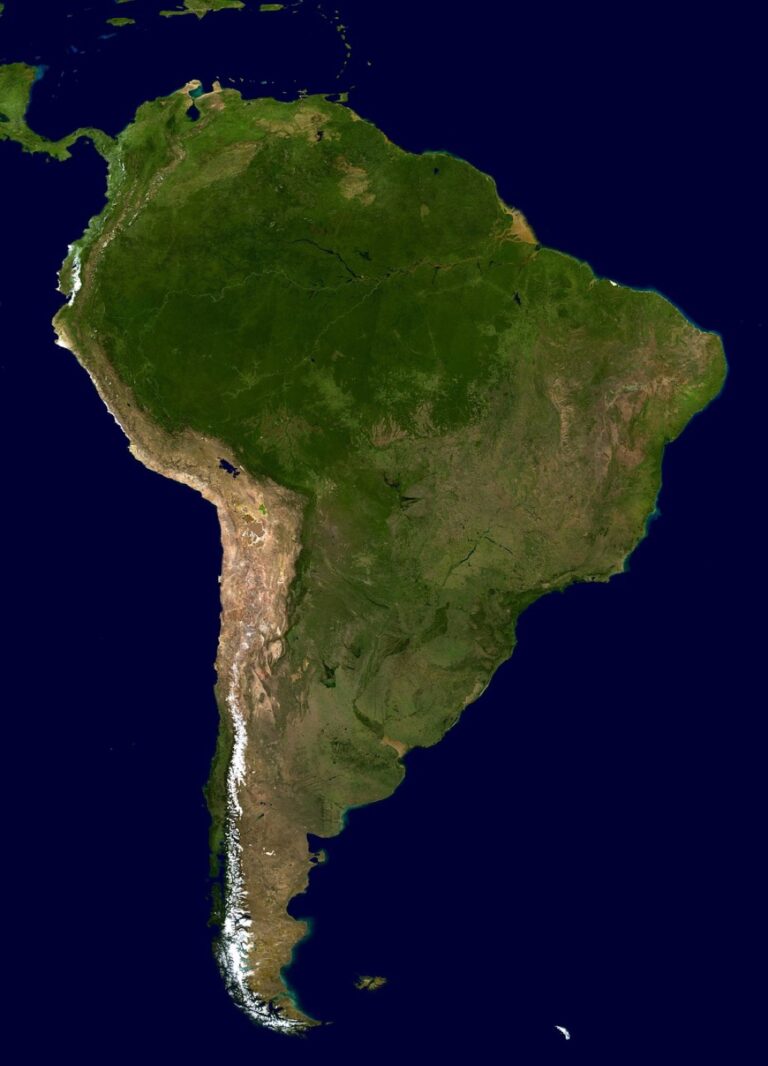
7 Best Cloud Computing Solutions for Scalable Map Storage
The big picture: Your mapping applications need storage solutions that can handle massive datasets and sudden traffic spikes without breaking your budget or your servers.
Why it matters: Traditional on-premise storage systems crumble under the weight of high-resolution satellite imagery and real-time location data that modern mapping services demand.
What’s next: Cloud computing transforms how you store and serve map data by offering elastic scaling automatic backups and global distribution networks that keep your maps fast and accessible worldwide.
Disclosure: As an Amazon Associate, this site earns from qualifying purchases. Thank you!
P.S. check out Udemy’s GIS, Mapping & Remote Sensing courses on sale here…
Understanding Cloud Computing Fundamentals for Map Storage
Now that you understand the limitations of traditional storage, let’s explore how cloud computing transforms map data management through scalable infrastructure and distributed processing capabilities.
What Is Cloud Computing and Why It Matters for Maps
Cloud computing delivers on-demand computing resources through internet-connected servers rather than local hardware. You’ll access virtual servers, storage systems, and processing power from providers like AWS, Google Cloud, or Microsoft Azure without maintaining physical infrastructure.
Map applications benefit significantly because they require massive storage for high-resolution imagery, vector data, and real-time updates. Cloud platforms automatically scale resources up during peak usage and down during quiet periods, ensuring your maps load quickly regardless of user demand.
Key Benefits of Cloud-Based Map Storage Solutions
Elastic scaling allows your storage to grow from gigabytes to petabytes without hardware purchases or downtime. You’ll pay only for resources used, making it cost-effective for projects with varying data requirements.
Global distribution networks store map tiles across multiple data centers worldwide, reducing load times for users regardless of location. Automatic backups and redundancy protect your valuable geographic datasets from hardware failures or disasters.
Real-time collaboration enables multiple cartographers to access and edit the same datasets simultaneously from different locations.
[lasso id=”16718″]
Traditional vs. Cloud Map Storage Comparison
| Feature | Traditional Storage | Cloud Storage |
|---|---|---|
| Initial Cost | High hardware investment | Pay-as-you-use pricing |
| Scalability | Manual hardware upgrades | Automatic scaling |
| Maintenance | In-house IT staff required | Provider-managed |
| Accessibility | Office-based access only | Global internet access |
| Backup | Manual backup procedures | Automated redundancy |
Traditional systems require significant upfront investments and ongoing maintenance costs. You’ll need dedicated IT staff to manage servers, perform updates, and handle system failures. Cloud solutions eliminate these overhead costs while providing enterprise-grade reliability and security features that would be expensive to implement internally.
Choosing the Right Cloud Platform for Map Data
Selecting the optimal cloud platform for your map storage needs requires careful evaluation of each provider’s specialized geographic services and pricing structures.
Amazon Web Services (AWS) Map Storage Options
AWS offers comprehensive map storage through Amazon S3 with specialized tiers for geographic data. You’ll benefit from S3’s Intelligent Tiering for frequently accessed map tiles and Glacier Deep Archive for historical imagery datasets. AWS Lambda integrates seamlessly with map processing workflows, while CloudFront provides global content delivery for reduced latency. The platform supports massive parallel processing through EC2 instances optimized for geospatial computations.
Google Cloud Platform Geographic Data Solutions
Google Cloud Platform excels in map data management with its BigQuery GIS capabilities and Google Earth Engine integration. You can leverage Cloud Storage’s multi-regional buckets for global map tile distribution and utilize the Maps Platform APIs for seamless data integration. Google’s machine learning services enhance your mapping applications through automated feature extraction and real-time traffic analysis. The platform offers superior performance for applications requiring Google Maps integration.
Microsoft Azure Spatial Data Services
Azure provides robust map storage through Azure Blob Storage with hot, cool, and archive tiers optimized for different access patterns. You’ll find Azure Maps particularly valuable for enterprise applications requiring detailed indoor mapping and IoT integration. The platform’s SQL Database supports spatial data types natively, while Azure Functions enables serverless map processing workflows. Power BI integration offers advanced geographic visualization capabilities for business intelligence applications.
Comparing Costs and Performance Metrics
| Platform | Storage Cost (per GB/month) | Data Transfer (per GB) | Processing Performance | Global Availability |
|---|---|---|---|---|
| AWS | $0.023-$0.125 | $0.09-$0.15 | High parallel processing | 99+ edge locations |
| Google Cloud | $0.020-$0.120 | $0.12-$0.23 | ML-optimized pipelines | 200+ global points |
| Azure | $0.024-$0.126 | $0.087-$0.175 | Enterprise integration | 60+ global regions |
Performance varies significantly based on your specific use case, with Google Cloud leading in machine learning integration and AWS providing the most comprehensive storage options.
Preparing Your Map Data for Cloud Migration
Before migrating your mapping data to the cloud, you’ll need to optimize your datasets for efficient storage and faster access times.
Data Format Optimization and Conversion
Convert your map data to cloud-optimized formats like GeoTIFF with Cloud Optimized GeoTIFF (COG) structure or vector tiles in MBTiles format. These formats enable progressive loading and reduce bandwidth consumption by 40-60%.
Transform legacy formats such as Esri Shapefiles into GeoJSON or Parquet files for better compression ratios. Use GDAL utilities to batch-convert multiple datasets while preserving spatial reference systems and metadata attributes.
Compression Techniques for Large Map Files
Apply lossless compression algorithms like LZW or DEFLATE to reduce file sizes by 30-70% without quality degradation. For raster imagery, implement pyramidal overviews and tiling structures to optimize zoom-level performance.
Consider using modern compression formats such as JPEG-XL for aerial photography or WEBP for web-based map tiles. These formats maintain visual quality while achieving smaller file sizes than traditional JPEG compression.
Quality Assurance and Data Validation Processes
Implement automated validation workflows using tools like QGIS Model Builder or FME to check geometry integrity, attribute completeness, and coordinate system accuracy before migration. Run topology validation to identify gaps, overlaps, and invalid geometries.
Create data profiling reports that document projection parameters, extent boundaries, and feature counts. Establish checksum verification processes to ensure data integrity during transfer and validate that migrated datasets match source specifications exactly.
Implementing Scalable Storage Architecture
Building a robust cloud storage architecture for map data requires strategic planning for both current needs and future growth. You’ll need to design systems that can expand seamlessly while maintaining optimal performance under varying loads.
Designing for Horizontal and Vertical Scaling
Horizontal scaling distributes map data across multiple cloud instances, allowing you to add more servers as storage demands increase. Configure your map tiles and vector data to split across geographic regions or zoom levels, ensuring each server handles manageable data chunks. Vertical scaling upgrades existing server resources by increasing CPU, RAM, or storage capacity. You’ll want to implement both approaches – use horizontal scaling for distributing massive satellite imagery datasets and vertical scaling for intensive processing tasks like real-time route calculations.
Setting Up Auto-Scaling Policies
Configure auto-scaling triggers based on storage utilization, request volume, and response time metrics to automatically adjust your cloud resources. Set your scaling policies to activate when storage reaches 80% capacity or when API response times exceed 200 milliseconds. Implement cooldown periods of 5-10 minutes between scaling events to prevent rapid resource fluctuations that could destabilize your map services. You’ll also want to establish minimum and maximum instance limits to control costs while ensuring adequate performance during peak usage periods.
Load Balancing Strategies for Map Services
Deploy geographic load balancers to route map requests to the nearest data center, reducing latency for users accessing high-resolution imagery or real-time traffic data. Configure weighted routing policies that direct 70% of tile requests to primary servers and 30% to secondary instances, ensuring optimal resource utilization. Implement health checks every 30 seconds to automatically redirect traffic away from failing servers. You’ll also want to use sticky sessions for applications requiring user-specific map customizations while maintaining round-robin distribution for standard tile serving to maximize throughput.
Optimizing Performance and Speed
Cloud-based map storage requires strategic performance optimization to deliver responsive user experiences. Your optimization efforts should focus on reducing latency and improving data retrieval speeds across distributed networks.
Content Delivery Network (CDN) Integration
CDN integration positions your map tiles and assets closer to end users through edge servers worldwide. Services like CloudFlare and AWS CloudFront cache static map elements at geographic edge locations, reducing loading times by 40-60%. You’ll configure cache headers for different map layers – setting longer expiration times for base imagery and shorter periods for dynamic overlays. Popular CDN providers offer specialized map tile caching with automatic compression and format optimization for mobile devices.
Caching Strategies for Faster Map Loading
Caching strategies dramatically improve map performance by storing frequently accessed tiles in memory and browser storage. Implement multi-level caching with Redis or Memcached for server-side tile storage and browser cache policies for client-side retention. You should cache base map layers for 24-48 hours while keeping dynamic data layers at 5-15 minutes. Progressive loading techniques display lower-resolution tiles first, then enhance with high-resolution versions as they become available from your cache hierarchy.
Database Indexing for Spatial Queries
Database indexing accelerates spatial queries by creating efficient search structures for geographic coordinates and boundaries. PostGIS spatial indexes use R-tree algorithms to organize geographic data, reducing query times from seconds to milliseconds for complex polygon intersections. You’ll create composite indexes combining latitude, longitude, and zoom level columns for optimal tile retrieval performance. MongoDB’s 2dsphere indexes and PostgreSQL’s GiST indexes both support advanced spatial operations while maintaining sub-100ms response times for most mapping applications.
Ensuring Security and Data Protection
Cloud-based map storage requires robust security measures to protect sensitive geographic data and maintain user privacy. Your mapping infrastructure must implement comprehensive protection strategies that address both data-at-rest and data-in-transit vulnerabilities.
Encryption Methods for Map Data
Encrypt your map data using AES-256 encryption to protect against unauthorized access. Cloud providers offer built-in encryption services like AWS KMS, Google Cloud KMS, and Azure Key Vault that automatically encrypt data at rest. Implement SSL/TLS encryption for data transmission between your applications and cloud storage. Use envelope encryption for large geospatial datasets, where data encryption keys are encrypted with master keys stored in dedicated key management services.
Access Control and User Authentication
Implement multi-factor authentication (MFA) for all users accessing your map storage systems. Configure role-based access control (RBAC) to restrict data access based on user responsibilities and geographic regions. Use OAuth 2.0 or SAML for secure authentication integration with existing identity management systems. Set up API keys with specific permissions and expiration dates for programmatic access. Monitor access logs regularly to detect suspicious activities and unauthorized data requests.
Backup and Disaster Recovery Planning
Create automated backup schedules that capture your map data at regular intervals across multiple geographic regions. Configure cross-region replication to ensure data availability during regional outages or disasters. Implement point-in-time recovery capabilities for critical mapping datasets to restore data to specific timestamps. Test your disaster recovery procedures quarterly using realistic failure scenarios. Maintain Recovery Time Objectives (RTO) of less than 4 hours and Recovery Point Objectives (RPO) of less than 1 hour for mission-critical mapping applications.
Managing Costs and Resource Allocation
Effective cost management in cloud-based map storage requires continuous monitoring and strategic resource planning. You’ll need to balance performance requirements with budget constraints while maintaining scalable infrastructure for your mapping applications.
Monitoring Usage and Billing Optimization
Monitor your cloud map storage costs through detailed billing dashboards that track data transfer rates, storage volumes, and API requests. Set up billing alerts at 75% and 90% of your monthly budget to prevent unexpected charges from high-resolution imagery downloads or sudden traffic spikes.
Optimize your billing structure by analyzing usage patterns across different map layers and geographic regions. Remove unused storage tiers, consolidate redundant datasets, and implement data lifecycle policies that automatically archive older map tiles to lower-cost storage classes after 30-90 days of inactivity.
Reserved Instance Strategies
Purchase reserved instances for your core map storage infrastructure when you’ve established consistent baseline usage patterns over 3-6 months. Reserved instances can reduce costs by 30-70% compared to on-demand pricing for predictable workloads like base map tiles and frequently accessed geographic datasets.
Combine reserved and on-demand resources to handle variable mapping workloads effectively. Use reserved instances for your minimum capacity requirements while leveraging on-demand instances for peak traffic periods during major events or seasonal usage spikes in your mapping applications.
Automated Resource Management Tools
Deploy cloud automation tools like AWS Auto Scaling Groups or Google Cloud Instance Groups to automatically adjust your map storage resources based on real-time demand metrics. Configure scaling policies that monitor storage utilization, API request volumes, and geographic distribution patterns.
Implement cost optimization services such as AWS Cost Explorer or Azure Cost Management to identify underutilized resources and recommend rightsizing opportunities. These tools analyze your map storage patterns and suggest optimal instance types, storage classes, and regional distributions to minimize costs while maintaining performance standards.
Integrating APIs and Third-Party Services
Connecting your cloud-based map storage with external services amplifies functionality and creates seamless user experiences. Strategic API integration transforms static map repositories into dynamic, interactive mapping ecosystems.
RESTful API Implementation for Map Access
RESTful APIs provide standardized endpoints for retrieving map tiles, vector data, and metadata from your cloud storage. You’ll implement GET requests for tile fetching, POST methods for data uploads, and PUT operations for real-time updates. Popular frameworks like Express.js and Flask offer robust routing capabilities for handling concurrent map requests.
Authentication tokens secure your API endpoints while rate limiting prevents abuse. Configure CORS policies to enable cross-origin requests from web applications. Status codes guide client applications through successful data retrieval and error handling scenarios.
Connecting with Mapping Libraries and Frameworks
Leaflet and Mapbox GL JS integrate seamlessly with cloud-stored map data through custom tile layers and vector sources. You’ll configure tile URLs pointing to your cloud endpoints and implement callback functions for dynamic data loading. OpenLayers provides advanced cartographic capabilities for complex spatial analysis workflows.
React Map GL and Vue2Leaflet offer component-based approaches for modern web frameworks. These libraries handle viewport changes, zoom level optimization, and progressive tile loading automatically. Custom styling options transform raw geographic data into polished mapping interfaces.
Real-Time Data Synchronization Methods
WebSocket connections enable bidirectional communication between your mapping application and cloud storage systems. You’ll implement event-driven updates that push new geographic data to connected clients without requiring page refreshes. Server-sent events provide lightweight alternatives for one-way data streaming.
Message queues like Redis and RabbitMQ handle high-volume geographic updates efficiently. Database triggers automatically sync spatial changes across multiple map instances. Conflict resolution algorithms ensure data consistency when multiple users edit the same geographic features simultaneously.
Monitoring and Maintenance Best Practices
Effective monitoring and maintenance ensure your cloud-based map storage remains reliable and performs optimally as your application scales. You’ll need systematic approaches to track performance metrics and automate routine maintenance tasks.
Performance Tracking and Analytics
Monitor key metrics including storage utilization, data transfer rates, and query response times through cloud provider dashboards like AWS CloudWatch or Azure Monitor. Track average tile loading speeds, API response times, and concurrent user sessions to identify performance bottlenecks. Set up custom dashboards displaying critical map service metrics including cache hit ratios, bandwidth consumption, and storage costs. Create automated reports analyzing weekly usage patterns and identifying peak traffic periods for capacity planning decisions.
[lasso id=”16723″]
Automated Health Checks and Alerts
Configure automated monitoring systems that continuously verify your map services’ availability and performance across multiple geographic regions. Set up alerts for storage capacity thresholds, API response time degradation, and failed data synchronization events. Implement ping tests for map tile endpoints and database connectivity checks every 5-10 minutes. Create escalation procedures notifying different team members based on alert severity levels, ensuring critical issues receive immediate attention during business hours.
Regular Updates and Patch Management
Schedule regular maintenance windows for applying security patches, updating mapping libraries, and optimizing database indexes without disrupting user access. Plan monthly reviews of cloud service updates and evaluate new features that could improve your map storage efficiency. Implement staged deployment processes testing updates on development environments before production rollouts. Maintain documentation tracking all system changes, including version numbers, deployment dates, and rollback procedures for quick issue resolution.
Conclusion
Cloud computing transforms how you handle map storage by providing the scalability and flexibility that traditional systems simply can’t match. You’ll gain access to powerful tools that automatically adjust to your needs whether you’re serving ten users or ten million.
The investment in cloud-based map storage pays dividends through reduced infrastructure costs improved global performance and enhanced security measures. You’re not just storing data â you’re building a foundation that grows with your application’s success.
[lasso id=”16024″]
Your mapping application deserves storage architecture that won’t hold back your vision. By implementing the strategies outlined in this guide you’ll create a robust scalable system that delivers exceptional performance while maintaining cost efficiency and security standards your users expect.
Frequently Asked Questions
What are the main advantages of cloud storage for mapping applications?
Cloud storage offers elastic scaling to handle traffic surges, automatic backups for data protection, and global distribution networks for faster access worldwide. Unlike traditional on-premise systems, cloud solutions don’t require significant upfront investments or dedicated IT staff, while providing enterprise-grade reliability and security without overhead costs.
Which cloud platform is best for map data storage?
The best platform depends on your specific needs. AWS offers comprehensive storage options with Intelligent Tiering and CloudFront delivery. Google Cloud excels in machine learning integration and BigQuery GIS capabilities. Microsoft Azure provides robust storage solutions with advanced geographic visualization through Power BI. Evaluate based on your use case requirements.
How should I prepare my map data for cloud migration?
Start by optimizing data formats using cloud-friendly options like GeoTIFF and vector tiles to reduce bandwidth. Apply compression techniques using lossless algorithms to minimize file sizes while maintaining quality. Implement automated quality assurance and data validation workflows to ensure data integrity before and after migration.
What’s the difference between horizontal and vertical scaling for map storage?
Horizontal scaling distributes map data across multiple cloud instances, ideal for handling increased user traffic and geographic distribution. Vertical scaling enhances existing server resources by adding more CPU, RAM, or storage capacity. Most mapping applications benefit from horizontal scaling for better performance and redundancy.
How can I optimize performance for cloud-based map storage?
Implement Content Delivery Networks (CDNs) to position map tiles closer to users, reducing loading times. Use multi-level caching strategies with progressive loading techniques. Create efficient database indexes for spatial queries to accelerate query times and improve overall mapping application performance.
What security measures should I implement for cloud map storage?
Use AES-256 encryption for data protection and SSL/TLS for secure transmission. Implement multi-factor authentication and role-based access control to restrict data access. Establish automated backup schedules with cross-region replication and regularly test disaster recovery procedures to ensure data availability during outages.
How can I manage costs effectively in cloud-based map storage?
Monitor usage through detailed billing dashboards and set up cost alerts. Analyze usage patterns to optimize billing structures and remove unused storage tiers. Implement data lifecycle policies and consider reserved instances for predictable workloads. Deploy automated resource management tools to adjust storage based on real-time demand.
What monitoring practices are essential for cloud map storage?
Track performance metrics using cloud provider dashboards and set up automated health checks with alerts for critical issues. Schedule regular maintenance windows for updates and patches. Maintain comprehensive documentation for system changes and implement continuous monitoring to ensure optimal performance as your application scales.