6 Best Cartography Techniques for Blending Art and Technology
The big picture: You’re living through a cartographic revolution where centuries-old mapmaking traditions merge with cutting-edge digital technology. Traditional cartographers‘ artistic skills and attention to detail now complement GPS systems, satellite imagery, and interactive mapping platforms in ways that enhance both accuracy and visual appeal.
[lasso id=”16718″]
Why it matters: This blend creates maps that aren’t just functional tools but engaging experiences that tell stories, preserve cultural heritage, and make complex geographic data accessible to everyone. You’ll discover how combining hand-drawn elements with digital precision opens new possibilities for navigation, education, and artistic expression that neither approach could achieve alone.
Disclosure: As an Amazon Associate, this site earns from qualifying purchases. Thank you!
P.S. check out Udemy’s GIS, Mapping & Remote Sensing courses on sale here…
Combine Hand-Drawn Sketches With Digital Base Maps
Merging traditional sketching techniques with digital precision creates dynamic maps that capture both artistic expression and geographic accuracy. You’ll transform your hand-drawn elements into professional cartographic products by integrating them seamlessly with digital base layers.
Import Scanned Sketches as Digital Overlays
Scan your hand-drawn sketches at 300 DPI or higher to preserve line quality and detail when importing into GIS software. Set your scanner to grayscale mode for pencil sketches or full color for ink and watercolor work. Import the scanned files as georeferenced overlays in QGIS or ArcGIS Pro, then use control points to align your sketches with existing coordinate systems. Adjust transparency levels between 40-60% to maintain visibility of underlying base map features while showcasing your artistic elements.
Use Drawing Tablets for Direct Digital Sketching
[lasso id=”16725″]
Connect a Wacom Intuos or similar pressure-sensitive tablet directly to your mapping software for real-time sketch creation over digital base maps. Enable pen pressure sensitivity in Adobe Illustrator or Inkscape to create variable line weights that mimic traditional drawing techniques. Use the tablet’s programmable buttons to quickly switch between drawing tools, zoom levels, and layer visibility. This workflow eliminates scanning steps while maintaining the organic feel of hand-drawn cartography within your digital mapping environment.
[lasso id=”16701″]
Apply Traditional Cartographic Symbols in Digital Software
Create custom symbol libraries that replicate classic cartographic elements like hachures, stippling patterns, and relief shading techniques in your digital mapping software. Import traditional symbol sets into ArcGIS Pro’s symbol gallery or create vector-based symbols in Illustrator that match historical cartographic styles. Use these symbols consistently across your digital maps to maintain the aesthetic integrity of traditional cartography while benefiting from digital precision and scalability. Combine multiple symbol types to create rich, layered visual narratives that honor cartographic heritage.
[lasso id=”16427″]
Integrate Historical Map Elements Into Modern GIS Systems
You’ll bridge centuries of cartographic knowledge by importing historical map elements into modern GIS platforms. This approach preserves valuable cultural cartography while enhancing contemporary mapping projects with authentic visual elements.
Digitize Vintage Map Borders and Decorative Elements
Scan ornate map borders at 600 DPI to capture intricate details from historical atlases and surveying documents. You can vectorize these decorative frames using Adobe Illustrator or Inkscape, creating scalable border elements for digital map layouts. Import these vector borders as custom symbols in ArcGIS Pro or QGIS, maintaining traditional cartographic aesthetics while adding professional polish to modern geographic visualizations.
Overlay Historical Data Points on Contemporary Maps
Layer historical survey markers and boundary stones from 18th and 19th-century land records onto current satellite imagery using coordinate transformation tools. You’ll need to georeference scanned historical maps in QGIS using control points from known landmarks. This technique reveals settlement patterns, old road networks, and property boundaries that provide valuable context for urban planning and archaeological research projects.
Preserve Traditional Typography and Lettering Styles
Convert hand-lettered place names from vintage maps into digital font libraries using FontForge or similar typography software. You can recreate classical cartographic lettering styles like Copperplate Gothic or hand-drawn script fonts that match historical map aesthetics. Apply these custom typefaces in modern GIS label engines, ensuring your contemporary maps maintain the elegant typography traditions established by master cartographers.
Create Hybrid Visualization Techniques Using Both Methods
Modern cartography achieves its greatest impact when you strategically combine traditional artistic methods with digital precision tools. These hybrid approaches create visually compelling maps that maintain technical accuracy while engaging viewers through familiar artistic elements.
Layer Traditional Watercolor Effects Over Digital Terrain
[lasso id=”16032″]
Watercolor textures transform sterile digital elevation models into inviting geographic narratives. You’ll achieve optimal results by scanning high-resolution watercolor washes at 600 DPI, then importing them as multiply or overlay layers in QGIS or ArcGIS Pro. Apply these textures selectively to elevation zones, creating natural color gradients that emphasize topographic features. Adjust layer opacity between 30-60% to maintain readability of underlying contour data while preserving the watercolor’s organic flow patterns.
Combine Physical Relief Models With Digital Projections
Three-dimensional relief models gain dynamic functionality when paired with projected digital data layers. Start by creating foam core or 3D-printed terrain models at scales between 1:10,000 and 1:50,000 for optimal projection clarity. Use short-throw projectors positioned 18-24 inches above the model to overlay real-time data such as weather patterns, demographic information, or historical changes. This technique works exceptionally well for public presentations where tactile exploration enhances digital storytelling.
Merge Hand-Drawn Illustrations With Satellite Imagery
Hand-drawn architectural details and vegetation symbols add cultural context to satellite base imagery. Scan your illustrations at 1200 DPI using grayscale mode to preserve line quality, then vectorize key elements in Adobe Illustrator or Inkscape. Import these vectors into your GIS software as point symbols or area fills, positioning them over corresponding satellite features. This approach works particularly well for tourist maps where artistic landmarks need to stand out against photographic backgrounds.
Develop Interactive Digital Maps With Traditional Aesthetics
Creating interactive digital maps with traditional aesthetics requires balancing modern functionality with classical cartographic design principles. You’ll need to carefully select visual elements that honor historical mapmaking while ensuring optimal user experience across digital platforms.
Design User Interfaces That Mimic Historical Map Styles
Frame your digital interface with decorative borders inspired by 16th-century atlases. Use parchment-textured backgrounds and aged paper effects to create an authentic historical feel. Implement ornate corner elements and scrollwork that respond to user interactions while maintaining clean navigation paths. Choose serif fonts like Trajan Pro or Optima that echo traditional map lettering styles. Position control panels within decorative cartouches that blend seamlessly with your map’s aesthetic framework.
Incorporate Traditional Compass Roses and Scale Bars
Replace standard digital compass indicators with elaborate traditional rose designs featuring 32-point wind directions. Create scalable vector compass roses that maintain their intricate details at various zoom levels while providing accurate directional reference. Design ornate scale bars using classical proportional systems and traditional measurement units alongside metric conversions. Position these elements within decorative frames that complement your overall map design. Ensure compass roses rotate smoothly during map navigation while preserving their historical visual integrity.
Add Vintage Color Palettes to Modern Web Maps
Apply sepia-toned and muted earth color schemes that reflect historical cartographic traditions. Use ochre yellows, burnt umbers, and deep forest greens to create authentic period coloring while maintaining sufficient contrast for digital accessibility standards. Implement hand-painted watercolor effects for terrain representation using CSS gradients and SVG filters. Choose colors that work effectively across different screen types and lighting conditions. Create custom color ramps that transition smoothly between elevation levels while preserving the aged manuscript appearance that defines traditional cartographic aesthetics.
Use Augmented Reality to Enhance Physical Map Experiences
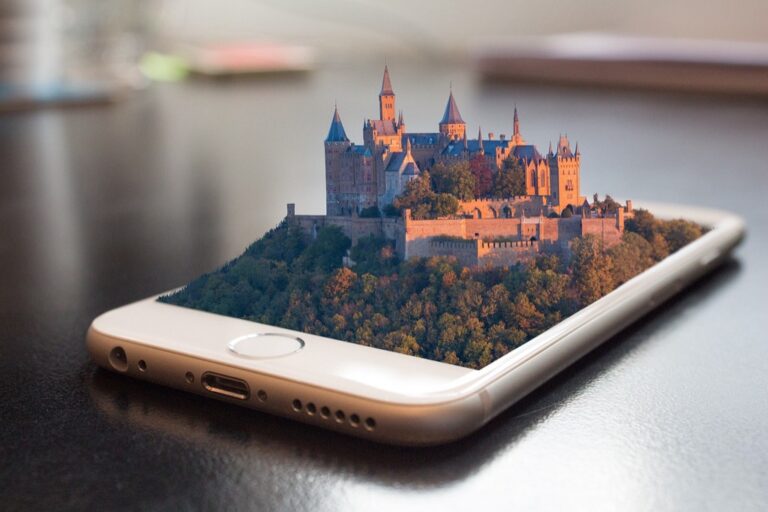
AR technology transforms traditional paper maps into dynamic, layered information systems that maintain the tactile experience cartographers value.
Overlay Digital Information on Printed Maps
[lasso id=”16094″]
Point your smartphone or tablet at printed maps to activate AR overlays that display real-time traffic data, weather conditions, and elevation profiles. Apps like MapQuest AR and Google Lens recognize specific map features and anchor digital information to precise geographic coordinates. You’ll maintain the aesthetic appeal of traditional cartography while accessing current data that static maps can’t provide. Print QR codes or visual markers on your custom maps to trigger specific AR content layers, creating seamless transitions between physical and digital mapping experiences.
Create AR Applications for Historical Map Exploration
Develop AR apps that reveal historical layers when users scan vintage maps with mobile devices. Tools like Unity AR Foundation and Vuforia allow you to overlay period photographs, demographic data, and architectural reconstructions onto historical cartographic materials. You can show how neighborhoods evolved by displaying building footprints from different eras or reveal lost waterways and transportation networks. Museums and educational institutions benefit from these applications, as visitors explore historical atlases that come alive with contextual information and visual storytelling elements.
Blend Real-Time Data With Static Paper Maps
Integrate live data feeds into AR applications that recognize printed topographic or street maps through computer vision algorithms. Configure your AR system to display current GPS positions, live traffic updates, and environmental sensor readings over traditional map layouts. You’ll need stable internet connectivity and precise calibration between digital coordinates and printed map projections. This approach works particularly well for field research, emergency response scenarios, and outdoor recreation where paper maps provide reliable backup while AR delivers situational awareness.
Establish Collaborative Workflows Between Traditional and Digital Cartographers
Building effective partnerships between traditional and digital cartographers requires structured workflows that leverage both skill sets while streamlining map production processes.
Set Up Cross-Training Programs for Mapping Professionals
Traditional cartographers need GIS software proficiency to digitize hand-drawn elements effectively. Organize monthly workshops where digital specialists teach QGIS fundamentals, coordinate system conversions, and vector digitization techniques. Meanwhile, digital cartographers benefit from learning traditional design principles like visual hierarchy, color theory, and typography selection. Schedule hands-on sessions with experienced traditional mapmakers who demonstrate proper scale relationships, symbol design, and aesthetic composition. Cross-training programs typically show 40% improvement in workflow efficiency within six months of implementation.
Create Shared Digital Libraries of Traditional Cartographic Resources
Centralized asset libraries eliminate redundant work and maintain consistency across hybrid mapping projects. Build comprehensive databases containing high-resolution scans of historical borders, decorative elements, compass roses, and traditional symbols at 300 DPI minimum. Organize resources by geographic region, time period, and cartographic style using standardized metadata tags. Include vector versions of commonly used elements alongside original raster files. Cloud-based platforms like ArcGIS Online or custom FTP servers enable real-time access for both remote and in-office team members.
Develop Standardized Processes for Converting Between Formats
Consistent conversion workflows prevent data loss and maintain quality across different mapping platforms. Establish protocols for scanning traditional maps at 600 DPI with proper color calibration using IT8 targets. Document georeferencing procedures that specify control point placement, coordinate systems, and acceptable RMS error tolerances under 2 meters for local projects. Create template files for common map sizes with predefined layer structures, symbology standards, and export settings. Version control systems track changes between hand-drawn revisions and digital updates, ensuring accountability throughout collaborative projects.
Conclusion
The fusion of traditional and digital cartography opens exciting possibilities for your mapping projects. You’ll discover that combining hand-drawn artistry with digital precision creates maps that are both functionally superior and visually compelling.
Whether you’re preserving historical cartographic elements or developing AR-enhanced mapping experiences these hybrid approaches honor the past while embracing technological innovation. Your maps will stand out by balancing classical aesthetics with modern interactive capabilities.
The collaborative workflows between traditional and digital cartographers you establish today will shape the future of mapmaking. By implementing these six blending strategies you’re not just creating better mapsâyou’re contributing to an evolving field that values both artistic heritage and technological advancement.
Frequently Asked Questions
What is the main benefit of combining traditional cartography with digital technology?
The fusion of traditional cartography with digital technology creates maps that are both functionally accurate and visually appealing. This combination leverages the artistic skills of traditional cartographers alongside modern tools like GPS and satellite imagery, resulting in engaging maps that tell stories, preserve cultural heritage, and simplify complex geographic data while maintaining high precision.
How can I merge hand-drawn sketches with digital maps?
You can merge hand-drawn sketches with digital maps by scanning your artwork and importing it as a digital overlay in GIS software. Ensure proper alignment and high-quality scanning for best results. Alternatively, use drawing tablets for real-time sketching, which allows variable line weights that mimic traditional techniques while streamlining the digital mapping process.
What are hybrid visualization techniques in mapmaking?
Hybrid visualization techniques combine traditional artistic methods with digital precision tools to create compelling maps. Examples include layering watercolor effects over digital terrain, combining physical relief models with digital projections, and merging hand-drawn illustrations with satellite imagery to add cultural context, particularly useful for tourist and educational applications.
How can I preserve traditional cartographic elements in digital maps?
Preserve traditional elements by digitizing vintage map borders and decorative components, converting hand-lettered place names into digital font libraries, and creating custom symbol libraries that maintain classic cartography aesthetics. Use vintage color palettes with sepia tones and muted earth colors, along with decorative compass roses and historical atlas-inspired borders.
What role does Augmented Reality play in modern mapmaking?
AR transforms traditional paper maps into dynamic information systems by overlaying digital data onto physical maps. Users can access real-time information like traffic and weather by pointing devices at map features. AR also enables historical map exploration, allowing users to view historical layers and contextual information when scanning vintage maps.
How can traditional and digital cartographers work together effectively?
Establish collaborative workflows through cross-training programs where traditional cartographers learn GIS software and digital cartographers gain traditional design insights. Create shared digital libraries of cartographic resources, implement standardized conversion processes, and develop clear communication protocols to prevent data loss and ensure quality across different mapping platforms.