7 Best GIS Tools for Terrain Analysis
Why it matters: GIS tools have revolutionized how professionals visualize and present terrain data â transforming complex geographical information into compelling visual stories that drive decision-making.
The big picture: Whether you’re a geologist presenting to stakeholders or an urban planner pitching development proposals terrain presentations can make or break your project’s success.
What’s next: These seven creative approaches will help you leverage GIS technology to create impactful terrain visualizations that engage audiences and communicate your findings with clarity and precision.
Disclosure: As an Amazon Associate, this site earns from qualifying purchases. Thank you!
P.S. check out Udemy’s GIS, Mapping & Remote Sensing courses on sale here…
Create Interactive 3D Terrain Models Using Digital Elevation Data
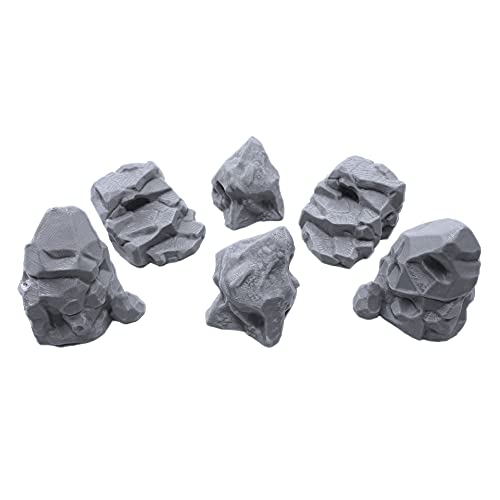
Enhance your tabletop games with this set of six highly detailed, 3D printed stone boulder terrain pieces. Perfect for 28mm miniatures, these paintable PLA plastic models add immersive scenery to any battlefield.

Digital Elevation Models (DEMs) serve as the foundation for creating compelling three-dimensional terrain visualizations that bring geographic data to life. You’ll transform flat elevation datasets into immersive 3D models that allow stakeholders to explore topographic features with unprecedented detail and interactivity.
Achieve a flawless, even complexion with e.l.f. Flawless Satin Foundation. This lightweight, vegan formula provides medium coverage and a semi-matte finish for all-day wear, while hydrating your skin with glycerin.

Import High-Resolution DEM Files
Download USGS 1-meter resolution DEMs from the National Map Viewer for precise terrain modeling. Import these files directly into ArcGIS Pro or QGIS using the Data Management toolbox. You’ll achieve optimal results with LiDAR-derived elevation data that captures surface features like vegetation and buildings. Convert multiple DEM tiles into a single mosaic dataset to create seamless terrain coverage across your study area.
Apply Realistic Texturing and Lighting Effects
Drape high-resolution aerial imagery over your 3D terrain models to create photorealistic surface textures. Configure directional lighting at 315-degree azimuth with 45-degree altitude to enhance topographic relief visibility. You’ll add depth perception by adjusting ambient lighting to 30% intensity while maintaining shadow contrast. Apply hillshade effects with multiple light sources to eliminate flat-looking terrain areas and emphasize geological formations.
Enable Real-Time Navigation and Zoom Features
Configure interactive controls using WebGL-enabled platforms like ArcGIS Online Scene Viewer or Cesium for web-based terrain exploration. Set zoom constraints between 1:500 and 1:50,000 scale to maintain rendering performance while preserving detail visibility. You’ll implement smooth camera transitions with momentum-based navigation that allows users to orbit around terrain features. Enable touch gestures for mobile devices and mouse wheel controls for desktop viewing experiences.
Develop Dynamic Slope Analysis Visualizations for Risk Assessment
Slope analysis transforms terrain data into critical risk assessment tools that reveal potential hazards before they become dangerous realities. These visualizations enable you to communicate slope-related risks effectively to stakeholders and decision-makers.
Generate Color-Coded Slope Gradient Maps
Create gradient maps using ArcGIS Spatial Analyst or QGIS raster analysis tools to classify slopes into distinct risk categories. Apply standardized color schemes with red representing steep slopes above 30 degrees and green indicating stable areas below 15 degrees. Use graduated symbology to highlight critical transition zones where slope failures commonly occur, ensuring your maps clearly communicate danger levels.
Overlay Hazard Zones and Safety Boundaries
Combine slope data with existing hazard zone polygons to identify areas where multiple risk factors intersect. Import regulatory safety boundaries from local planning departments and overlay them onto your slope classifications using transparency settings. This technique reveals locations where development restrictions apply and helps planners identify safe construction zones while avoiding high-risk terrain.
Create Animated Slope Stability Scenarios
Build time-series animations showing how slope conditions change during different weather events or seasonal variations. Use Model Builder in ArcGIS or Processing Modeler in QGIS to automate scenario calculations based on precipitation data and soil moisture levels. Export these animations as web-compatible formats that demonstrate how slopes respond to varying environmental conditions over time.
Design Watershed and Drainage Pattern Presentations
Watershed mapping requires precise flow direction analysis to understand how water moves across terrain surfaces. You’ll create comprehensive drainage presentations that reveal critical hydrological patterns for environmental planning and flood management.
Map Surface Water Flow Directions
Generate flow direction rasters using the Hydrology toolset in ArcGIS Spatial Analyst or GRASS GIS r.watershed module. You’ll process filled DEMs to calculate eight-directional flow patterns that show water movement paths across your terrain. Apply graduated symbology with blue-to-red color ramps to visualize flow velocity differences. Overlay flow accumulation networks to highlight major drainage channels and tributaries for comprehensive watershed analysis.
Highlight Catchment Areas and Basin Boundaries
Delineate watershed boundaries using pour point analysis tools in ArcGIS or QGIS’s SAGA watershed delineation algorithms. You’ll define catchment polygons that represent drainage areas contributing to specific outlet points. Color-code basin boundaries with distinct hues to separate major watersheds from sub-basins. Add elevation contours and ridge lines to emphasize topographic divides that control water flow between adjacent drainage systems.
Visualize Flood Risk Zones and Water Accumulation
Create flood inundation maps using HEC-RAS modeling results imported into your GIS environment. You’ll classify flood zones by return periods using standardized FEMA color schemes for 10-year 50-year and 100-year events. Overlay water accumulation hotspots derived from flow accumulation analysis to identify areas prone to ponding. Include infrastructure elements like bridges culverts and storm drains to show potential bottlenecks during flood events.
Build Elevation Profile Cross-Sections for Engineering Projects
Engineering projects require precise elevation data to assess feasibility and design constraints. Cross-sectional profiles reveal critical terrain characteristics that influence construction costs and project viability.
Extract Detailed Topographic Profiles
You’ll create accurate elevation profiles by drawing polylines along proposed routes using the Profile tool in ArcGIS Pro or the Terrain Profile plugin in QGIS. Import high-resolution LiDAR data with 1-meter vertical accuracy to capture detailed surface variations including embankments and cuts. Export profile data as CSV files for engineering calculations and include both existing ground elevations and proposed grade lines to visualize cut-and-fill requirements.
Compare Multiple Route Alternatives
You can evaluate different alignment options by generating multiple elevation profiles within the same project workspace. Overlay profiles in ArcGIS Pro’s chart properties or use QGIS Profile Tool to display concurrent routes with distinct colors and line styles. Calculate grade percentages for each alternative and identify steep sections exceeding 8% that require additional engineering considerations. Export comparative charts showing elevation differences between routes to support decision-making processes.
Integrate Infrastructure Planning Elements
You’ll enhance profiles by incorporating utility crossings and existing infrastructure using feature overlays in your GIS software. Add bridge locations where profiles cross waterways and mark areas requiring retaining walls or special foundations based on slope analysis. Include right-of-way boundaries and property lines to identify potential acquisition needs. Layer geological data from state surveys to highlight rock outcrops or unstable soils that affect construction methods and costs.
Generate Contour Line Animations for Educational Purposes
You’ll create dynamic educational materials that make elevation concepts more accessible to students and professionals through animated contour visualizations. These animations transform static topographic maps into engaging learning tools that demonstrate how contour lines represent three-dimensional terrain features.
Learn essential map reading and navigation skills with this U.S. Army guide. Designed for practical use, it provides clear instructions for navigating any terrain.

Create Progressive Contour Interval Displays
Design contour animations that gradually reveal elevation patterns by controlling interval visibility. Start with major contour lines at 100-foot intervals, then progressively add intermediate contours at 50-foot and 20-foot intervals. Use ArcGIS Pro’s Time Slider or QGIS Temporal Controller to sequence the appearance of different contour sets. Apply distinct line weights and colors for each interval level to help viewers understand elevation relationships and topographic complexity as detail increases.
Animate Elevation Changes Over Time
Build temporal animations showing how terrain features evolve through geological or environmental processes. Import multi-year DEM datasets from USGS 3DEP to track changes in coastal erosion, volcanic activity, or mining operations. Configure time-enabled layers in ArcGIS Pro with date fields, then export frame sequences showing contour line shifts over decades. Use graduated symbology to highlight areas of significant elevation change, making geological processes visible through dynamic contour movement patterns.
Add Interactive Learning Elements
Integrate clickable hotspots and pop-up information panels within your contour animations for enhanced educational value. Embed elevation readouts, slope calculations, and terrain feature explanations using ArcGIS Online Web AppBuilder or QGIS2Web plugins. Include measurement tools that let students calculate distances between contour lines and determine gradient percentages. Add layer toggle controls allowing learners to switch between different contour intervals, satellite imagery, and shaded relief to reinforce topographic interpretation skills.
Construct Viewshed Analysis Maps for Strategic Planning
Viewshed analysis transforms terrain data into strategic intelligence by mapping visibility patterns across landscapes. You’ll create comprehensive visual coverage maps that support critical decision-making for military operations, surveillance planning, and telecommunications infrastructure.
Calculate Visibility Coverage Areas
Calculate visibility coverage using the Viewshed tool in ArcGIS Pro or r.viewshed in GRASS GIS with observer height parameters set between 1.5-2 meters for ground-level analysis. Input high-resolution DEM data and specify target height values to generate binary visibility rasters showing visible and non-visible areas. Export coverage statistics to quantify total visible area percentages and create coverage probability maps by combining multiple observer points using the Cell Statistics tool.
Identify Optimal Observation Points
Identify strategic observation locations by running multiple viewshed analyses from candidate points and comparing total visibility coverage using the Zonal Statistics tool. Test observer positions at elevation peaks, ridgelines, and prominent terrain features while considering practical access constraints. Generate cumulative viewshed maps by overlaying individual analyses and selecting points that maximize coverage overlap while minimizing redundancy in surveillance zones.
Assess Line-of-Sight Obstructions
Assess terrain obstructions using the Line of Sight tool to analyze elevation profiles between specific observer-target pairs and identify blocking ridges or valleys. Create obstruction height maps by calculating the difference between actual terrain elevation and required clear-sight elevation along sight lines. Generate visibility corridors by buffering unobstructed sight lines and overlay vegetation height data to account for forest canopy interference in tactical planning scenarios.
Produce Multi-Layered Terrain Storytelling Presentations
You’ll transform static terrain data into compelling narratives by layering multiple datasets that reveal how landscapes evolve through time and human interaction.
Combine Historical and Current Topographic Data
Layer historical USGS topographic maps with current DEM data to showcase landscape evolution over decades. Import georeferenced historical maps into ArcGIS Pro and overlay them with recent high-resolution elevation models using transparency settings of 40-60%. Create temporal comparison slides showing mining operations, urban development, or erosion patterns by toggling between time periods. Export side-by-side elevation profiles that quantify vertical changes, particularly effective for documenting coastal erosion or quarry expansion.
Explore history's most significant maps with *Great Maps*. This book delves into cartographic masterpieces and their historical context.

Integrate Environmental and Cultural Features
Overlay ecological data layers including wetlands, forest cover, and wildlife corridors onto your terrain base using National Wetlands Inventory and GAP Analysis datasets. Incorporate cultural elements like archaeological sites, historic trails, and tribal territories from state historic preservation databases. Apply graduated symbology to show elevation-dependent vegetation zones while maintaining terrain visibility through hillshade transparency. Combine these layers with demographic data to illustrate human-environment relationships across different elevation zones.
Create Narrative-Driven Visual Sequences
Design sequential map layouts that guide viewers through your terrain story using numbered waypoints and progressive data reveals. Build animated sequences in ArcGIS Pro’s Timeline feature, controlling layer visibility to unveil information systematically – starting with base terrain, adding hydrology, then vegetation, and finally human infrastructure. Export presentation-ready map series with consistent symbology and scale bars. Include callout boxes highlighting key findings at each story point, connecting terrain features to broader environmental or planning implications.
Conclusion
These seven GIS techniques transform your terrain presentations from basic maps into powerful communication tools that capture attention and drive decision-making. You’ll find that each method serves specific audiences and objectives while maintaining the professional standards expected in today’s data-driven environment.
Your success depends on selecting the right combination of techniques for your specific project needs. Whether you’re presenting to engineers who need precise elevation data or educators seeking engaging visual tools you now have proven strategies to elevate your terrain presentations.
The key lies in practice and experimentation with these tools. Start with one technique that aligns with your immediate needs and gradually incorporate others as your confidence grows. Your terrain presentations will become more impactful and memorable when you leverage these advanced GIS visualization capabilities.
Frequently Asked Questions
What are the main benefits of using GIS tools for terrain visualization?
GIS tools transform complex geographical data into engaging visual presentations that significantly aid decision-making processes. They enable professionals like geologists and urban planners to create interactive 3D models, analyze slope risks, and design compelling presentations that clearly communicate findings to audiences, ultimately influencing project outcomes positively.
How do I create interactive 3D terrain models using GIS software?
Start by importing high-resolution Digital Elevation Models (DEMs) from sources like the National Map Viewer into GIS software such as ArcGIS Pro or QGIS. Use LiDAR-derived data for detailed surface features, apply realistic texturing and lighting effects, then enable real-time navigation and zoom features for web-based exploration.
What is dynamic slope analysis and why is it important for risk assessment?
Dynamic slope analysis creates color-coded gradient maps that classify slopes into risk categories using standardized color schemes. It helps identify potential hazards by overlaying hazard zones and safety boundaries, enabling planners to pinpoint safe construction areas and create animated scenarios showing how slope conditions change over time.
How can watershed and drainage pattern visualizations help with environmental planning?
Watershed visualizations use flow direction analysis to understand water movement across terrain surfaces. They generate flow direction rasters with graduated symbology, delineate watershed boundaries through pour point analysis, and create flood inundation maps using HEC-RAS modeling to identify flood risk zones and water accumulation hotspots.
What are elevation profile cross-sections and how are they used in engineering projects?
Elevation profile cross-sections are detailed topographic profiles extracted by drawing polylines along proposed routes using high-resolution LiDAR data. Engineers use them to assess project feasibility, compare multiple route alternatives, calculate grade percentages, and integrate infrastructure planning elements like utility crossings and geological data.
How do animated contour line visualizations enhance educational experiences?
Animated contour visualizations transform static topographic maps into dynamic learning tools using features like ArcGIS Pro’s Time Slider or QGIS Temporal Controller. They progressively reveal elevation patterns, animate changes over time, and integrate interactive elements like clickable hotspots to make elevation concepts more accessible and engaging.
What is viewshed analysis and how does it benefit tactical planning?
Viewshed analysis maps visibility patterns across landscapes by calculating visibility coverage areas and identifying optimal observation points. It assesses line-of-sight obstructions, creates obstruction height maps, and generates visibility corridors that account for terrain features and vegetation interference, providing strategic intelligence for tactical planning scenarios.
How can multi-layered terrain storytelling presentations improve data communication?
Multi-layered presentations combine historical and current topographic data with environmental and cultural features to create compelling narratives about landscape evolution. Using techniques like transparency settings, graduated symbology, and animated sequences, they transform static terrain data into narrative-driven visual stories that guide viewers through complex geographical relationships.