7 Best Map Annotation Styles
Maps aren’t just navigation tools anymore—they’re powerful storytelling canvases that can transform how you present location-based information. Whether you’re creating travel guides, business presentations, or educational content, the right annotation style can make your maps pop and engage your audience in ways traditional markers simply can’t.
Your map annotations can be the difference between a forgettable visual and one that captures attention and drives action. From interactive elements to creative visual techniques, there are countless ways to elevate your cartographic communication beyond basic pins and labels.
The seven unique annotation styles we’ll explore will help you create more compelling maps that not only inform but also inspire and convert your viewers into engaged participants.
Disclosure: As an Amazon Associate, this site earns from qualifying purchases. Thank you!
P.S. check out Udemy’s GIS, Mapping & Remote Sensing courses on sale here…
Hand-Drawn Sketch Map Annotations
Hand-drawn sketch annotations bring organic warmth to digital maps that technical precision can’t match. You’ll create visual narratives that feel personal and inviting while maintaining cartographic accuracy.
Watercolor Brush Strokes for Location Markers
[lasso id=”16032″]
Watercolor techniques transform standard pin markers into artistic focal points that draw viewer attention naturally. You can layer transparent washes in Adobe Photoshop or Procreate to create depth around key destinations. Soft edges and color bleeding effects work especially well for highlighting scenic areas, restaurants, or cultural landmarks. The unpredictable nature of watercolor textures adds authentic character that resonates with travel-focused audiences.
Pencil Sketching for Route Planning
Pencil-style annotations provide flexibility for showing approximate paths and alternative routing options without rigid geometric constraints. You’ll find graphite textures particularly effective for hiking trails, walking tours, or exploratory routes where exact precision isn’t critical. Varying line weights and sketchy crosshatching can indicate difficulty levels or terrain changes. Digital pencil brushes in mapping software like ArcGIS Pro or QGIS allow you to maintain sketched aesthetics while preserving spatial accuracy.
Ink Doodle Icons for Points of Interest
Ink doodle markers replace generic symbols with hand-drawn icons that tell immediate visual stories about each location’s character. You can sketch simple coffee cups for cafes, miniature buildings for landmarks, or custom symbols for unique attractions. Black ink styles work universally across different map color schemes and maintain readability at various zoom levels. These personalized icons create memorable wayfinding experiences that standard cartographic symbols simply can’t deliver.
Vintage Typography Map Labels
Vintage typography transforms your map annotations into authentic period pieces that transport viewers to specific historical eras. These classic lettering styles add gravitas and authenticity to your cartographic presentations.
Classic Serif Fonts for Historical Locations
Choose serif typefaces like Times New Roman, Garamond, or Baskerville for marking historical districts and heritage sites. These fonts evoke the printing traditions of past centuries and lend credibility to your location markers. Apply subtle drop shadows or embossed effects to simulate engraved metal plaques or carved stone inscriptions that you’d find at actual historical landmarks.
[lasso id=”6398″]
Retro Color Palettes for Period Authenticity
Select earth-tone color schemes featuring burnt sienna, sage green, and weathered gold to match your target historical period. Victorian-era maps benefit from deep burgundy and forest green combinations, while Art Deco locations shine with brass and copper tones. These authentic color choices create visual consistency that reinforces your map’s temporal setting and enhances viewer immersion.
[lasso id=”16931″]
Aged Paper Texture Effects
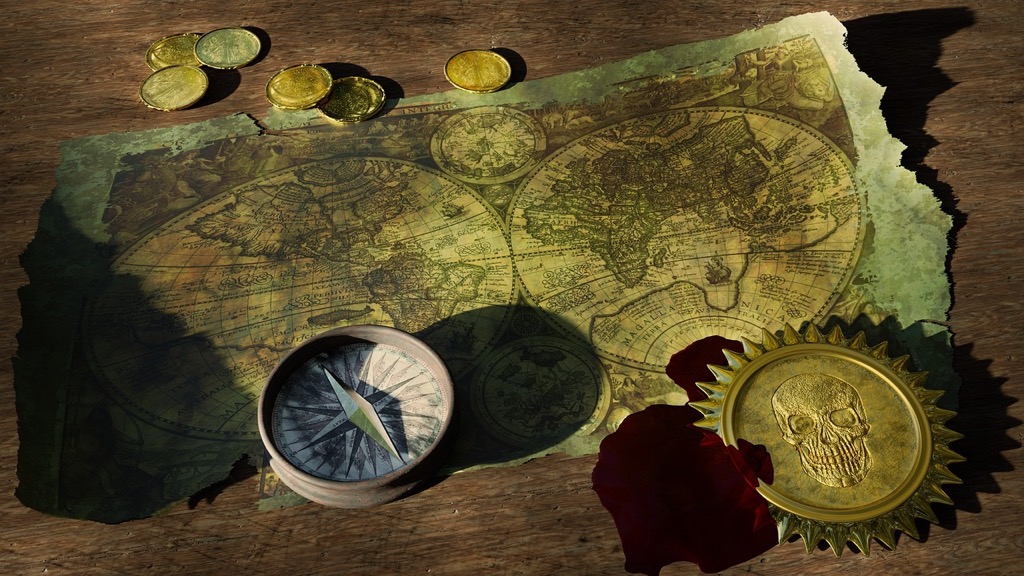
Apply parchment and weathered paper textures to your typography backgrounds for realistic vintage appearance. Use sepia overlays and subtle grain patterns to simulate aged documents, then add coffee stains or ink blots sparingly for authenticity. These texture effects work particularly well when combined with slightly faded text colors that suggest natural aging over time.
Minimalist Geometric Shape Annotations
Geometric shape annotations strip away decorative elements to deliver maximum visual impact through strategic simplicity. These clean, purposeful designs work particularly well for modern maps where clarity takes precedence over artistic flourish.
Simple Line Art for Clean Visual Appeal
Simple line art transforms complex geographic features into easily recognizable symbols. You’ll achieve the best results using consistent stroke weights between 2-4 pixels for digital maps. Outline-only shapes like circles, triangles, and squares create instant visual hierarchy without overwhelming your map’s base layer. Focus on reducing each location marker to its most essential geometric form while maintaining clear identification from typical viewing distances.
Monochromatic Color Schemes
Monochromatic palettes eliminate color distraction while maintaining effective visual separation. Choose a primary color and work with its various tints, shades, and tones to create depth. Gray-scale approaches work exceptionally well for professional presentations, using values between 20% and 80% gray to ensure adequate contrast. Single-color schemes like navy blue or forest green provide sophistication while keeping your annotations visually cohesive across different map scales.
Abstract Symbol Systems
Abstract symbols communicate location types through universal geometric relationships. Develop a consistent symbol library where circles represent points of interest, squares indicate facilities, and triangles mark natural features. Size variations within each shape category create information hierarchy—larger symbols for primary destinations, smaller ones for secondary locations. Test your symbol system at different zoom levels to ensure readability across various map presentations.
Interactive Digital Pop-Up Annotations
Interactive digital pop-up annotations transform static maps into dynamic information hubs that respond to user engagement. These digital overlays allow you to layer comprehensive data without cluttering your map’s visual space.
Clickable Information Bubbles
Clickable information bubbles store detailed location data that appears on demand when users interact with map markers. You can configure these bubbles to display text descriptions, contact details, or statistical data using HTML formatting within mapping platforms like Leaflet or Mapbox GL JS. Set bubble positioning to auto-adjust based on screen boundaries to prevent content from appearing off-screen on mobile devices.
Multimedia Content Integration
Multimedia content integration allows you to embed photos, videos, and audio files directly within your map annotations using modern web mapping APIs. Configure media files to load asynchronously to maintain map performance while supporting formats like WebP images and MP4 videos for optimal compatibility. Use cloud storage services like AWS S3 or Google Cloud Storage to host multimedia assets and ensure reliable content delivery across different devices.
Dynamic Animation Effects
Dynamic animation effects enhance user interaction through CSS transitions and JavaScript libraries that create smooth visual feedback when annotations appear or disappear. Implement fade-in transitions using opacity changes over 300-500 milliseconds for professional polish without disrupting map navigation. Control animation timing with easing functions like cubic-bezier curves to create natural motion that guides user attention to important location information.
Nature-Inspired Organic Annotation Designs
Nature-inspired annotations create harmonious map designs that blend seamlessly with outdoor and environmental themes. These organic elements work particularly well for trail maps, conservation projects, and eco-tourism materials.
Leaf and Branch Border Elements
Leaf and branch borders transform standard annotation boxes into natural frames that complement outdoor mapping themes. You’ll create visual continuity by selecting native vegetation patterns that match your map’s geographic region. Maple leaves work excellently for temperate forest maps while palm fronds suit tropical destinations. Branch patterns can extend organically around text blocks, creating irregular but balanced annotation boundaries that feel integrated rather than imposed on the landscape.
Earth Tone Color Combinations
Earth tone palettes establish natural harmony between your annotations and geographic features through careful color coordination. Forest greens pair effectively with browns and tans for woodland areas, while desert maps benefit from sage, terracotta, and sandy beige combinations. You’ll maintain readability by ensuring sufficient contrast between text and background colors, typically using darker earth tones for text against lighter natural backgrounds. Muted color saturation prevents annotations from competing with topographic detail.
Botanical Icon Collections
Botanical icons replace generic map symbols with recognizable plant representations that enhance location context and visual appeal. Tree species icons can differentiate forest types, while flower symbols mark seasonal attractions or botanical gardens effectively. You’ll maintain symbol clarity by using simplified botanical silhouettes rather than detailed illustrations, ensuring recognition at various map scales. Consistent line weights and proportional sizing across your botanical icon set creates professional visual hierarchy.
Modern Neon Glow Style Markers
Modern neon glow annotations bring contemporary urban aesthetics to your maps, creating eye-catching markers that stand out against any background. This style works exceptionally well for nightlife venues, entertainment districts, and modern city presentations.
Electric Color Highlighting
Electric color highlighting uses vibrant neon hues to create instant visual impact on your map annotations. You’ll achieve the most striking results with cyan (#00FFFF), electric pink (#FF1493), and lime green (#32CD32) against dark backgrounds. These high-saturation colors maintain their visibility even when printed, making them perfect for both digital and physical presentations. Consider using complementary color pairs like electric blue with orange to create maximum contrast and ensure your most important locations grab immediate attention.
Futuristic Font Selections
Futuristic font selections enhance the neon aesthetic through clean, geometric typefaces that mirror digital displays. Sans-serif fonts like Orbitron, Exo 2, and Rajdhani provide the technical precision that complements neon styling perfectly. You’ll want to use consistent letter spacing and avoid serif fonts that can appear cluttered when combined with glow effects. Bold weights work best for readability, while maintaining the sleek appearance that makes neon annotations feel modern and tech-forward.
LED-Inspired Visual Effects
LED-inspired visual effects simulate the appearance of illuminated signage through strategic use of outer glow and inner shadows. You can create authentic neon looks by applying a soft outer glow that’s 2-3 times larger than your text or marker, using the same color but at 50% opacity. Add subtle inner shadows with opposite colors to create depth and dimension. Layer multiple glow effects at different intensities to achieve that characteristic neon falloff, where the brightest area sits at the center and gradually fades outward.
Cultural Theme-Based Annotation Styles
Cultural theme-based annotations transform your maps into immersive storytelling platforms that reflect local heritage and traditions. These styles create deeper connections between viewers and geographic locations through authentic visual elements.
Regional Art Pattern Integration
Regional art patterns bring authentic cultural character to your map annotations through location-specific design elements. Traditional patterns like Celtic knots for Irish locations, geometric Southwestern motifs for desert regions, or intricate Islamic tile patterns for Middle Eastern areas create instant cultural recognition. You’ll find these decorative elements work particularly well as border treatments around annotation boxes or as background textures that don’t overwhelm text readability. Digital pattern libraries from cultural institutions provide historically accurate designs that respect artistic traditions while maintaining cartographic clarity.
Traditional Symbol Incorporation
Traditional symbols replace generic map markers with culturally meaningful icons that communicate location significance through familiar imagery. Japanese torii gates for shrine locations, Native American petroglyphs for archaeological sites, or African tribal masks for cultural centers create immediate contextual understanding. You can source authentic symbol collections from cultural museums and heritage organizations that provide proper attribution and usage guidelines. These symbols maintain visual hierarchy through consistent sizing while adding educational value that generic pins simply can’t match.
Local Color Tradition References
Local color traditions establish authentic visual connections through region-specific palettes that reflect cultural heritage and environmental characteristics. Mediterranean coastal areas benefit from azure blues and terracotta oranges, while Nordic regions call for deep forest greens and glacier whites that mirror natural landscapes. Traditional textile colors from local crafts provide excellent reference points – think Navajo rug colors for Southwestern US maps or tartan palettes for Scottish Highland regions. You’ll achieve best results by limiting your palette to three primary colors plus neutral tones for text contrast.
Conclusion
These seven annotation styles offer you powerful tools to transform your maps from simple navigation aids into compelling visual narratives. Whether you’re crafting travel guides or presenting business data you’ll find that the right annotation approach can dramatically boost audience engagement.
Your choice of style should align with your content’s purpose and audience expectations. Hand-drawn elements work beautifully for personal travel blogs while minimalist geometric shapes excel in corporate presentations.
Don’t hesitate to experiment with combining different techniques – vintage typography with organic elements or neon highlights with cultural symbols can create truly unique results. The key lies in maintaining consistency throughout your map while letting your annotations enhance rather than overwhelm your geographic information.
Start implementing these styles today and watch your maps evolve into memorable storytelling experiences that captivate and inform your viewers.
Frequently Asked Questions
What makes map annotations effective storytelling tools?
Map annotations transform ordinary navigation aids into engaging storytelling platforms by adding visual context and personality to geographic information. The right annotation style can significantly impact audience engagement, making maps more compelling for travel guides, business presentations, and educational content. Effective annotations inform, inspire, and engage viewers while maintaining cartographic accuracy.
How do hand-drawn sketch annotations improve map presentation?
Hand-drawn sketch annotations add a personal, authentic touch to digital maps while preserving cartographic accuracy. This style creates a more human connection with viewers, making the map feel less clinical and more inviting. The sketched appearance helps locations feel more approachable and memorable compared to standard digital markers.
What are the benefits of using watercolor brush stroke annotations?
Watercolor brush strokes transform standard location markers into artistic focal points that enhance visual appeal. This style adds organic beauty to key destinations, making them stand out naturally on the map. The flowing, painterly quality creates an aesthetically pleasing presentation that captures attention while maintaining professional cartographic standards.
Why choose vintage typography for historical map annotations?
Vintage typography transforms annotations into authentic period pieces that evoke specific historical eras. Classic serif fonts like Times New Roman and Garamond add credibility and tradition to historical locations. Combined with retro color palettes and aged paper texture effects, this style creates immersive historical context that enhances viewer engagement.
When should you use minimalist geometric shape annotations?
Minimalist geometric annotations are ideal for modern maps that prioritize clarity through strategic simplicity. This style works best when you need clean, professional presentation without visual distractions. The approach uses consistent line weights, monochromatic color schemes, and abstract symbols to create clear information hierarchy while maintaining sophisticated aesthetics.
How do interactive digital pop-up annotations enhance user experience?
Interactive pop-up annotations transform static maps into dynamic information hubs that respond to user engagement. Clickable bubbles display detailed location data on demand, while multimedia integration allows embedding of photos, videos, and audio files. Dynamic animation effects provide smooth visual feedback, creating professional, engaging map presentations.
What makes nature-inspired organic annotations effective for outdoor themes?
Nature-inspired organic annotations create harmonious aesthetics particularly suited for environmental and outdoor themes. Leaf and branch border elements, earth tone color combinations, and botanical icon collections replace generic symbols with recognizable natural representations. This style maintains visual continuity with geographic features while enhancing location context and readability.
When are neon glow style markers most appropriate?
Neon glow style markers are most effective for contemporary urban maps, particularly nightlife venues and entertainment districts. Electric color highlighting provides instant visual impact, while futuristic fonts and LED-inspired effects simulate illuminated signage. This modern aesthetic works best for tech-forward presentations requiring bold, attention-grabbing annotations.
How do cultural theme-based annotations enhance storytelling?
Cultural theme-based annotations transform maps into immersive storytelling platforms that reflect local heritage and traditions. Regional art patterns, traditional symbols, and local color palettes create authentic visual connections between viewers and geographic locations. This approach replaces generic markers with meaningful icons that convey cultural significance and location context.