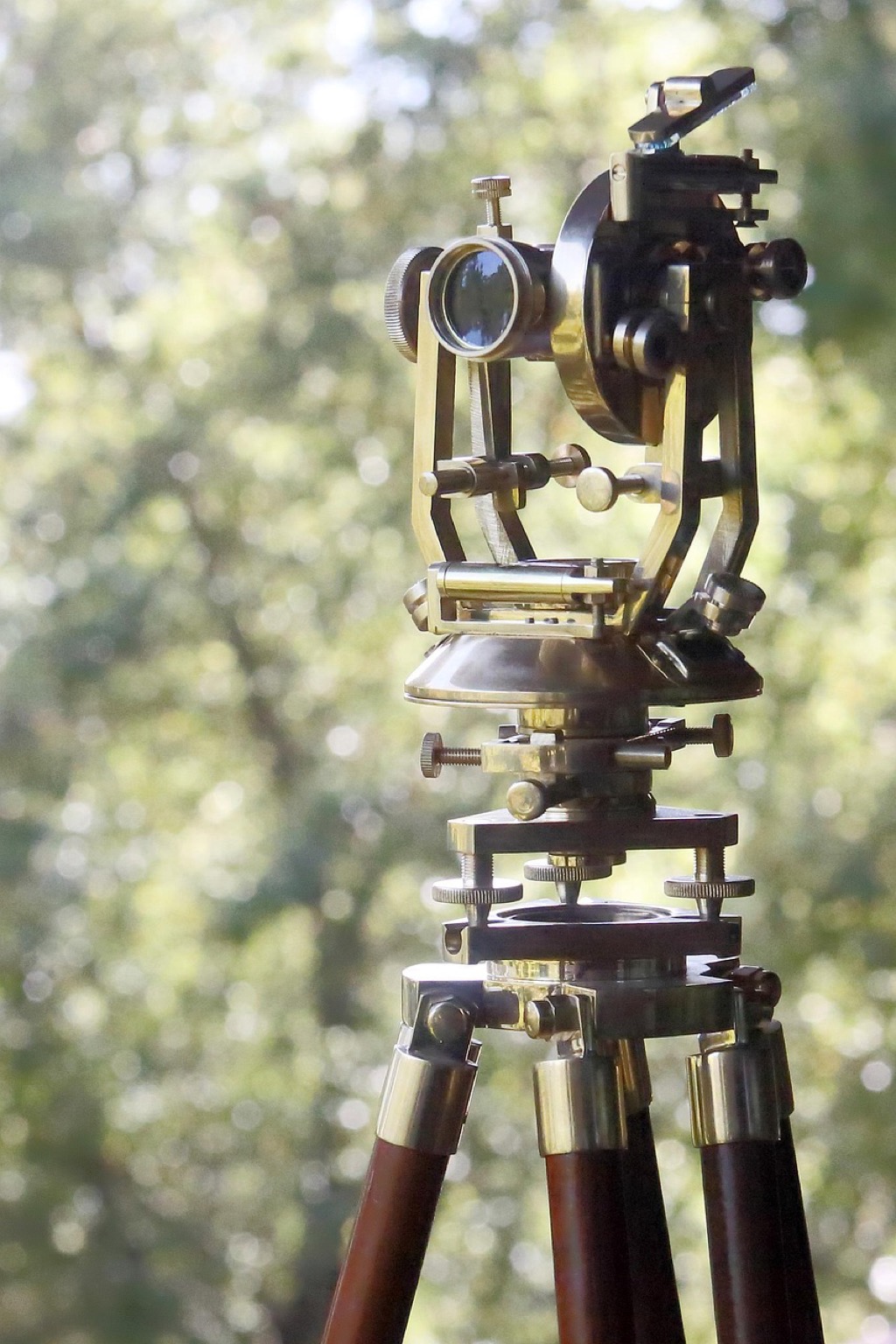
7 Best Drone Mapping Workflows for Precision Surveying
You’re probably using generic drone mapping software that doesn’t quite fit your specific project needs. Custom workflows can transform your aerial surveying from basic data collection into a precision operation that delivers exactly what your clients expect.
The right workflow streamlines everything from flight planning to final deliverables while cutting project time by up to 40%. Whether you’re mapping construction sites or agricultural fields you’ll need a systematic approach that adapts to your unique requirements and budget constraints.
Disclosure: As an Amazon Associate, this site earns from qualifying purchases. Thank you!
Understanding the Fundamentals of Drone Mapping Technology
Before you develop custom workflows, you’ll need to master the core technologies that make aerial mapping possible. Understanding these fundamentals helps you make informed decisions about equipment selection and workflow optimization.
P.S. check out Udemy’s GIS, Mapping & Remote Sensing courses on sale here…
Key Components of Drone Mapping Systems
Hardware integration forms the backbone of professional mapping operations. Your system requires four essential components: the unmanned aircraft platform, payload sensors, ground control stations, and data processing workstations. Flight controllers like DJI’s A3 Pro or Pixhawk systems provide precise navigation and stability. Ground control points establish spatial accuracy within 2-3 centimeters for surveying projects. Real-time kinematic (RTK) modules enhance positioning precision to sub-centimeter levels. Battery management systems ensure consistent power delivery during extended mapping flights.
[lasso id=”16930″]
Types of Mapping Sensors and Cameras
Sensor selection determines your final data quality and application capabilities. RGB cameras capture high-resolution imagery for photogrammetry and visual inspection workflows. Multispectral sensors like MicaSense RedEdge collect vegetation health data across 5-10 spectral bands. LiDAR systems generate precise elevation models with vertical accuracy under 5 centimeters. Thermal infrared cameras detect temperature variations for building inspections and crop monitoring. Hyperspectral sensors provide detailed material identification capabilities for geological and environmental surveys.
[lasso id=”17203″]
Flight Planning Software Options
Mission planning software controls your data collection efficiency and coverage quality. DroneDeploy offers cloud-based planning with automated flight patterns and real-time monitoring capabilities. Pix4Dcapture provides offline planning tools with customizable overlap settings and terrain-following features. UgCS enables complex mission planning with waypoint editing and multi-drone coordination. Litchi supports advanced flight modes including orbit and follow-me patterns for specialized applications. Mission Planner delivers open-source flexibility with extensive parameter customization for professional workflows.
Defining Your Specific Mapping Objectives and Requirements
Success in custom drone mapping workflows starts with clearly defined objectives that align your technical capabilities with project deliverables. You’ll need to establish precise parameters for your target areas, accuracy requirements, and operational constraints before selecting appropriate hardware and software configurations.
Identifying Target Areas and Terrain Types
Terrain classification drives your equipment selection and flight parameters. Agricultural fields require different sensor configurations than urban construction sites or mining operations. Flat terrain allows lower flight altitudes for higher resolution data capture, while mountainous areas need adjusted flight patterns to maintain consistent ground sampling distances.
Site accessibility affects your ground control point placement and base station positioning. Dense forests limit GPS accuracy and require LiDAR sensors for canopy penetration, whereas open areas support standard RGB photogrammetry workflows. You’ll need different safety protocols for coastal mapping versus inland surveys.
[lasso id=”16773″]
Determining Required Accuracy and Resolution
Ground sampling distance requirements determine your flight altitude and camera specifications. Centimeter-level accuracy demands flying below 100 feet with high-resolution sensors and multiple ground control points, while meter-level precision allows higher altitudes with standard equipment configurations.
[lasso id=”17207″]
Vertical accuracy specifications influence your processing workflows and quality control procedures. Survey-grade applications require RTK-enabled drones and professional photogrammetry software, whereas reconnaissance mapping accepts lower precision with simplified processing chains. You’ll need different validation methods for each accuracy tier.
Establishing Project Timeline and Budget Constraints
Flight time limitations directly impact your coverage area and data collection efficiency. Multi-day projects require equipment redundancy and weather contingency planning, while single-session mapping allows streamlined workflows with minimal backup systems.
Processing hardware requirements scale with data volume and accuracy demands. High-resolution orthomosaic generation needs powerful workstations with dedicated GPUs, whereas basic mapping outputs work with standard computing configurations. You’ll need to balance processing time against equipment costs for optimal project economics.
Selecting the Right Drone Platform for Your Workflow
Your drone platform choice directly impacts data quality and operational efficiency throughout your mapping workflow.
Comparing Fixed-Wing vs Multirotor Drones
Fixed-wing drones excel in large-area surveys exceeding 500 acres with flight times reaching 45-90 minutes per mission. They maintain consistent ground sampling distance across extensive coverage areas but require landing strips and offer limited hovering capabilities for detailed inspections.
Multirotor platforms provide superior maneuverability and vertical takeoff capabilities ideal for urban environments and confined spaces. They deliver precise positioning control for ground control point verification but typically limit flight time to 20-35 minutes depending on payload weight.
Evaluating Payload Capacity and Flight Time
Your payload requirements determine platform selection and operational parameters for successful data collection. Professional mapping drones carry 1-5 pounds of sensors including RGB cameras, LiDAR units, and multispectral instruments while maintaining stable flight characteristics.
Flight time calculations must account for sensor power consumption and return-to-home safety margins. Heavy payloads reduce endurance by 15-30% compared to manufacturer specifications. Plan missions with 20% flight time reserves to accommodate unexpected wind conditions or extended hover operations during critical data capture phases.
Assessing Weather Resistance and Durability
Weather resistance ratings determine your operational envelope and equipment longevity in challenging field conditions. Look for IP54 or higher ingress protection against dust and moisture during agricultural surveys or coastal mapping operations.
Wind tolerance specifications typically range from 25-45 mph for professional platforms. Consider gust handling capabilities rather than sustained wind ratings when evaluating performance in mountainous terrain or urban canyon environments. Carbon fiber construction offers superior durability compared to plastic components while maintaining optimal weight-to-strength ratios for extended operations.
Choosing Appropriate Sensors and Camera Equipment
Your sensor selection directly impacts data quality and processing efficiency in custom drone mapping workflows. The right equipment combination ensures you’ll capture the specific data types your project requires while maintaining optimal flight performance.
RGB Cameras for Photogrammetry
RGB cameras serve as your primary tool for photogrammetric mapping and 3D model generation. High-resolution sensors like the Sony α7R IV or Phase One iXM-100 deliver exceptional detail for orthomosaic creation. You’ll need cameras with mechanical shutters to eliminate rolling shutter distortion during high-speed flights. Fixed-focus lenses with wide apertures provide consistent image quality across varying light conditions. Consider cameras with built-in GPS synchronization for precise geotagging accuracy.
Multispectral and Hyperspectral Sensors
Multispectral sensors enable vegetation analysis and crop health monitoring through specialized band capture. MicaSense RedEdge-MX captures five distinct spectral bands for NDVI calculations and plant stress detection. You’ll achieve better results with sensors featuring global shutters and individual band calibration. Hyperspectral systems like the Headwall Nano-Hyperspec provide hundreds of narrow bands for detailed material identification. These sensors require careful payload integration due to their higher power consumption and data storage requirements.
LiDAR Integration Options
LiDAR systems provide direct 3D point cloud data for terrain mapping and volumetric analysis. Compact units like the Velodyne Puck LITE offer 300-meter range capabilities while maintaining reasonable payload weights. You’ll need LiDAR systems with integrated IMU units for accurate positioning data. Consider survey-grade options like the Riegl miniVUX-1UAV for centimeter-level accuracy requirements. Integration requires careful consideration of power management and data synchronization between the LiDAR unit and your drone’s flight controller.
Developing Pre-Flight Planning Procedures
Effective pre-flight planning transforms your drone mapping operations from basic data collection into precision surveying workflows. Your flight procedures directly impact data quality and processing efficiency throughout the entire mapping pipeline.
Creating Detailed Flight Path Algorithms
Design flight paths using waypoint-based algorithms that accommodate terrain variations and obstacle avoidance requirements. Configure your flight planning software to generate paths with consistent ground sampling distance across elevation changes. Implement grid patterns for standard mapping missions while using adaptive algorithms for complex terrain features. Modern flight controllers like PX4 and ArduPilot support custom waypoint scripting for specialized survey patterns. Test your algorithms in simulation environments before field deployment to identify potential navigation issues.
Setting Optimal Overlap and Sidelap Parameters
Configure overlap parameters between 70-80% forward and 60-70% side overlap for most photogrammetry applications to ensure adequate tie point generation. Increase overlap to 85% forward and 75% side when mapping complex terrain or dense vegetation areas. Reduce overlap to 60% forward and 50% side for large-area surveys where processing efficiency outweighs maximum detail requirements. LiDAR missions typically require only 30-50% overlap due to different data collection principles. Adjust parameters based on flight altitude and camera specifications to maintain consistent coverage quality.
Establishing Ground Control Point Strategies
Position ground control points at survey perimeter corners and elevation transition zones to maximize geometric accuracy across your mapping area. Space GCPs every 500-1000 meters for large surveys while using closer spacing for high-precision applications requiring sub-centimeter accuracy. Deploy checkpoints separate from control points to validate processing results independently. Use surveyed targets with high-contrast patterns visible from your planned flight altitude. Document GCP coordinates using RTK GPS equipment to achieve the spatial accuracy required for your mapping objectives.
Implementing Automated Data Collection Protocols
Automated data collection protocols transform your drone mapping operations from manual processes into systematic workflows that deliver consistent results. These protocols eliminate human error while maximizing data quality and collection efficiency.
Programming Waypoint Navigation Systems
Programming waypoint navigation systems requires precise coordinate input and altitude parameters to ensure comprehensive coverage. You’ll need to upload your flight path directly to the drone’s flight controller using mission planning software like UgCS or DroneDeploy. Configure each waypoint with specific heading angles and gimbal positions to maintain consistent overlap between image captures. Set trigger intervals based on your ground sampling distance requirements and camera specifications. Most professional mapping drones support MAVLink protocol for seamless waypoint execution and real-time flight adjustments.
Configuring Real-Time Monitoring Capabilities
Configuring real-time monitoring capabilities allows you to track flight progress and data quality during collection missions. You’ll establish telemetry links between your drone and ground control station to monitor battery levels, GPS accuracy, and image capture status. Set up live video feeds from your mapping camera to verify image quality and detect any coverage gaps immediately. Configure automated alerts for critical parameters like low battery warnings, GPS signal loss, or unexpected altitude changes. Real-time monitoring prevents costly mission failures and ensures data collection meets your project specifications.
Setting Up Emergency Response Procedures
Setting up emergency response procedures protects your equipment and ensures mission continuity during unexpected situations. You’ll program return-to-home functions that activate automatically when battery levels reach predetermined thresholds or communication links fail. Configure emergency landing zones within your mapping area to provide safe alternatives if weather conditions deteriorate rapidly. Establish backup communication protocols using multiple radio frequencies or cellular connections for redundant control capabilities. Document specific response procedures for common emergencies like bird strikes, sudden weather changes, or equipment malfunctions to minimize mission downtime.
Establishing Post-Processing Data Workflows
Post-processing transforms raw drone imagery into deliverable mapping products through systematic data workflows. Professional processing pipelines convert thousands of aerial images into orthomosaics, digital elevation models, and point clouds with survey-grade accuracy.
Selecting Photogrammetry Software Solutions
[lasso id=”16412″]
Professional photogrammetry platforms like Pix4Dmapper, Agisoft Metashape, and RealityCapture deliver survey-grade accuracy for mapping workflows. Pix4Dmapper excels at agricultural applications with multispectral processing capabilities, while Metashape handles large datasets efficiently with advanced filtering algorithms. RealityCapture processes imagery 5-10 times faster than competitors using GPU acceleration. You’ll need software that supports your specific sensors and delivers required accuracy standards. Cloud-based solutions like DroneDeploy offer simplified processing but sacrifice control over output parameters.
Creating Point Cloud Processing Pipelines
Automated point cloud workflows streamline elevation model generation through sequential processing steps that eliminate manual intervention. You’ll configure dense matching algorithms to extract millions of 3D points from overlapping imagery using structure-from-motion techniques. CloudCompare and LAStools provide specialized filtering to remove vegetation and noise from terrain models. Processing pipelines should include coordinate system transformations, ground point classification, and surface interpolation steps. You can reduce processing time by 60% using distributed computing across multiple workstations with standardized parameter sets.
Developing Quality Control Checkpoints
Systematic quality control protocols ensure mapping deliverables meet accuracy specifications through automated validation procedures. You’ll establish residual error thresholds for ground control points, typically maintaining horizontal accuracy within 2-3 times your ground sampling distance. Check point validation compares known survey coordinates against processed model coordinates to verify geometric accuracy. Visual inspection protocols identify processing artifacts like holes, misaligned imagery, or blurred areas requiring reprocessing. You should document quality metrics including root mean square error values, point cloud density statistics, and orthomosaic resolution consistency.
Integrating Custom Software Solutions and APIs
Building robust API connections transforms your drone mapping workflow from isolated processes into integrated data ecosystems. Third-party integrations eliminate manual data transfers while enabling real-time project coordination across multiple platforms.
Connecting Third-Party Mapping Applications
Connect your processing pipeline to industry-standard GIS platforms through REST APIs and database integrations. ArcGIS Online, QGIS Server, and MapBox APIs enable direct data streaming from photogrammetry outputs to mapping platforms. Configure webhook notifications to trigger automatic layer updates when new orthomosaics complete processing. Establish secure authentication tokens for enterprise platforms like Bentley MicroStation or Autodesk Civil 3D to maintain data integrity throughout your workflow.
Developing Custom Data Export Formats
Create standardized export templates that match client specifications and industry requirements without manual reformatting. Develop Python scripts to generate KML files with embedded metadata, CSV coordinate lists with custom precision settings, and GeoTIFF outputs with specific projection parameters. Build JSON schemas for web-based deliverables that include flight parameters, accuracy metrics, and processing timestamps. Configure batch export routines that automatically generate multiple format outputs from single processing sessions.
Automating Report Generation Processes
Implement automated reporting systems that compile mapping results into professional deliverables using template-based generation. Configure Python libraries like ReportLab or Matplotlib to create PDF reports with embedded maps, accuracy statistics, and project metadata. Set up email automation that delivers completed reports with standardized naming conventions and organized file structures. Build dashboard APIs that provide real-time project status updates to stakeholders through web interfaces or mobile applications.
Testing and Validating Your Custom Workflow
Systematic testing transforms your custom drone mapping workflow from a theoretical framework into a proven operational system. Validation ensures your workflow delivers consistent results across different environments and project conditions.
Conducting Pilot Testing Programs
Execute controlled test flights using your complete workflow in varied terrain conditions and weather scenarios. Select representative sites that mirror your typical project environments – urban areas with vertical obstacles, agricultural fields with uniform terrain, and forested regions with canopy coverage.
Document every aspect of your pilot flights including flight parameters, sensor settings, data collection rates, and any operational challenges encountered. Test different altitude configurations, overlap percentages, and flight patterns to identify optimal settings for your specific equipment combination.
Standardize your testing protocols by creating repeatable procedures that evaluate workflow performance across multiple variables. This systematic approach reveals workflow weaknesses before they impact client projects.
Measuring Accuracy Against Ground Truth Data
Establish ground control points using RTK GPS equipment to create reference coordinates with centimeter-level accuracy across your test area. Position these markers strategically throughout your mapping zone to provide comprehensive validation coverage.
Compare your processed mapping products against these known reference points using statistical analysis methods like root mean square error calculations. Professional mapping workflows typically achieve horizontal accuracy within 2-5 centimeters and vertical accuracy within 5-10 centimeters.
Validate your results using independent survey data or existing high-accuracy basemaps to confirm your workflow meets industry standards. This cross-verification process identifies systematic errors in your data collection or processing procedures.
Refining Procedures Based on Performance Metrics
Analyze your accuracy measurements to identify specific workflow components that require adjustment – whether flight altitude, camera settings, or processing parameters. Focus on metrics like point cloud density, orthomosaic resolution, and geometric accuracy consistency.
Optimize your workflow parameters based on quantitative performance data rather than assumptions. Adjust overlap percentages, flight speeds, and sensor configurations to improve data quality while maintaining operational efficiency.
Iterate your testing process by re-running pilot programs after each workflow modification to measure improvement. Document these refinements to create a knowledge base for future workflow development projects.
Scaling Your Workflow for Different Project Types
Successful drone mapping workflows require specific modifications to match diverse project requirements. Each application demands unique flight parameters, sensor configurations, and processing techniques to deliver optimal results.
Adapting for Agricultural Applications
Agricultural mapping workflows prioritize multispectral data collection for crop health analysis and yield monitoring. You’ll need to configure flight altitudes between 200-400 feet to capture ground sampling distances of 2-5 cm per pixel for detailed vegetation analysis. Timing becomes critical – schedule flights during optimal lighting conditions between 10 AM and 2 PM to minimize shadows and maximize spectral accuracy. Implement NDVI processing algorithms within your workflow to automatically generate vegetation index maps, enabling farmers to identify stressed crop areas and optimize irrigation patterns across large field boundaries.
Modifying for Construction Site Monitoring
Construction workflows demand frequent data collection cycles to track progress and volumetric changes over time. You’ll configure lower flight altitudes of 150-250 feet to achieve sub-centimeter accuracy for earthwork calculations and structural monitoring. Establish permanent ground control points around site perimeters to maintain consistent coordinate systems across multiple flight missions. Integrate automated change detection algorithms that compare sequential datasets, highlighting areas of material movement or construction progress. Schedule flights weekly or bi-weekly to capture construction phases, ensuring your workflow accommodates tight project timelines and regulatory compliance requirements.
Customizing for Environmental Surveying
Environmental workflows require specialized sensor combinations and extended flight planning to capture ecological data across diverse terrain types. You’ll integrate thermal infrared cameras with RGB sensors to monitor water temperatures, detect wildlife habitats, and assess vegetation stress patterns. Configure flight paths to follow natural boundaries like watersheds or habitat corridors, adjusting altitude dynamically between 300-500 feet based on terrain variations. Implement seasonal data collection schedules that align with environmental monitoring requirements, capturing baseline conditions during different weather patterns and ecological cycles for comprehensive long-term analysis.
Troubleshooting Common Workflow Challenges
Even well-designed custom drone mapping workflows encounter operational obstacles that can derail project timelines and compromise data quality. Identifying and resolving these common challenges ensures your mapping operations maintain consistency and deliver reliable results.
Resolving Data Processing Bottlenecks
Processing power limitations create the most frequent workflow delays in custom drone mapping operations. You’ll encounter system slowdowns when handling large datasets exceeding 500+ images without adequate RAM allocation. Optimize your processing pipeline by implementing batch processing protocols that divide large datasets into manageable 100-200 image segments. Configure your workstation with minimum 32GB RAM and dedicated GPU processing to handle photogrammetry calculations efficiently. Schedule overnight processing runs for complex point cloud generation tasks.
Addressing Weather-Related Delays
Wind conditions above 15 mph disrupt flight stability and compromise image quality in most custom mapping workflows. You’ll need backup scheduling protocols when weather windows don’t align with project deadlines. Monitor real-time weather data using aviation-specific services like METAR reports to identify optimal flight conditions. Develop alternative flight patterns for partially cloudy conditions that maintain consistent lighting across your survey area. Keep equipment calibrated for temperature variations that affect sensor performance and battery life during extended operations.
Managing Equipment Maintenance Issues
Battery degradation represents the most critical equipment maintenance challenge affecting workflow reliability. You’ll experience reduced flight times and inconsistent power delivery after 200+ charge cycles on standard lithium polymer batteries. Implement systematic battery rotation schedules and voltage monitoring protocols to prevent mid-flight power failures. Maintain spare propellers and gimbal components for multirotor platforms, as these components experience highest wear rates during intensive mapping operations. Document maintenance logs tracking flight hours and component replacements for each aircraft.
Conclusion
Developing custom drone mapping workflows transforms your aerial surveying operations from basic data collection into precision-engineered solutions. You’ve now gained the framework to build workflows that address your specific project requirements while maintaining professional-grade accuracy standards.
The systematic approach outlined here enables you to tackle diverse mapping challenges with confidence. Whether you’re surveying agricultural fields or monitoring construction sites your custom workflow will deliver consistent results that meet industry specifications.
Your investment in workflow development pays dividends through improved efficiency reduced project costs and enhanced data quality. The time spent refining these processes establishes a competitive advantage that distinguishes your mapping services in the marketplace.
Start implementing these strategies gradually testing each component before scaling to full production. Your custom drone mapping workflow will evolve into a reliable system that delivers professional results across all your surveying projects.
Frequently Asked Questions
What are the main benefits of using custom drone mapping workflows?
Custom drone mapping workflows enhance precision and efficiency, reducing project time by up to 40%. They allow for tailored approaches that accommodate specific project needs, terrain variations, and budget constraints. Unlike generic software solutions, custom workflows provide systematic approaches for different applications like construction monitoring and agricultural surveying, ultimately delivering more accurate and cost-effective results.
What essential hardware components are needed for professional drone mapping?
Professional drone mapping requires four key components: unmanned aircraft platforms (fixed-wing or multirotor), payload sensors (cameras, LiDAR, multispectral), ground control stations for mission planning, and data processing workstations. Flight controllers and ground control points are crucial for spatial accuracy, while hardware integration ensures seamless operation across all system components.
How do I choose between fixed-wing and multirotor drones for mapping?
[lasso id=”17311″]
Fixed-wing drones are ideal for large-area surveys due to longer flight times and greater coverage efficiency. Multirotor drones offer superior maneuverability in urban environments and confined spaces. Consider factors like payload capacity, flight time requirements, weather resistance, and project area size when making your selection. Each platform serves different mapping applications and operational needs.
What types of sensors are available for drone mapping applications?
Common mapping sensors include RGB cameras for standard photogrammetry, multispectral sensors for agricultural analysis, LiDAR systems for precise elevation data, thermal infrared cameras for heat mapping, and hyperspectral sensors for detailed material identification. Each sensor type serves specific applications and provides different data quality levels depending on project requirements.
How important are ground control points in drone mapping accuracy?
Ground control points are essential for achieving survey-grade accuracy in drone mapping. They provide reference coordinates that correct geometric distortions and improve spatial precision. Proper positioning and spacing of ground control points, combined with RTK GPS equipment for coordinate documentation, can significantly enhance the accuracy of mapping deliverables and ensure professional-quality results.
What flight planning considerations affect mapping data quality?
Key flight planning factors include establishing optimal overlap and sidelap parameters (typically 70-80% overlap), setting appropriate flight altitude based on required ground sampling distance, creating detailed flight paths that accommodate terrain variations, and programming obstacle avoidance algorithms. These parameters directly impact tie point generation and overall data quality in photogrammetry processing.
How do I establish effective pre-flight planning procedures?
Effective pre-flight planning involves creating detailed flight path algorithms, setting optimal overlap parameters for adequate tie point generation, establishing ground control point strategies, and preparing emergency response procedures. This systematic approach transforms basic drone operations into precision surveying workflows, ensuring consistent data collection and minimizing operational risks during missions.
What post-processing software options are available for drone mapping?
Professional photogrammetry software includes Pix4Dmapper for comprehensive mapping solutions, Agisoft Metashape for high-quality point cloud generation, and RealityCapture for fast processing of large datasets. Each platform offers unique strengths for different applications. Additional tools for automated point cloud processing and quality control checkpoints help ensure deliverables meet accuracy specifications.
How can I integrate custom workflows with existing GIS systems?
Integration involves connecting third-party mapping applications to industry-standard GIS platforms through robust APIs, developing custom data export formats, and automating report generation processes. These connections eliminate manual data transfers, streamline project coordination, and create integrated data ecosystems that enhance workflow efficiency and professional deliverable production.
What common challenges should I expect with drone mapping workflows?
Common challenges include data processing bottlenecks, equipment maintenance issues (especially battery degradation), and weather-related delays. Solutions involve optimizing processing pipelines, implementing regular maintenance schedules, monitoring real-time weather conditions, and developing alternative flight patterns. Proper troubleshooting strategies ensure workflows maintain consistency and deliver reliable results despite operational obstacles.