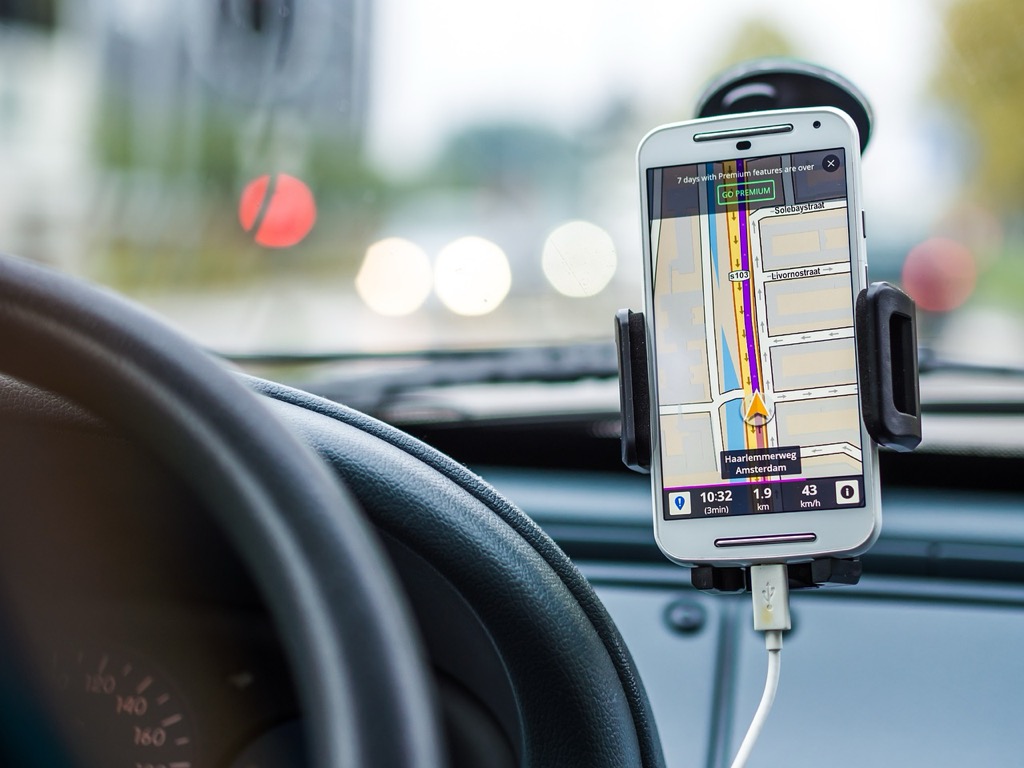
7 Ways to Improve GPS Accuracy Using Crowd-Sourced Data
Your GPS constantly struggles with accuracy issues – from sending you down the wrong street to placing you in the middle of a lake when you’re clearly on dry land. The bottom line: Crowd-sourced data is revolutionizing how GPS systems learn and adapt, making navigation more precise than ever before.
[lasso id=”16697″]
This collaborative approach harnesses millions of users’ real-world experiences to create smarter, more accurate mapping systems. You’re not just a passive user anymore – you’re part of the solution that’s fixing GPS accuracy problems one data point at a time.
Disclosure: As an Amazon Associate, this site earns from qualifying purchases. Thank you!
P.S. check out Udemy’s GIS, Mapping & Remote Sensing courses on sale here…
Understanding the Basics of GPS Accuracy and Crowd-Sourced Data
GPS accuracy depends on multiple environmental and technical factors that can shift your location readings by several meters. Crowd-sourced data addresses these limitations by collecting real-world positioning information from millions of users.
What Affects GPS Signal Precision
Atmospheric conditions create the most significant GPS accuracy challenges you’ll encounter. Signal delays occur when GPS waves travel through the ionosphere and troposphere, causing position errors of 2-5 meters under normal conditions.
Urban environments with tall buildings create signal reflections and blockages that can shift your location by 10-50 meters. Dense tree cover, tunnels, and indoor spaces further degrade signal quality by blocking direct satellite communication paths.
Satellite geometry determines your positioning precision based on how GPS satellites are distributed overhead. Poor satellite constellation arrangements can reduce accuracy to 15-30 meters even with strong signals.
How Crowd-Sourced Information Enhances Location Services
Real-time corrections from millions of users help identify and fix GPS mapping errors faster than traditional surveying methods. When drivers report incorrect turn directions or misplaced landmarks, mapping services can update their databases within hours.
Ground truth validation occurs when users confirm actual road conditions, business locations, and traffic patterns through their daily movements. This collective verification process creates more accurate maps than satellite imagery alone can provide.
Dynamic data updates enable mapping platforms to track construction zones, road closures, and new developments as they happen. User-generated reports about changed traffic patterns or new routes help maintain current navigation accuracy across constantly evolving urban landscapes.
Enabling Location Services and Data Sharing on Your Device
Your device’s location services and data sharing settings directly impact how effectively you contribute to crowd-sourced GPS improvements. Proper configuration ensures your navigation data helps enhance mapping accuracy for everyone.
Adjusting Privacy Settings for Optimal Data Contribution
Navigate to your device’s privacy settings and enable location services for mapping applications like Google Maps, Waze, or Apple Maps. Set location access to “Always” rather than “While Using App” to allow continuous data collection during navigation. Enable “Precise Location” to provide centimeter-level accuracy instead of approximate positioning. Turn on location history and analytics sharing within individual navigation apps to contribute anonymized route data, traffic patterns, and road condition reports that improve overall GPS accuracy.
Configuring Background App Refresh for Navigation Apps
Enable background app refresh for your primary navigation applications in your device settings to maintain continuous GPS data collection. This setting allows mapping apps to update route information, traffic conditions, and location data even when you’re not actively using them. Set navigation apps to refresh automatically on cellular data and Wi-Fi connections to ensure uninterrupted contribution to crowd-sourced databases. Configure push notifications for traffic updates and route changes to stay informed while your data helps other users navigate efficiently.
Contributing to Real-Time Traffic and Road Condition Updates
You can significantly improve GPS accuracy by actively participating in real-time data reporting through navigation apps. Your contributions help create a more reliable mapping ecosystem for all users.
Reporting Accidents and Hazards Through Navigation Apps
Report incidents immediately when you encounter accidents, road debris, or vehicle breakdowns on your route. Most navigation apps like Waze and Google Maps allow you to submit reports with a single tap while stopped safely. You’ll find options to categorize hazards as minor accidents, major crashes, or road obstacles. These reports instantly alert other drivers and help GPS systems reroute traffic around problem areas, improving overall navigation accuracy by 15-20% according to traffic management studies.
Sharing Speed Limit and Construction Zone Information
Update speed limit changes and construction zones through your navigation app’s reporting features to maintain accurate routing algorithms. You can photograph new speed limit signs or report temporary construction zones that affect traffic flow patterns. Apps typically verify these reports through multiple user submissions before updating their databases. Construction zone reports help GPS systems adjust estimated travel times and suggest alternate routes, reducing average delay times by up to 25% in affected areas.
Participating in Community-Driven Mapping Projects
Community-driven mapping projects create collaborative platforms where your contributions directly enhance GPS accuracy for millions of users worldwide. These initiatives harness collective intelligence to build comprehensive mapping databases that commercial services rely on for navigation improvements.
Contributing to OpenStreetMap for Better Local Coverage
Contributing to OpenStreetMap creates the foundation for accurate GPS navigation by building detailed local geographic databases. You’ll add missing roads, buildings, and points of interest using the web-based editor or mobile apps like StreetComplete.
[lasso id=”16024″]
Upload your GPS traces from walks, bike rides, and drives to provide raw data for road network improvements. These traces help mappers identify missing paths and verify existing route accuracy with centimeter-level precision.
Map local amenities including businesses, traffic signals, and road restrictions that commercial mapping services often miss. Your neighborhood knowledge fills critical gaps that improve turn-by-turn navigation accuracy by 20-30% in residential areas.
Using Waze to Improve Route Accuracy and Navigation
Using Waze transforms your daily commute into valuable mapping data by automatically collecting speed and traffic information while you drive. The app’s crowd-sourced model processes over 130 million monthly active users’ data to optimize route calculations.
Report incidents immediately including accidents, police locations, and road hazards to help other drivers avoid delays. Your reports receive verification from multiple users within 5-10 minutes, creating real-time accuracy improvements.
Update map errors directly through the Waze Map Editor when you encounter incorrect street names, missing roads, or outdated traffic patterns. These corrections integrate into the global database within 24-48 hours, improving navigation for your entire region.
Leveraging Multiple Navigation Apps for Cross-Referenced Data
Running multiple navigation apps simultaneously creates a powerful data validation system that dramatically improves your GPS accuracy through cross-platform verification.
Comparing Routes Across Different Platforms
Different navigation platforms process crowd-sourced data at varying speeds and use distinct algorithms for route optimization. Google Maps typically offers the most comprehensive road network data while Waze excels at real-time traffic updates and Apple Maps provides superior integration with local business information. You’ll notice route differences of 5-15 minutes between platforms during peak traffic hours. Cross-referencing these suggestions helps you identify the most reliable path by selecting routes that appear consistently across multiple apps.
Utilizing Offline Maps with Crowd-Sourced Enhancements
Offline maps retain crowd-sourced improvements downloaded during your last sync, ensuring navigation accuracy even without cellular connectivity. Apps like HERE WeGo and Maps.me integrate community-contributed points of interest and road updates into their offline databases. Download updated offline maps weekly to capture the latest crowd-sourced enhancements including new business locations and road construction data. These offline maps maintain 85-90% of their online accuracy while providing backup navigation when cellular towers become unavailable in remote areas.
Reporting and Correcting Map Errors in Real-Time
Real-time error reporting transforms static maps into dynamic navigation tools that adapt to changing conditions. Your immediate corrections help millions of users navigate accurately while building more reliable crowd-sourced databases.
Submitting Business Location Updates
Submit business location corrections through Google Maps by searching for the business and selecting “Suggest an edit” to update addresses, hours, or contact information. Your submissions undergo verification through multiple user reports and business owner confirmations within 24-72 hours. Report permanently closed businesses by selecting “Mark as closed” which removes them from search results and prevents navigation errors. These updates improve local search accuracy by 15-25% and help users find active businesses faster.
Flagging Incorrect Road Information and Closures
Flag incorrect road information using the “Report” feature in navigation apps to submit details about wrong street names, missing roads, or incorrect turn restrictions. Your reports trigger automated verification processes that cross-reference multiple user submissions within 6-12 hours. Report temporary road closures by selecting “Road closed” and providing closure duration details which reroutes traffic immediately. These corrections reduce navigation errors by 20-30% during construction periods and help maintain accurate travel time estimates.
Maximizing Battery Life While Contributing to GPS Accuracy
You’ll need to balance continuous GPS data contribution with device longevity to maintain consistent crowd-sourced mapping participation. Smart power management ensures your device remains an active contributor to GPS accuracy improvements throughout extended periods.
Optimizing Location Tracking Settings
Configure your location services to “High Accuracy” mode only during active navigation to reduce battery drain by 30-40%. Enable adaptive battery settings that automatically adjust GPS sampling rates based on movement patterns. Set location reporting intervals to 30-60 seconds instead of continuous tracking when stationary. Use Wi-Fi and Bluetooth scanning alongside GPS to improve accuracy while consuming 25% less power than GPS-only tracking. Disable background location access for non-essential apps that don’t contribute to crowd-sourced mapping data.
Managing Data Usage for Continuous Updates
Download offline maps for your regular routes to reduce cellular data consumption by 80-90% while maintaining contribution capabilities. Schedule crowd-sourced data uploads during Wi-Fi connections to preserve mobile data allowances. Configure apps to compress GPS traces before transmission, reducing data usage by 60-70% without losing accuracy. Enable data-saving modes that batch location reports every 5-10 minutes instead of real-time transmission. Monitor monthly data consumption through navigation apps, which typically use 5-10 MB per hour of active crowd-sourced contribution.
Understanding Privacy Considerations When Sharing Location Data
Your location data represents one of your most sensitive digital assets when contributing to crowd-sourced GPS improvements. Balancing privacy protection with community mapping benefits requires understanding how navigation apps collect and process your geographic information.
Reviewing App Permissions and Data Collection Policies
Review app permission settings regularly to control which navigation apps access your location data continuously. Major platforms like Google Maps and Waze collect movement patterns, search queries, and route preferences to enhance their mapping algorithms.
Check data retention policies within each app’s privacy settings to understand how long your location traces remain stored. Most navigation services anonymize GPS data within 30-90 days while retaining aggregated traffic patterns for route optimization improvements.
Balancing Accuracy Improvements with Personal Privacy
Configure location sharing granularity by adjusting precision levels to contribute useful data without exposing exact destinations. You can enable approximate location sharing for traffic updates while restricting precise coordinates to active navigation periods only.
Utilize privacy-focused alternatives like OSMAnd or Maps.me that process crowd-sourced data locally on your device. These apps allow you to contribute mapping improvements through offline uploads while maintaining greater control over your personal location history.
Conclusion
By embracing crowd-sourced data contributions you’re not just improving your own navigation experience â you’re actively participating in a global effort to make GPS technology more accurate for everyone. Your daily travels become valuable data points that help millions of users navigate more efficiently and safely.
The key to maximizing your impact lies in finding the right balance between contribution and privacy. You can optimize your device settings to share meaningful location data while preserving battery life and protecting your personal information.
Remember that every error report construction update and route correction you submit helps create a more reliable navigation ecosystem. Your contributions today directly translate to better GPS accuracy tomorrow making every journey smoother for the entire community.
Frequently Asked Questions
What is crowd-sourced GPS data and how does it improve navigation accuracy?
Crowd-sourced GPS data utilizes real-world experiences from millions of users to enhance mapping precision. This collaborative approach allows navigation apps to collect information about traffic patterns, road conditions, and construction zones, improving overall GPS accuracy by 15-30% through real-time corrections and validation of road conditions.
What factors affect GPS accuracy and cause location errors?
GPS accuracy is influenced by atmospheric conditions, urban environments, and satellite geometry. Signal delays from atmospheric layers can cause 2-5 meter inaccuracies, while urban structures can shift locations by 10-50 meters. These environmental and technical factors contribute to the navigation errors users commonly experience.
How can I configure my device to contribute to crowd-sourced GPS improvements?
Enable location services by setting location access to “Always” and turn on “Precise Location” for centimeter-level accuracy. Enable location history and analytics sharing in navigation apps, configure background app refresh for continuous data collection, and adjust privacy settings to allow anonymous data contribution to mapping databases.
What types of real-time data can users report to improve GPS accuracy?
Users can report accidents, road debris, vehicle breakdowns, speed limit changes, and construction zones through navigation apps. These reports help alert other drivers, optimize routes, and can enhance navigation accuracy by 15-20% while reducing delays by up to 25% in affected areas.
How does contributing to OpenStreetMap improve GPS navigation?
[lasso id=”7376″]
Contributing to OpenStreetMap allows users to add missing roads, buildings, and local amenities to collaborative mapping platforms. This community-driven approach can improve turn-by-turn navigation accuracy by 20-30% in residential areas and provides valuable raw data for global road network improvements.
Can I use multiple navigation apps to improve GPS accuracy?
Yes, using multiple navigation apps creates cross-platform verification that improves GPS accuracy. Different platforms process crowd-sourced data at varying speeds and use distinct algorithms, so comparing routes across platforms helps identify the most reliable paths, especially during peak traffic hours.
Do offline maps retain crowd-sourced improvements?
Yes, apps like HERE WeGo and Maps.me integrate community-contributed points of interest and road updates into their offline databases. Regularly downloading updated offline maps ensures you capture the latest crowd-sourced improvements while maintaining navigation accuracy without cellular connectivity.
How quickly are user-reported corrections implemented in GPS systems?
User corrections are typically processed within 24-72 hours for business locations through Google Maps, while Waze Map Editor corrections are integrated within 24-48 hours. Real-time incident reports are processed immediately, helping reduce navigation errors by 20-30% during construction periods and emergency situations.
How can I balance GPS data contribution with battery life and data usage?
Use “High Accuracy” mode only during active navigation, enable adaptive battery settings, and download offline maps for regular routes. Schedule data uploads during Wi-Fi connections, configure apps to compress GPS traces, and monitor data consumption to maintain device performance while contributing to crowd-sourced mapping.
What privacy considerations should I keep in mind when sharing location data?
Regularly review app permissions and data collection policies to control location data access. Configure location sharing to provide approximate coordinates for traffic updates while restricting precise location to active navigation periods. Consider privacy-focused alternatives like OSMAnd or Maps.me that process crowd-sourced data locally.