
7 Best Terrain Visualization Techniques
You’re staring at raw elevation data that looks like gibberish but holds the key to your next breakthrough analysis. Terrain visualization transforms those confusing numbers into clear visual insights that reveal patterns hidden beneath the surface.
The right visualization technique can make or break your terrain analysis â whether you’re planning infrastructure development mapping flood risks or studying geological formations. Modern GIS professionals rely on proven visualization methods that turn complex topographic data into actionable intelligence for critical decision-making.
Disclosure: As an Amazon Associate, this site earns from qualifying purchases. Thank you!
Digital Elevation Models (DEMs) for Comprehensive Terrain Analysis
Digital Elevation Models transform raw topographic measurements into structured datasets that reveal terrain characteristics across multiple scales. You’ll find these raster-based representations essential for converting elevation points into continuous surface models that support advanced spatial analysis.
P.S. check out Udemy’s GIS, Mapping & Remote Sensing courses on sale here…
High-Resolution Topographic Data Processing
High-resolution DEMs capture terrain details at sub-meter accuracy through LiDAR and photogrammetric processing. You can generate 0.5-meter resolution models using ArcGIS Pro’s Create Mosaic Dataset tool or QGIS’s GDAL algorithms for large-scale terrain mapping projects. Processing workflows include noise filtering, gap interpolation, and vertical datum adjustments to ensure consistent elevation accuracy across your study area. Quality control requires comparing DEM values against surveyed ground control points to validate vertical accuracy within acceptable RMSE thresholds.
Improve drone mapping accuracy with this 10-pack of numbered (0-9) 24"x24" GCP targets. Durable, waterproof Oxford cloth with high-contrast black and white design ensures clear visibility and reliable performance in various conditions.


Multi-Scale Terrain Feature Identification
Multi-scale analysis reveals terrain features ranging from watershed boundaries to micro-topographic variations through pyramid-level DEM processing. You can identify ridgelines, valleys, and slope breaks using focal statistics operations in ArcGIS Spatial Analyst or GRASS GIS terrain analysis modules. Feature extraction algorithms detect drainage networks, peak summits, and saddle points by analyzing local elevation gradients and curvature values. Scale-dependent filtering applies Gaussian smoothing kernels at different resolutions to highlight broad landform patterns while preserving critical terrain discontinuities for comprehensive geomorphological assessment.
Contour Line Mapping for Elevation Pattern Recognition
Contour lines transform elevation data into readable visual patterns that reveal terrain structure and topographic relationships. You’ll create effective elevation visualizations by selecting appropriate intervals and optimizing line density for your specific analysis needs.
Interval Selection and Density Optimization
Contour interval selection directly impacts pattern recognition accuracy across different terrain types. You’ll need 5-10 meter intervals for detailed hillslope analysis in moderate terrain, while mountainous regions require 20-50 meter spacing to prevent visual clutter. Urban areas benefit from 1-2 meter intervals to capture subtle drainage patterns and building pad elevations. Standard topographic maps use fixed intervals, but digital terrain analysis allows variable spacing based on local slope gradients and feature density requirements.
Learn essential map reading and navigation skills with this U.S. Army guide. Designed for practical use, it provides clear instructions for navigating any terrain.

Slope Gradient Visualization Methods
Slope gradient visualization enhances contour interpretation by highlighting terrain steepness patterns through color coding and line weight variations. You can apply graduated color schemes where steep slopes appear in red-orange tones and gentle slopes in blue-green hues. Line weight adjustments make major elevation breaks more prominent while preserving detail in transitional zones. Modern GIS software like ArcGIS Pro and QGIS offer automated slope classification tools that generate percent-grade or degree-based visualizations alongside traditional contour displays.
3D Perspective Rendering for Spatial Understanding
Three-dimensional perspective rendering transforms flat elevation data into immersive spatial displays that reveal terrain relationships invisible in traditional 2D maps. This visualization technique creates depth perception that helps you understand landform connectivity and spatial hierarchies across complex topographic surfaces.
Oblique View Generation Techniques
Oblique rendering creates angled terrain perspectives that showcase both horizontal and vertical terrain relationships simultaneously. You’ll generate these views by adjusting camera angles between 15-45 degrees from horizontal, with optimal viewing angles varying based on terrain complexity and analysis objectives.
Shadow casting algorithms enhance terrain depth perception by simulating directional lighting across 3D surfaces. Configure light source positions at 315-degree azimuth angles with 45-degree elevation settings to maximize terrain feature visibility while maintaining natural shadow patterns that highlight ridge-valley relationships.
Interactive Navigation and Exploration Tools
Real-time navigation controls allow you to dynamically adjust viewing angles, zoom levels, and flight paths through 3D terrain models. Modern GIS platforms like ArcGIS Pro and QGIS provide mouse-based pan-tilt-zoom functionality that enables seamless exploration of terrain features from multiple perspectives.
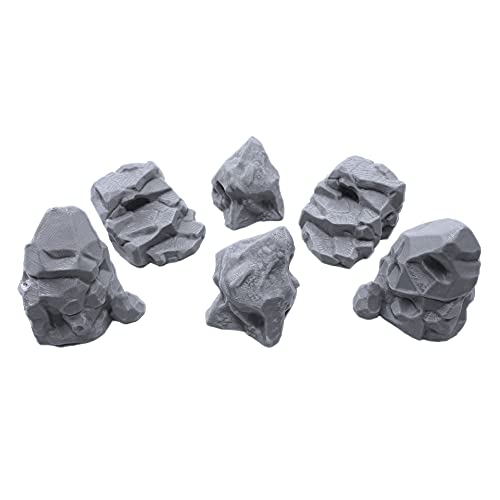
Enhance your tabletop games with this set of six highly detailed, 3D printed stone boulder terrain pieces. Perfect for 28mm miniatures, these paintable PLA plastic models add immersive scenery to any battlefield.
Flythrough animation tools create guided tours through complex topographic landscapes, helping you identify spatial patterns and terrain transitions. Export these animations as MP4 videos for presentations or use interactive web viewers to share 3D terrain models with stakeholders who need spatial context for decision-making processes.
Hillshade Analysis for Surface Texture Enhancement
Hillshade analysis transforms elevation data into realistic terrain representations by simulating sunlight interactions with surface topography. This technique reveals subtle surface textures and terrain features that remain hidden in traditional elevation displays.
Light Source Positioning Strategies
You’ll achieve optimal hillshade results by positioning your light source at a 315-degree azimuth with a 45-degree altitude angle. This northwest illumination mimics natural morning light conditions and creates shadows that enhance terrain readability. Adjust the azimuth to 225 degrees for afternoon lighting effects when analyzing south-facing slopes. Lower altitude angles between 30-35 degrees emphasize subtle terrain variations while higher angles above 60 degrees flatten surface details. Professional cartographers often generate multiple hillshades with different light positions to reveal complete terrain characteristics.
Shadow-Based Relief Interpretation
You can interpret terrain complexity through shadow patterns that reveal surface irregularities and structural features. Dark shadows indicate steep terrain breaks, valley floors, and cliff faces while bright areas highlight ridges, peaks, and exposed surfaces. Linear shadow patterns often reveal fault lines, erosional channels, or human-made features like roads and embankments. Mottled shadow textures indicate rough terrain surfaces caused by rock outcrops, vegetation, or glacial deposits. Use shadow intensity gradients to assess slope steepness – abrupt transitions suggest sharp terrain breaks while gradual changes indicate gentle slope transitions.
Slope and Aspect Classification for Terrain Characterization
Slope and aspect classification transforms continuous terrain data into discrete analytical categories that reveal underlying landform patterns and directional characteristics.
Gradient Category Development
Develop standardized slope categories using percentage and degree thresholds that align with your analytical objectives. Most GIS professionals create five primary classes: flat terrain (0-2%), gentle slopes (2-8%), moderate slopes (8-15%), steep terrain (15-30%), and very steep areas (>30%). These classifications support erosion risk assessment and development suitability analysis. You’ll find that custom gradient breaks work better for specialized applications like agricultural planning or geotechnical surveys where specific slope thresholds determine land use viability.
Directional Orientation Mapping
Map aspect values into eight cardinal and intercardinal directions to reveal directional terrain patterns critical for environmental analysis. North-facing slopes receive less direct sunlight and retain more moisture while south-facing exposures experience maximum solar radiation and drying conditions. You can enhance aspect classification by creating custom direction bins that account for local climate patterns and seasonal sun angles. Modern GIS tools like ArcGIS Pro and QGIS automatically calculate aspect from DEMs and support flexible classification schemes for vegetation studies and microclimate analysis.
Terrain Profile Cross-Sections for Detailed Investigation
Profile cross-sections reveal vertical terrain relationships by extracting elevation data along specific linear paths through your study area. You’ll create detailed vertical views that expose subsurface patterns and structural relationships invisible in standard planimetric displays.
Transect Line Selection Methods
Strategic transect placement determines profile effectiveness for terrain investigation purposes. You’ll position lines perpendicular to major landforms like ridgelines or valleys to capture maximum elevation variation and reveal structural patterns. Interactive GIS tools in ArcGIS Pro and QGIS allow dynamic line placement with real-time elevation feedback. Multiple parallel transects spaced at regular intervals provide comprehensive coverage across complex terrain features, while perpendicular intersecting lines reveal three-dimensional landform relationships.
Elevation Change Documentation
Profile graphs display precise elevation measurements along your selected transect routes with customizable vertical exaggeration ratios. You’ll document slope transitions, break points, and gradient changes using automated measurement tools that calculate distance-elevation relationships. Modern GIS platforms generate interactive profile charts with mouseover coordinate display and elevation annotation capabilities. Export options include high-resolution graphics for technical reports and CSV datasets for statistical analysis of terrain characteristics and morphological patterns.
Color-Coded Elevation Mapping for Visual Impact
Color-coded elevation mapping transforms complex terrain data into immediately recognizable visual patterns that communicate altitude relationships across landscapes. This technique bridges the gap between raw elevation numbers and intuitive spatial understanding.
Hypsometric Tinting Approaches
Hypsometric tinting uses systematic color progressions to represent elevation zones across your terrain model. Traditional schemes apply green tones for low elevations transitioning through yellows and browns to white peaks above treeline. Modern GIS platforms like ArcGIS Pro and QGIS offer predefined hypsometric color ramps based on established cartographic standards. You’ll achieve optimal results by selecting color schemes that match your terrain’s elevation range and intended audience understanding.
Custom Color Scheme Development
Custom color schemes enhance terrain visualization by addressing specific analytical requirements and audience preferences. Start with your elevation data’s minimum and maximum values to establish appropriate color breakpoints for meaningful terrain zones. Consider incorporating terrain-specific colors such as blues for below-sea-level areas or distinct hues for critical elevation thresholds in your study area. Test multiple color combinations using your actual elevation data to ensure adequate contrast and visual hierarchy throughout the terrain range.
Conclusion
Mastering these seven terrain visualization techniques will significantly enhance your spatial analysis capabilities and decision-making processes. Each method offers unique advantages for revealing different aspects of topographic data that might otherwise remain hidden in raw elevation datasets.
Your choice of visualization technique should align with your specific analytical objectives and target audience. Complex geological assessments may benefit from 3D perspective rendering while infrastructure planning often requires detailed contour mapping and slope analysis.
The key to effective terrain analysis lies in combining multiple visualization approaches rather than relying on a single method. This integrated strategy ensures you capture both broad landscape patterns and critical terrain details that inform comprehensive spatial understanding.
Modern GIS tools have made these sophisticated visualization techniques more accessible than ever before. By implementing these methods in your workflow you’ll transform complex topographic data into clear actionable insights that drive better outcomes across diverse applications.
Frequently Asked Questions
What is terrain visualization and why is it important?
Terrain visualization transforms raw elevation data into clear visual insights that reveal hidden patterns in landscapes. It’s crucial for applications like infrastructure development, flood risk mapping, and geological studies. Modern GIS professionals use these techniques to convert complex topographic data into actionable intelligence for informed decision-making.
What are Digital Elevation Models (DEMs) and how do they work?
Digital Elevation Models (DEMs) are structured datasets that convert raw topographic measurements into comprehensive terrain analysis tools. High-resolution DEMs, created through LiDAR and photogrammetric processing, capture terrain details with sub-meter accuracy. They support advanced spatial analysis by revealing terrain characteristics across multiple scales.
How do contour lines help in terrain analysis?
Contour lines transform elevation data into readable visual patterns that reveal terrain structure and topographic relationships. They help identify elevation changes, slope patterns, and landform features. Selecting appropriate contour intervals and optimizing line density based on terrain type ensures effective visualization for specific analysis needs.
What is hillshade analysis and what are its benefits?
Hillshade analysis simulates sunlight interactions with topography to enhance surface texture representation. It reveals subtle terrain features often hidden in traditional displays by creating shadow patterns that indicate terrain complexity. Dark shadows show steep breaks and valleys, while bright areas highlight ridges and peaks.
How does 3D perspective rendering improve terrain understanding?
3D perspective rendering transforms flat elevation data into immersive spatial displays that reveal terrain relationships invisible in 2D maps. It includes oblique view generation, shadow casting algorithms for depth perception, and interactive navigation tools that allow dynamic viewing angle adjustments and zoom controls.
What is slope and aspect classification used for?
Slope and aspect classification transforms continuous terrain data into discrete analytical categories that reveal landform patterns and directional characteristics. Slope categories support erosion risk assessment and development suitability analysis, while directional orientation mapping reveals critical terrain patterns for environmental analysis and vegetation studies.
How do terrain profile cross-sections work?
Terrain profile cross-sections reveal vertical terrain relationships by extracting elevation data along specific linear paths. Strategic transect line selection maximizes investigation effectiveness, while interactive GIS tools provide dynamic line placement and real-time elevation feedback for detailed terrain analysis.
What is color-coded elevation mapping?
Color-coded elevation mapping transforms complex terrain data into recognizable visual patterns using systematic color progressions to represent elevation zones. Hypsometric tinting approaches help communicate altitude relationships effectively, while custom color schemes can be developed for specific analytical needs and audience understanding.