7 How to Use Scale Bars for Accurate Measurement Tips Pros Follow
You’ve probably squinted at maps trying to figure out real-world distances or struggled to understand the actual size of microscopic specimens in scientific images. Scale bars solve this universal measurement challenge by providing a visual reference that translates image dimensions into real-world units.
Whether you’re analyzing satellite imagery, studying biological samples, or working with architectural drawings, mastering scale bar usage transforms guesswork into precise measurements. These simple reference tools bridge the gap between what you see on screen and actual physical dimensions in the field.
Disclosure: As an Amazon Associate, this site earns from qualifying purchases. Thank you!
Understanding What Scale Bars Are and Why They Matter
Scale bars serve as your visual measuring stick in any image or document where accurate spatial relationships matter. They’re the bridge between what you see and what actually exists in the real world.
P.S. check out Udemy’s GIS, Mapping & Remote Sensing courses on sale here…
Definition and Purpose of Scale Bars
Scale bars are graphical representations that show the relationship between distances on an image and actual distances in reality. They consist of a line or bar divided into segments with measurements labeled alongside. You’ll find them displaying units like meters, feet, kilometers, or miles depending on the scale of your subject. Scale bars eliminate guesswork by providing a direct visual reference that you can use to measure any distance within the same image or document.
Common Applications in Maps, Drawings, and Scientific Images
Maps rely on scale bars to help you determine real-world distances between cities, landmarks, or geographical features. Architectural drawings use them so you can understand room dimensions and building proportions from blueprints. Scientific images like microscopy photos include scale bars to show the actual size of cells, tissues, or specimens. Engineering drawings, site plans, and technical illustrations all incorporate scale bars to ensure you can accurately interpret measurements and spatial relationships within professional documentation.
Identifying Different Types of Scale Bars
Different types of scale bars serve specific purposes across various mapping and measurement applications. Understanding these variations helps you choose the most appropriate scale reference for your specific project needs.
Graphic Scale Bars
Graphic scale bars display measurement units as visual line segments divided into labeled increments. You’ll find these bars marked with distance values like 0, 100, 200 meters or 0, 1, 2 miles along segmented lines. Map publishers favor graphic scales because they maintain accuracy when documents are enlarged or reduced. Digital mapping platforms like ArcGIS and QGIS automatically generate these visual references, adjusting segment spacing based on your map’s current zoom level and projection settings.
Numerical Scale Ratios
Numerical scale ratios express the relationship between map distance and real-world distance using simple mathematical statements. You’ll encounter formats like “1 inch = 1000 feet” or “1 cm = 50 km” on topographic maps and engineering drawings. These ratios work best when you need precise calculations for distance measurements. Survey maps typically use numerical ratios because they provide exact conversion factors for field measurements and construction layout work.
[lasso id=”7174″]
Representative Fraction Scales
Representative fraction scales show the mathematical ratio between map and reality as a simple fraction like 1:24,000 or 1:50,000. The first number always equals one unit on your map, while the second represents the same units in the real world. USGS topographic maps standardize these fractions, with 1:24,000 covering detailed local areas and 1:250,000 showing broader regional coverage. You’ll calculate actual distances by multiplying measured map distances by the scale denominator.
Reading Scale Bar Information Correctly
Successfully reading scale bar information requires understanding the fundamental elements that make accurate measurement possible. You’ll need to identify the measurement units and interpret the visual divisions to convert scaled distances into real-world measurements.
Understanding Units of Measurement
Identifying the unit system determines whether you’re working with metric (meters, kilometers) or imperial (feet, miles) measurements. Scale bars typically display the unit abbreviation clearly next to the measurement values, such as “m” for meters or “ft” for feet. You should always verify the unit system before beginning any measurement calculations, as mixing units leads to significant errors in distance calculations.
Interpreting Scale Divisions and Segments
Reading scale divisions involves understanding how the bar segments represent incremental distances in the real world. Each segment or tick mark corresponds to a specific distance value, with major divisions showing larger increments and minor divisions showing smaller subdivisions. You can measure partial distances by estimating the position between division marks, allowing for more precise measurements than using only the major segment endpoints.
Preparing Your Measurement Tools and Materials
You’ll need the right tools and materials ready before starting any scale bar measurement project. Proper preparation ensures accuracy and reduces measurement errors that can compound throughout your analysis.
Essential Tools for Accurate Scale Measurements
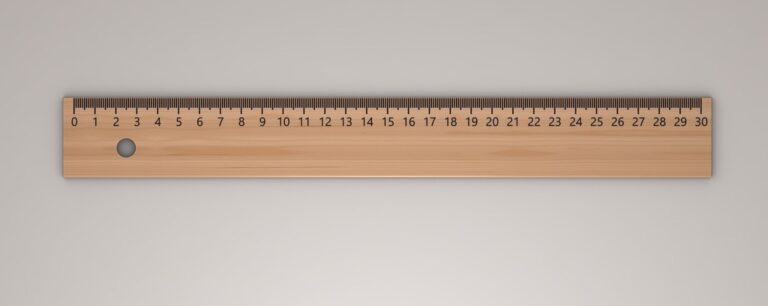
Calipers provide the most precise measurements for detailed scale work, especially when measuring small increments on technical drawings or scientific images. Rulers with fine graduations work well for general mapping tasks, while proportional dividers excel at transferring measurements between different scales. Magnifying glasses help you read fine scale divisions clearly, and pencils with sharp points ensure accurate marking of measurement points. Keep measurement conversion charts nearby for quick unit conversions between metric and imperial systems.
[lasso id=”15997″]
Digital vs. Physical Measurement Methods
Digital measurement tools offer pixel-perfect accuracy when working with electronic images, allowing you to measure distances using software like GIS applications or CAD programs that automatically calculate real-world distances. Physical measurement methods work better for printed materials, using traditional rulers and calipers to measure distances directly on paper or physical surfaces. Digital tools eliminate human error in reading scale divisions, while physical methods provide tactile feedback that helps verify measurements. Choose digital methods for electronic documents and physical tools for printed materials to maximize measurement precision.
Positioning Your Scale Bar for Optimal Accuracy
Proper scale bar positioning determines whether your measurements achieve professional-grade accuracy or introduce significant errors that compromise your project’s reliability.
Proper Alignment Techniques
Align your scale bar parallel to the measurement axis you’re working with to maintain geometric accuracy. Place the scale bar’s baseline directly against your measuring points, ensuring both endpoints touch the features you’re measuring. Rotate your measuring tool rather than tilting the scale bar when measuring diagonal distances. Use grid lines or coordinate references as alignment guides when available, keeping your scale bar perpendicular to these established reference systems for consistent results.
Avoiding Parallax and Distortion Errors
Position your eye directly above the scale bar to eliminate parallax distortion that occurs when viewing from an angle. Maintain consistent viewing distance throughout your measurement process, as closer inspection can magnify apparent scale divisions. Account for image distortion near map edges or photograph borders where scale relationships may become unreliable. Use the scale bar closest to your measurement area when multiple scales appear on the same document, as distortion varies across different map regions.
Making Precise Measurements Using Scale Bar References
With proper positioning established, you can now execute accurate measurements that translate visual distances into real-world dimensions.
Step-by-Step Measurement Process
Place your measuring tool at the starting point of your desired measurement. Align the tool’s edge with the scale bar’s baseline to ensure accurate readings. Mark the endpoint on your measuring device using a sharp pencil or precise digital marker. Transfer this marked distance to the scale bar by positioning it against the graduated segments. Read the measurement value where your marked endpoint intersects with the scale divisions. Record your findings immediately to prevent measurement errors from accumulating across multiple readings.
Converting Scale Units to Real-World Dimensions
Identify the scale ratio displayed on your reference bar before beginning calculations. Multiply your measured distance by the scale denominator to determine actual dimensions. Convert between measurement systems using standard conversion factors when necessary. Apply the formula: Real Distance = Measured Distance à Scale Factor for accurate results. Double-check your calculations by working backwards from your final answer to verify accuracy. Document your conversion process to maintain consistent measurement standards across your entire project.
Verifying Your Measurements for Accuracy
Professional measurement verification prevents costly errors in mapping projects. Multiple validation methods ensure your scale bar calculations meet project specifications.
Cross-Checking Methods and Techniques
Cross-reference your measurements using multiple scale bars when available on the same document. Measure the same distance twice using different scale references to identify discrepancies.
Compare digital measurements with physical ruler checks on printed materials. Use coordinate grids or known landmarks as reference points to validate your calculations.
Apply the reverse calculation method by converting your real-world measurement back to map distance using the scale ratio.
Common Measurement Errors to Avoid
Misreading scale divisions causes significant calculation errors when you confuse major and minor increments. Always verify which segment represents your target unit before measuring.
Unit conversion mistakes occur when mixing metric and imperial systems within the same project. Document your chosen unit system consistently throughout all measurements.
Parallax errors happen when viewing the scale bar from incorrect angles, creating false readings that compound across multiple measurements.
Applying Scale Bar Measurements in Different Fields
Scale bars adapt to specific measurement requirements across various professional disciplines.
Geographic and Cartographic Applications
Geographic mapping relies on scale bars for calculating distances between cities, measuring watershed boundaries, and determining trail lengths. You’ll use them to verify GPS coordinates against topographic features and measure coastline changes over time. Modern GIS software integrates scale bars with coordinate systems, allowing you to switch between metric and imperial units instantly. Field cartographers use handheld GPS devices with built-in scale references to ground-truth their digital measurements against physical terrain features.
[lasso id=”16718″]
Scientific Research and Documentation
Scientific documentation demands precise scale measurements for specimen photography, microscopy work, and geological surveys. You’ll measure cell structures using micrometer-scale bars, document fossil dimensions with centimeter references, and calculate mineral deposit extents using meter-scale measurements. Research protocols require you to include scale bars in all published images to ensure reproducibility. Digital microscopes automatically embed pixel-to-measurement ratios, while field researchers use standardized reference objects like coins or rulers for photographic scale documentation.
[lasso id=”16044″]
Architectural and Engineering Uses
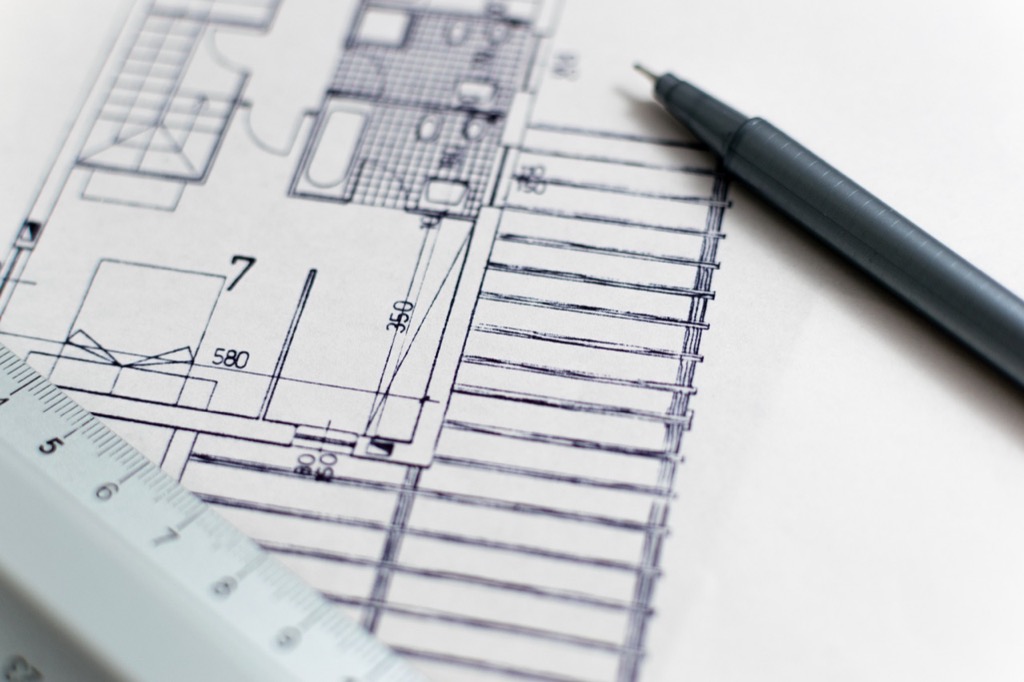
Architectural drawings use scale bars to translate blueprint dimensions into construction measurements. You’ll calculate room dimensions, verify structural spacing, and determine material quantities using 1:50 or 1:100 scale references. Engineering projects require scale bars for site planning, where you’ll measure property boundaries, utility line distances, and elevation changes. CAD software automatically generates scale bars that update when you modify drawing scales, ensuring your measurements remain accurate throughout the design process.
Troubleshooting Common Scale Bar Measurement Issues
Scale bar measurement problems can derail even the most carefully planned mapping projects. These troubleshooting techniques will help you maintain accuracy when standard measurement conditions aren’t available.
Dealing with Unclear or Damaged Scale Bars
Damaged scale bars require reconstruction using available reference points to maintain measurement accuracy. Start by identifying any readable segments and calculate the unit intervals from undamaged portions. Use proportional relationships to estimate missing divisions based on remaining clear segments.
When dealing with faded or unclear markings, increase contrast through digital enhancement or magnification tools. Create a backup reference by measuring known features on the map and comparing them to documented distances. This cross-referencing approach validates your reconstructed scale measurements.
Handling Non-Standard Scale Formats
Non-standard scale formats often appear in historical maps or specialized technical drawings that don’t follow conventional scale bar conventions. Begin by identifying the measurement system used and any accompanying text that explains the scale relationship.
Convert unusual scale notations by establishing the ratio between one known distance and its real-world equivalent. Create your own standardized reference by drawing a conventional scale bar based on these calculations. Document your conversion process to ensure consistency across similar non-standard documents in your project.
Advanced Techniques for Complex Scale Bar Applications
Professional mapping projects often require sophisticated scale bar techniques beyond basic measurements. These advanced methods ensure accuracy in complex scenarios where standard approaches fall short.
Working with Multiple Scale References
Navigate complex documents containing multiple scale bars by establishing a systematic verification process. Start by identifying the primary scale bar that corresponds to your specific measurement area, then cross-reference with secondary scales to confirm accuracy. Different map sections may use varying scales due to projection distortions or inset maps.
Create a reference hierarchy by cataloging each scale bar’s location, units, and applicable zones within your document. This prevents measurement errors when transitioning between different scaled sections of the same project.
Digital Scaling Tools and Software Solutions
Leverage GIS software like ArcGIS or QGIS for pixel-perfect scale bar measurements in digital formats. These platforms automatically calculate real-world distances based on embedded coordinate systems and projection parameters. Digital calipers within CAD programs provide sub-millimeter precision for technical drawings.
Implement measurement verification plugins that cross-check your calculations against known reference points. Software solutions eliminate human error in unit conversions and maintain consistent measurement standards across large-scale mapping projects requiring multiple team members.
Conclusion
You now have the comprehensive knowledge and practical techniques needed to achieve professional-level accuracy with scale bars across any measurement project. Whether you’re working with architectural blueprints scientific images or geographic maps these skills will transform your ability to extract precise real-world dimensions from visual representations.
Remember that consistent practice with proper tool selection careful positioning and thorough verification will elevate your measurement accuracy significantly. The combination of traditional techniques with modern digital tools gives you maximum flexibility to handle even the most challenging scaling scenarios.
Your investment in mastering these scale bar fundamentals will pay dividends in every field that requires precise dimensional analysis. Start applying these methods immediately and you’ll quickly develop the confidence to tackle complex measurement challenges with professional-grade results.
Frequently Asked Questions
What is a scale bar and why is it important?
A scale bar is a graphical representation that shows the relationship between distances on an image, map, or drawing and actual distances in reality. It serves as a visual measuring stick, eliminating guesswork and providing direct reference for accurate measurements. Scale bars are essential for translating visual representations into precise real-world dimensions across various fields.
What are the different types of scale bars?
There are three main types: Graphic scale bars display measurement units as visual line segments with labeled increments, Numerical scale ratios express relationships using mathematical statements, and Representative fraction scales show ratios as simple fractions. Each type serves specific purposes and maintains accuracy across different applications and document sizes.
How do I read scale bar information correctly?
Start by identifying the measurement units (metric or imperial) and verify the unit system to avoid errors. Next, interpret scale divisions by understanding that each segment corresponds to specific distance values. Major divisions indicate larger increments while minor divisions show smaller subdivisions, allowing for more precise partial distance measurements.
What tools do I need for accurate scale bar measurements?
Essential tools include calipers for precise measurements, rulers for general mapping tasks, proportional dividers for transferring measurements, magnifying glasses for reading fine divisions, and sharp pencils for marking points. Digital tools work best for electronic images, while physical methods suit printed materials better.
[lasso id=”16619″]
How do I position scale bars for optimal accuracy?
Align the scale bar parallel to the measurement axis with its baseline touching the features being measured. Position your eye directly above the scale bar and maintain consistent viewing distance to avoid parallax errors. Use grid lines for consistent alignment and avoid tilting when measuring diagonal distances.
What’s the step-by-step process for measuring with scale bars?
Place your measuring tool at the starting point, align it with the scale bar’s baseline, mark the endpoint, then transfer this distance to the scale bar. Convert to real-world dimensions using the formula: Real Distance = Measured Distance à Scale Factor. Always double-check calculations and document the conversion process.
How do I verify my measurements for accuracy?
Use multiple validation methods including cross-referencing measurements with different scale bars, comparing digital measurements with physical ruler checks, and applying reverse calculations. Always verify unit conversions and check for common errors like misreading scale divisions or parallax mistakes from incorrect viewing angles.
What are common applications of scale bars in different fields?
In geography and cartography, scale bars calculate distances and verify GPS coordinates. Scientific research uses them for documenting specimens and ensuring reproducible measurements. Architecture and engineering apply scale bars to translate blueprint dimensions into construction measurements. Modern GIS and CAD software integrate scale bars for enhanced accuracy.
How do I handle unclear or damaged scale bars?
Reconstruct damaged scale bars using reference points and known distances. Enhance faded markings through digital tools or photo editing software. For non-standard formats, identify the measurement system first, then convert unusual notations into standardized references. Always cross-reference with multiple sources when possible.
What are advanced techniques for complex scale bar applications?
Establish systematic verification processes when working with multiple scale references and create reference hierarchies to prevent errors. Utilize digital scaling tools like GIS and CAD software for pixel-perfect measurements and automated verification. These advanced methods ensure professional-grade accuracy in complex mapping and measurement projects.