6 Ideas for Using 3D Printing for Tactile Maps That Transform Digital Data
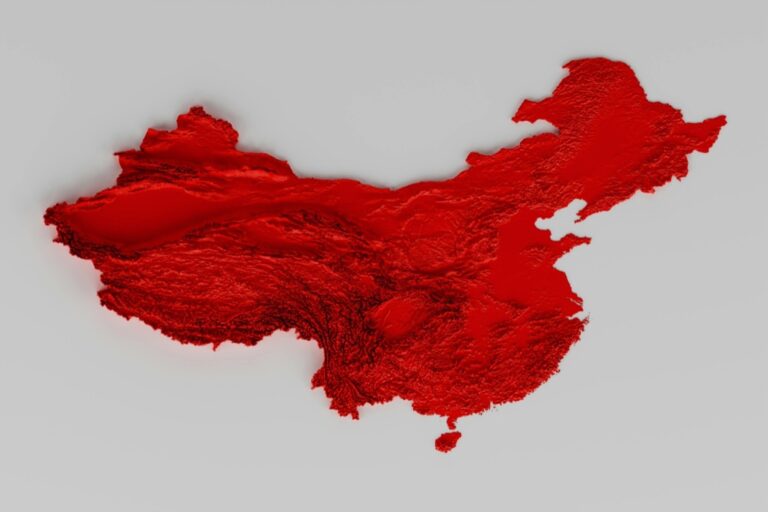
The big picture: You’re looking at a revolutionary shift in accessibility technology where 3D printing transforms flat maps into touchable terrain that visually impaired individuals can actually feel and navigate.
[lasso id=”7324″]
Why it matters: Traditional raised-line maps often lack the detail and texture needed for effective navigation while 3D printed tactile maps offer unprecedented precision in representing elevation changes topographical features and spatial relationships.
[lasso id=”6067″]
P.S. check out Udemy’s GIS, Mapping & Remote Sensing courses on sale here…
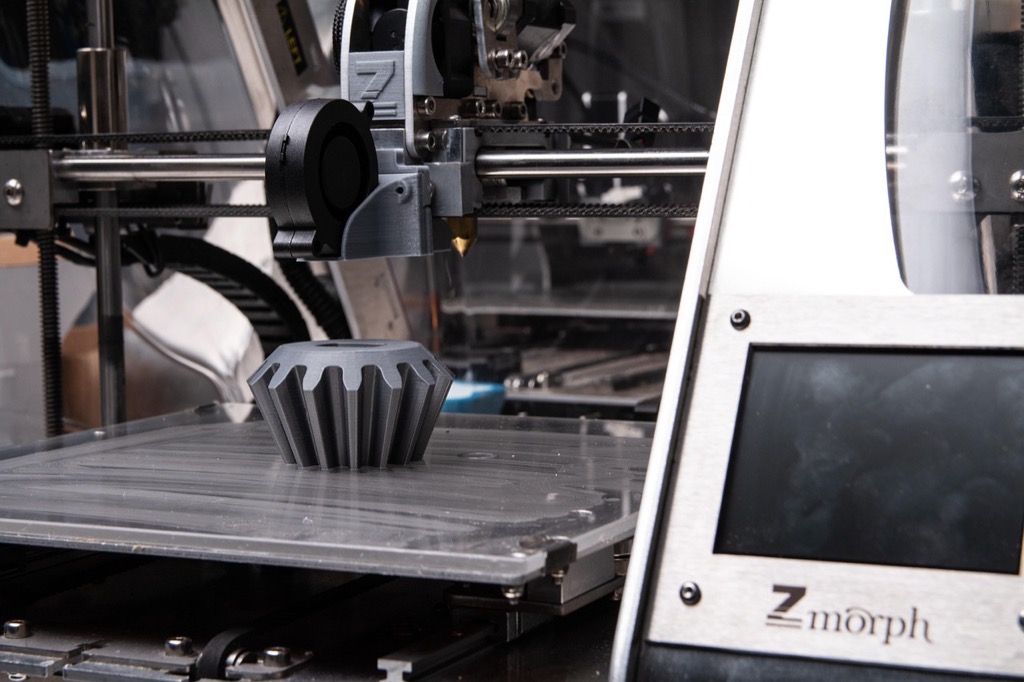
What’s next: These six innovative applications showcase how affordable 3D printing technology can create detailed tactile maps for everything from city navigation to educational geology lessons making the world more accessible than ever before.
Disclosure: As an Amazon Associate, this site earns from qualifying purchases. Thank you!
Create Raised Topographical Maps for Geography Education
[lasso id=”17137″]
Topographical maps become powerful teaching tools when students can physically trace mountain ranges and valley systems with their fingertips. 3D printing transforms digital elevation data into tangible learning experiences that help students understand complex geographical concepts through tactile exploration.
Design Elevation Models Using Digital Terrain Data
You’ll need to access USGS Digital Elevation Models (DEMs) or similar datasets to create accurate terrain representations. Import the elevation data into CAD software like Fusion 360 or open-source alternatives like Blender, then scale the vertical exaggeration to 2-3 times normal proportions for enhanced tactile definition. Export your model as an STL file with a base thickness of at least 5mm to ensure structural integrity during printing and classroom handling.
[lasso id=”16928″]
Print Multi-Layer Landscapes for Classroom Learning
Multi-color filament printing allows you to represent different elevation zones using distinct colors or textures. Set your printer to use brown PLA for lowlands, green for mid-elevations, and white for peaks above treeline. Print at 0.2mm layer height with 20% infill to balance detail with printing speed. Create removable sections that demonstrate geological processes like erosion, fault lines, or watershed boundaries for interactive lessons.
Incorporate Braille Labels for Accessibility
[lasso id=”16182″]
Add raised Braille labels directly to your topographical models using specialized Braille fonts in your CAD software. Position labels on flat areas or create small pedestals extending from major features like peaks, rivers, or cities. Test label height at 0.6mm above the surface and ensure adequate spacing between characters. This dual-format approach makes your educational maps accessible to both sighted and visually impaired students in inclusive classroom settings.
Develop Interactive City Navigation Maps for the Visually Impaired
Creating tactile city maps requires careful attention to spatial relationships and street-level details that make urban navigation possible for visually impaired users.
Build Street-Level Detail with Raised Buildings
You’ll create the most effective navigation aids by printing buildings at varying heights that correspond to actual structure sizes. Major landmarks like city halls or hospitals should stand 8-10mm tall while residential buildings remain at 3-4mm height. This elevation difference helps users identify key reference points quickly. Include building footprints with precise shapes rather than simplified rectangles to provide accurate spatial context for navigation decisions.
Add Textural Elements for Landmark Recognition
You can incorporate distinctive surface textures using different 3D printing materials or post-processing techniques to mark significant locations. Parks benefit from rough sandpaper-like textures while water features use smooth surfaces with subtle wave patterns. Shopping districts work well with crosshatched textures and medical facilities with raised cross symbols. These tactile markers create memorable reference points that users associate with specific neighborhood characteristics during independent travel.
Include Public Transportation Routes and Stops
You should represent bus routes as raised lines 2mm wide with stop locations marked as circular nodes 5mm in diameter. Subway lines require deeper channels or elevated tracks depending on whether they run underground or above street level. Add directional arrows using raised triangular shapes to indicate one-way streets and traffic flow patterns. Include transfer stations with connecting pathways between different transportation modes to help users plan efficient multi-modal journeys.
Produce Historical Battle Maps with 3D Terrain Features
Transform military history education by creating detailed battlefield recreations that showcase how geography influenced combat outcomes. You’ll discover how terrain elevation and strategic positioning shaped legendary conflicts through tactile 3D printed models.
Recreate Ancient Battlefields with Accurate Topography
Download digital elevation models from historical survey data to capture authentic battlefield terrain. You can access USGS historical topographic maps and satellite imagery through the National Map Viewer for American Civil War sites like Gettysburg and Antietam. Scale your models to 1:5000 ratio for classroom use, ensuring hills like Little Round Top maintain proportional height relationships. Import DEM files into CAD software like Fusion 360 or Blender to generate STL files that preserve contour accuracy within 2-meter elevation tolerances.
[lasso id=”16313″]
Show Troop Movements Through Raised Pathways
Print raised lines at 2-3mm height to represent documented troop movements across your battlefield terrain. You’ll create distinct pathway textures using different line patterns – solid lines for infantry advances, dashed patterns for cavalry charges, and dotted lines for retreat routes. Color-code movement phases using different filament materials, with red PLA representing Confederate movements and blue for Union forces at Civil War sites. Connect pathways to specific timeline markers that students can trace with their fingers to understand battle progression.
Highlight Strategic Positions with Elevated Markers
Position 5-10mm tall geometric markers to identify key tactical locations like artillery placements, command posts, and defensive fortifications. You’ll use triangular markers for high ground positions, rectangular blocks for fortified structures, and circular markers for artillery batteries. Print these elements in contrasting colors or materials – brass-filled filament works excellently for cannon positions while matte black PLA effectively represents fortifications. Include raised Braille labels alongside visual text to ensure accessibility for all students studying military tactics and historical geography.
Design Emergency Evacuation Maps for Public Buildings
Emergency evacuation maps require precise spatial accuracy and instant tactile recognition to guide building occupants during crisis situations. 3D printing transforms traditional flat evacuation diagrams into navigable relief maps that users can follow by touch even in complete darkness.
Create Clear Exit Route Indicators Through Raised Lines
Establish primary and secondary evacuation routes using raised lines of different heights and textures. Primary exits should feature 3mm raised pathways while secondary routes use 2mm elevation to create clear hierarchy through touch. Incorporate directional arrows along pathways using triangular raised elements spaced every 6 inches. Design corridor intersections with distinctive texture patterns to help users identify decision points and maintain proper direction during evacuation procedures.
Mark Safety Equipment Locations with Tactile Symbols
Position fire extinguisher locations using cylindrical raised markers measuring 8mm in diameter and 4mm in height. Represent emergency phones with rectangular raised symbols featuring tactile dot patterns that correspond to standard Braille numbering systems. Identify first aid stations through cross-shaped raised elements with textured surfaces. Include AED locations using distinctive heart-shaped markers with raised pulse-wave patterns that emergency responders can quickly locate through tactile navigation.
Provide Floor-by-Floor Navigation for Complex Structures
Develop modular map systems where each floor level connects through standardized stairwell transition points marked with raised floor numbers. Create vertical reference points using different base thicknesses for each floor level to maintain spatial relationships between stories. Integrate elevator shaft locations as continuous vertical channels that span multiple floor modules. Design removable floor sections that allow users to understand multi-story evacuation routes and identify alternative pathways when primary exits become inaccessible.
Build Weather Pattern Maps for Meteorology Studies
Weather pattern visualization transforms abstract atmospheric data into tangible learning tools that students can explore through touch and sight.
Display Pressure Systems Through Varying Heights
Design pressure contours using graduated elevation changes to represent isobars and atmospheric pressure variations. Print high-pressure systems as raised domes reaching 8-12mm above the base surface while creating low-pressure areas as depressed regions 4-6mm below normal elevation. Use CAD software to convert barometric pressure data from NOAA weather stations into precise topographical representations. Include tactile reference markers every 4 millibars to help students identify pressure gradients and understand how atmospheric circulation patterns develop around these systems.
Show Storm Tracking with Textured Surface Elements
Create distinct surface textures to represent different storm types and their movement patterns across geographic regions. Apply rough, bumpy textures for thunderstorm clusters and smooth, wave-like patterns for frontal systems using specialized printing nozzles or post-processing techniques. Embed raised directional arrows showing storm paths with varying arrow widths to indicate intensity changes over time. Incorporate removable magnetic storm markers that students can reposition to practice forecasting exercises and understand how topography influences weather system movement.
Create Temperature Gradient Maps Using Different Materials
Combine multiple filament types to represent temperature variations through both color and thermal conductivity properties. Use PLA filament for moderate temperature zones and flexible TPU materials for extreme temperature regions to create distinct tactile sensations. Print temperature isotherms as raised ridges with heights corresponding to specific degree intervals, allowing students to trace thermal boundaries by touch. Include thermally conductive metal inserts in hot zones and cooling gel pockets in cold regions to simulate actual temperature differences during hands-on learning sessions.
Construct Archaeological Site Maps for Research and Education
Archaeological site documentation transforms from static drawings into comprehensive three-dimensional educational tools through 3D printing technology. You’ll create tactile models that reveal spatial relationships between excavation layers, artifact distributions, and structural remains that traditional flat maps can’t effectively communicate.
Reproduce Excavation Layers in Three-Dimensional Form
Layer-by-layer archaeological documentation becomes tangible when you print each stratigraphic level as separate interlocking pieces. You’ll scale digital site records using CAD software to maintain accurate proportional relationships between excavation units. Print removable layer sections using different colored filaments to represent distinct time periods or cultural phases. Include raised grid markers that correspond to your site’s datum points and excavation squares. Add textural elements to distinguish between soil types, ash layers, and construction materials found during excavation.
Highlight Artifact Locations with Raised Markers
Artifact distribution patterns emerge clearly when you incorporate raised cylindrical markers at precise coordinates within your 3D site model. You’ll reference your site database to position markers according to recorded GPS coordinates and elevation data. Use varying marker heights to represent different artifact categories like pottery sherds, stone tools, or metal objects. Apply distinct textures or shapes to distinguish between artifact types and cultural periods. Include removable marker systems that allow researchers to study distribution patterns by removing specific artifact categories from the model.
Create Before-and-After Reconstruction Models
Structural reconstruction visualization becomes powerful when you print companion models showing excavated remains alongside hypothetical complete buildings. You’ll combine archaeological evidence with architectural analysis to create accurate reconstruction proposals. Design modular wall sections that demonstrate how fragmentary foundations connect to complete structures. Use transparent filament sections to distinguish between confirmed architectural elements and speculative reconstructions. Include detailed surface textures that reflect original building materials like stone blocks, timber construction, or adobe walls based on archaeological evidence.
Conclusion
3D printing technology opens up incredible possibilities for creating tactile maps that serve diverse educational and practical needs. You’ve seen how this accessible technology can transform everything from geographical terrain to historical battlefields into hands-on learning experiences.
Whether you’re an educator looking to enhance your curriculum or an organization working to improve accessibility, these six applications demonstrate the versatility of 3D printed tactile maps. The technology bridges the gap between visual information and tactile understanding.
You now have the foundation to start creating your own tactile mapping projects. With basic 3D printing skills and the right design approach, you can make complex spatial information accessible to everyone while enhancing learning outcomes across multiple disciplines.
Frequently Asked Questions
What are the main advantages of 3D printed tactile maps over traditional raised-line maps?
3D printed tactile maps offer superior precision and detail compared to traditional raised-line maps. They provide enhanced texture and depth that better represent elevation changes, spatial relationships, and geographic features. The technology allows for accurate scaling and the incorporation of multiple textural elements, making navigation more intuitive for visually impaired users while being more affordable to produce.
How can 3D printed topographical maps enhance geography education?
3D printed topographical maps transform abstract geographic concepts into tangible learning experiences. Students can physically trace mountain ranges, valleys, and elevation changes, improving spatial understanding. Multi-color filament printing can represent different elevation zones, while removable sections demonstrate geological processes. Including raised Braille labels ensures accessibility for both sighted and visually impaired students, creating inclusive learning environments.
What specific features should be included in 3D printed city navigation maps for visually impaired users?
Effective 3D city navigation maps should include buildings printed at varying heights corresponding to actual sizes, different textures for parks, water features, and districts, and raised lines with circular nodes for public transportation routes. Directional arrows help with navigation flow, while tactile symbols mark important landmarks. Street-level details and spatial relationships are crucial for accurate urban navigation.
How do 3D printed historical battle maps improve military history education?
3D printed battle maps showcase how geography influenced combat outcomes by providing accurate terrain recreation using historical survey data. Raised pathways and color-coded patterns represent troop movements, while elevated markers highlight strategic positions. CAD software maintains contour accuracy, and raised Braille labels ensure accessibility. These tangible models help students better understand military tactics and historical geography.
What makes 3D printed emergency evacuation maps more effective than traditional ones?
3D printed evacuation maps can be navigated by touch even in darkness, providing raised lines of varying heights and textures to indicate exit routes. Tactile symbols mark safety equipment locations, while modular systems offer floor-by-floor navigation for complex buildings. This tactile approach ensures occupants can find alternative pathways during emergencies when visual navigation may be compromised.
How can 3D printing help visualize weather patterns for meteorology studies?
3D printing transforms abstract atmospheric data into tangible learning tools by creating pressure systems with varying heights representing isobars and atmospheric pressure variations. Storm tracking uses distinct surface textures and directional arrows, while temperature gradient maps employ different materials to represent temperature variations. CAD software converts barometric pressure data into precise topographical representations for better understanding.
What benefits does 3D printing offer for archaeological site documentation?
3D printed archaeological models reveal spatial relationships between excavation layers, artifact distributions, and structural remains that static drawings cannot convey. Different colored filaments represent distinct time periods, while raised markers indicate artifact locations. Before-and-after reconstruction models visualize structural changes over time, maintaining accurate proportional relationships for comprehensive educational understanding of archaeological sites.