7 Best Map Styles for Visual Impact
Map design sits at the crossroads of art and science where your creative choices directly impact how users navigate and understand geographic information. Whether you’re building a transit app or designing an interactive website you’ll face the fundamental decision between abstract simplification and realistic detail.
The style you choose affects everything from user engagement to practical functionality. Abstract maps strip away visual clutter to highlight essential information while realistic styles provide familiar landmarks and detailed terrain that users instantly recognize.
Disclosure: As an Amazon Associate, this site earns from qualifying purchases. Thank you!
Understanding the Fundamental Differences Between Abstract and Realistic Map Styles
Map style selection fundamentally shapes how users interpret geographic information and navigate through spatial data.
P.S. check out Udemy’s GIS, Mapping & Remote Sensing courses on sale here…
Defining Abstract Map Design Principles
Abstract maps prioritize functional clarity over visual realism through strategic simplification of geographic elements. You’ll find these designs eliminate unnecessary detail while emphasizing essential navigation components like major roads, transit lines, and key landmarks. Abstract styles use standardized symbols, simplified geometry, and high contrast color schemes to create intuitive wayfinding experiences. Transit maps like London’s Underground system exemplify this approach by distorting geographic accuracy to improve usability and reduce cognitive load during navigation tasks.
Exploring Realistic Map Characteristics
Realistic maps maintain geographic accuracy and visual authenticity through detailed terrain representation and recognizable landmarks. You’ll encounter photorealistic textures, accurate elevation modeling, satellite imagery integration, and true-to-life building representations in these designs. Realistic styles preserve spatial relationships, scale proportions, and natural color palettes to create familiar environments. Google Earth and topographic survey maps demonstrate this approach by providing comprehensive geographic context that supports detailed analysis and precise location identification for professional applications.
Choosing the Right Style for Your Purpose
Your map’s intended use determines whether abstract or realistic styling serves your audience best. Abstract designs excel for transit systems, emergency evacuation routes, and simplified navigation where quick decision-making matters most. Realistic styles work better for outdoor recreation, urban planning, scientific research, and applications requiring precise geographic reference. Consider your users’ expertise level, time constraints, and decision complexity when selecting between simplified clarity and comprehensive detail for optimal map effectiveness.
Minimalist Abstract Maps for Modern Digital Interfaces
Minimalist abstract maps excel in digital environments where screen space is limited and user attention spans are short. They strip away visual clutter to deliver essential geographic information through carefully refined design elements.
Clean Line Work and Simplified Geography
Clean line work forms the foundation of effective minimalist mapping by reducing geographic complexity to its essential components. You’ll achieve optimal results by maintaining consistent stroke weights between 1-3 pixels for roads and boundaries while eliminating secondary features like minor waterways or elevation contours. Simplified geography involves generalizing coastlines and removing small islands or inlets that don’t serve navigation purposes. This approach reduces cognitive load and ensures your maps remain legible across various screen sizes and resolutions.
[lasso id=”16024″]
Strategic Use of Negative Space
Strategic negative space creates visual breathing room that enhances map readability and focuses user attention on critical information. You can effectively employ white or neutral backgrounds to separate distinct geographic regions while allowing key features like major roads and landmarks to stand out prominently. Proper spacing between labels prevents text overlap and maintains clean aesthetics even at smaller zoom levels. Consider using negative space to create implicit boundaries between different map zones rather than relying on additional line work.
Color Psychology in Abstract Design
Color psychology drives user comprehension and emotional response in abstract map design through carefully selected palettes that convey meaning intuitively. You should employ cool blues and greens for water features and parks to evoke natural associations while using warm colors like orange or red sparingly for alerts or high-priority locations. Maintain sufficient contrast ratios above 4.5:1 for accessibility compliance and limit your palette to 4-6 colors maximum to prevent visual confusion. Monochromatic schemes with strategic accent colors often perform better than complex multi-hued approaches in digital interfaces.
[lasso id=”16210″]
Photorealistic Satellite-Style Maps for Maximum Detail
Photorealistic satellite-style maps deliver unmatched geographic authenticity by combining high-resolution imagery with advanced rendering techniques. These maps provide users with immediate visual recognition of terrain features and landmarks.
High-Resolution Terrain Rendering
High-Resolution Terrain Rendering transforms raw elevation data into visually striking three-dimensional landscapes that mirror real-world geography. You’ll achieve optimal results using digital elevation models (DEMs) with 1-meter or finer resolution combined with advanced interpolation algorithms. Modern GIS software like ArcGIS Pro and QGIS enables seamless integration of LIDAR data with satellite imagery for precise terrain visualization. Hillshade calculations at multiple sun angles create realistic shadow effects that enhance depth perception and terrain readability.
Natural Color Palettes and Textures
Natural color palettes replicate authentic environmental conditions through careful calibration of spectral bands and atmospheric correction algorithms. You’ll need to balance true-color composites with enhanced false-color combinations to highlight specific terrain features while maintaining visual authenticity. Texture mapping techniques overlay high-resolution surface materials like vegetation patterns and rock formations onto base imagery. Color temperature adjustments ensure consistent lighting across image tiles while preserving the natural appearance of water bodies forests and urban areas.
Advanced Shading and Elevation Techniques
Advanced shading techniques combine analytical hillshading with ambient occlusion to create photorealistic depth and dimensionality in elevation data. You’ll apply multi-directional relief shading using azimuth angles between 225° and 315° with elevation angles of 25° to 45° for optimal terrain visualization. Elevation blending incorporates hypsometric tinting with carefully calibrated opacity levels to maintain terrain detail while adding elevation context. Swiss-style relief shading methods provide exceptional results for mountainous terrain while analytical hillshading works best for subtle topographic variations.
Hand-Drawn Artistic Maps Blending Abstract and Realistic Elements
Hand-drawn artistic maps offer the perfect middle ground between purely abstract and photorealistic cartography, creating visually compelling designs that maintain geographic integrity while expressing creative personality.
Incorporating Watercolor and Sketch Techniques
[lasso id=”16032″]
Watercolor techniques transform digital maps into artistic masterpieces through layered transparency effects and organic color bleeding. You’ll achieve authentic watercolor aesthetics using gradient masks in Adobe Illustrator or Photoshop, applying subtle opacity variations to landmasses and water bodies. Sketch-style line work adds character through intentional imperfections and varying stroke weights. Tools like Procreate and Fresco excel at replicating natural brush textures, while vector programs can simulate hand-drawn qualities using the roughen effect and custom brush libraries.
[lasso id=”16066″]
Balancing Artistic Flair with Geographic Accuracy
Geographic accuracy remains paramount even in artistic interpretations, requiring careful balance between creative expression and spatial precision. You’ll maintain correct scale relationships and proportional distances while stylizing terrain features through artistic interpretation. Critical elements like coastlines, major rivers, and transportation networks must preserve their essential geometric properties. Use established cartographic projections as your foundation, then apply artistic treatments that enhance rather than distort fundamental geographic relationships. Topographic references ensure elevation changes and landform characteristics remain recognizable.
Creating Unique Visual Storytelling
Visual storytelling through hand-drawn maps transforms geographic data into narrative experiences that engage viewers emotionally. You’ll incorporate custom iconography, illustrated landmarks, and thematic color schemes that reflect the map’s intended story or cultural context. Historical maps benefit from period-appropriate artistic styles, while tourist maps can emphasize attractions through exaggerated scale and decorative elements. Integrate typography that complements your artistic approach, using hand-lettered labels or fonts that match your overall aesthetic vision while maintaining readability standards.
Isometric 3D Maps for Enhanced Visual Depth
Isometric 3D maps create compelling visual depth while maintaining precise geometric relationships. You’ll achieve optimal spatial understanding through strategic elevation and perspective techniques.
Building Three-Dimensional Perspective
Establish consistent angles using 30-degree rotation for authentic isometric projection. Your viewing angle should maintain parallel lines throughout the design to prevent visual distortion. Set up your coordinate system with X and Y axes at 30-degree angles from horizontal, keeping the Z-axis vertical for proper depth perception. Use CAD software like AutoCAD or mapping tools like ArcGIS Pro to maintain geometric precision. Apply uniform scaling across all map elements to preserve spatial relationships and ensure buildings appear proportionally accurate.
Using Height and Shadow for Realism
Create dimensional authenticity through strategic shadow placement and elevation modeling. Your light source should remain consistent at a 45-degree angle to generate realistic shadow casting. Implement gradient shadows that fade with distance from objects, using darker values for taller structures. Apply ambient occlusion techniques in software like Blender or SketchUp to enhance depth perception. Use elevation data from USGS or LiDAR sources to accurately represent terrain height variations and building profiles for maximum visual impact.
Combining Abstract Icons with Realistic Structures
Balance stylized symbols with detailed architectural elements for optimal user comprehension. Your icon library should maintain consistent visual weight while preserving recognizable building characteristics. Apply simplified geometric shapes for secondary features like parks and water bodies, contrasting with detailed renderings of landmark structures. Use color coding systems that differentiate between abstract navigation elements and realistic terrain features. Implement scalable vector graphics (SVG) format to ensure crisp rendering across different zoom levels and display resolutions.
Vintage-Inspired Maps with Stylized Cartographic Elements
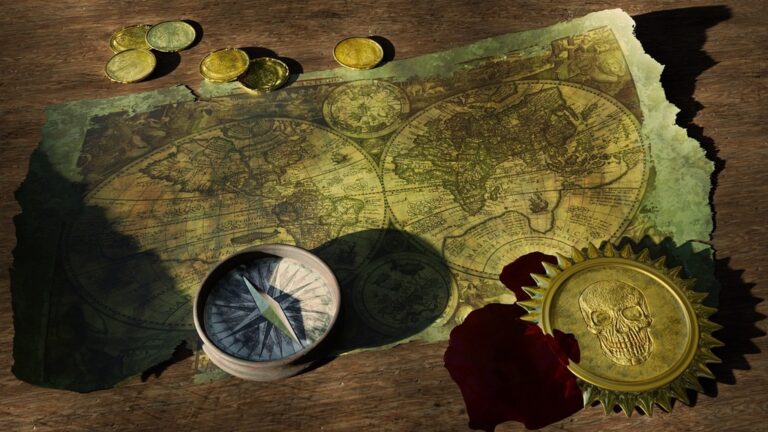
Vintage-inspired maps blend nostalgic aesthetics with contemporary cartographic precision, creating timeless designs that resonate with modern audiences. These maps draw from historical cartographic traditions while incorporating advanced digital mapping techniques.
Recreating Historical Map Aesthetics
Recreating authentic historical aesthetics requires studying period-specific cartographic conventions from different eras. You’ll need to analyze 18th and 19th-century map examples to understand characteristic typography, line weights, and geographic representation methods. Implement aged paper textures using GIMP or Photoshop overlays to simulate weathered parchment effects. Apply sepia or desaturated color palettes that mirror natural aging processes of historical documents. Use period-appropriate fonts like Caslon or Trajan Pro to maintain typographic authenticity while ensuring modern readability standards.
Incorporating Decorative Borders and Compass Roses
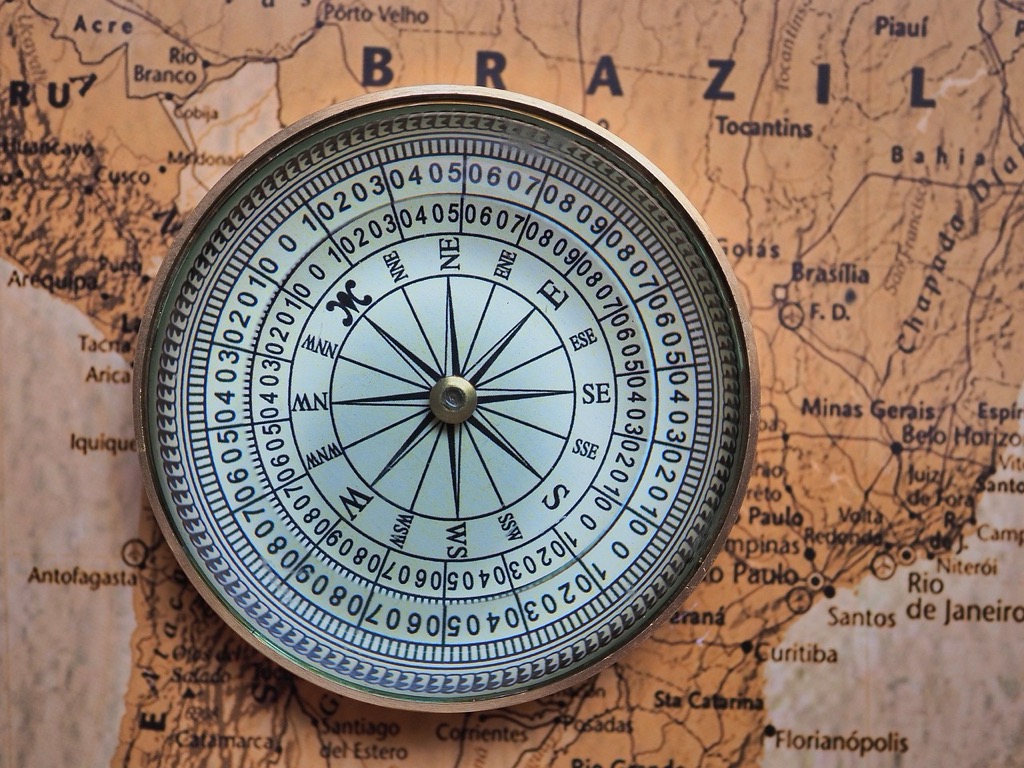
Incorporating ornate decorative elements transforms functional maps into artistic statements while preserving navigational utility. Design elaborate compass roses using vector graphics software like Adobe Illustrator, featuring traditional directional symbols and wind roses. Create decorative borders with cartouches, scrollwork, and heraldic elements that frame your map content without overwhelming geographic information. Balance ornamental complexity with map legibility by positioning decorative elements in strategic white space areas. Use consistent line weights and design motifs throughout all ornamental components to maintain visual cohesion across your vintage-inspired cartographic design.
[lasso id=”16425″]
Balancing Nostalgia with Modern Functionality
Balancing historical charm with contemporary usability requires careful integration of modern mapping standards with vintage aesthetics. Maintain accurate geographic projections and scale relationships while applying stylized visual treatments to terrain and infrastructure elements. Incorporate modern navigation aids like GPS coordinates and digital-friendly color schemes that work across multiple display formats. Test your vintage maps on various devices to ensure readability and functionality meet current user expectations. Preserve essential wayfinding elements while allowing decorative components to enhance rather than obstruct the map’s practical navigation purpose.
Interactive Digital Maps with Customizable Style Layers
Interactive digital maps transform user experiences by offering dynamic style switching capabilities that adapt to different contexts and preferences. These customizable layers provide unprecedented flexibility in how geographic information is presented and consumed.
Creating Multiple Visual Modes
Layer-based architecture enables seamless transitions between abstract and realistic map styles through strategic data structuring. You’ll need to organize your map data into distinct visual layers that can be independently controlled and modified. Vector-based mapping platforms like Mapbox Studio and ArcGIS Online allow you to create separate style configurations for the same underlying dataset. Structure your data hierarchy with base layers for terrain, transportation networks, and point-of-interest categories. This approach lets users switch between minimalist navigation views and detailed satellite imagery without losing their current map position or zoom level.
Implementing User-Controlled Style Switching
Toggle controls provide users with instant access to different map styles through intuitive interface elements. Implement style switchers using JavaScript libraries like Leaflet or MapLibre GL JS to create responsive control panels. Position toggle buttons prominently in your map interface, typically in the top-right corner for desktop applications. Use clear visual indicators like thumbnails or icons that represent each style option—satellite imagery icons for realistic modes and simplified line graphics for abstract styles. Test your switching mechanisms across different devices to ensure smooth transitions without data reloading delays that disrupt user experience.
Optimizing for Different Screen Sizes and Devices
Responsive design principles ensure your customizable map styles maintain functionality across mobile phones, tablets, and desktop displays. Configure your CSS media queries to adjust control panel sizes and button spacing based on screen dimensions. Mobile devices require larger touch targets (minimum 44px) and simplified control interfaces to prevent accidental style switches during navigation gestures. Implement progressive enhancement by loading lightweight abstract styles first on slower connections, then offering high-resolution realistic options as bandwidth allows. Cache frequently accessed style configurations locally to improve performance on mobile networks where data usage matters most.
Conclusion
Your map style choice ultimately depends on your specific goals and audience needs. Abstract designs excel when you need quick navigation and clear information hierarchy while realistic styles work best for detailed geographic reference and immersive exploration.
Consider blending both approaches to maximize your map’s effectiveness. Hand-drawn artistic maps and interactive digital layers offer the flexibility to switch between styles based on user context and preferences.
The seven style approaches we’ve explored give you a comprehensive toolkit for any mapping project. Whether you’re designing for mobile navigation or creating stunning visualizations your success lies in matching the right style to your users’ expectations and tasks.
Remember that great map design isn’t just about choosing between abstract or realistic—it’s about creating an intuitive visual language that guides your users exactly where they need to go.
Frequently Asked Questions
What is the main difference between abstract and realistic map styles?
Abstract maps prioritize functional clarity by simplifying geographic information and eliminating unnecessary details, focusing on essential navigation elements like major roads and landmarks. Realistic maps maintain geographic accuracy and visual authenticity, featuring detailed terrain and recognizable landmarks that provide precise geographic reference for users who need comprehensive spatial information.
When should I choose abstract maps over realistic maps?
Choose abstract maps for quick navigation tasks, digital environments with limited screen space, and situations where users need to focus on essential information without distractions. They’re ideal for transit systems, mobile apps, and scenarios where cognitive load reduction is important for user experience and efficient decision-making.
What are the benefits of minimalist abstract maps?
Minimalist abstract maps excel in digital environments by reducing visual clutter and delivering essential geographic information through clean design elements. They enhance readability through strategic use of negative space, consistent stroke weights, and simplified geography, making them perfect for mobile devices and applications with short user attention spans.
How do photorealistic satellite maps enhance user experience?
Photorealistic satellite maps provide immediate visual recognition of terrain features and landmarks through high-resolution imagery and advanced rendering techniques. They offer unmatched geographic authenticity by combining digital elevation models with natural color palettes, making them ideal for outdoor recreation, scientific research, and applications requiring precise geographic reference.
What makes hand-drawn artistic maps effective?
Hand-drawn artistic maps blend abstract and realistic elements while maintaining geographic integrity, creating visually compelling representations that engage users emotionally. They use watercolor and sketch techniques, custom iconography, and thematic color schemes to transform geographic data into narrative experiences while preserving essential geometric properties for navigation.
How do isometric 3D maps improve geographic visualization?
Isometric 3D maps create visual depth while maintaining precise geometric relationships through consistent angles and CAD software precision. They enhance realism using height, shadow placement, and ambient occlusion techniques, combining abstract icons with realistic structures to optimize user comprehension and provide an engaging three-dimensional perspective.
What are the key features of vintage-inspired maps?
Vintage-inspired maps blend nostalgic aesthetics with contemporary cartographic precision by recreating historical map conventions, aged textures, and period-specific color palettes. They incorporate decorative borders and compass roses while maintaining accurate geographic projections and modern navigation aids, creating artistic statements that resonate with contemporary audiences.
How do interactive digital maps with customizable styles work?
Interactive digital maps use layer-based architecture to enable dynamic style switching between abstract and realistic modes based on user context and preferences. They implement user-controlled toggle controls and responsive design principles, ensuring smooth transitions and optimal performance across devices while enhancing user engagement and satisfaction.